
Let Me Downgrade
Reclaim Control Over Your Apps
• Android blocks the installation of an older version of an app once a newer one is present.
• This Xposed module (compatible with Android 12‑17) removes that barrier, letting you install legacy versions whenever you need them.
• A built‑in Status screen shows a simple toggle that instantly enables or disables downgrades.
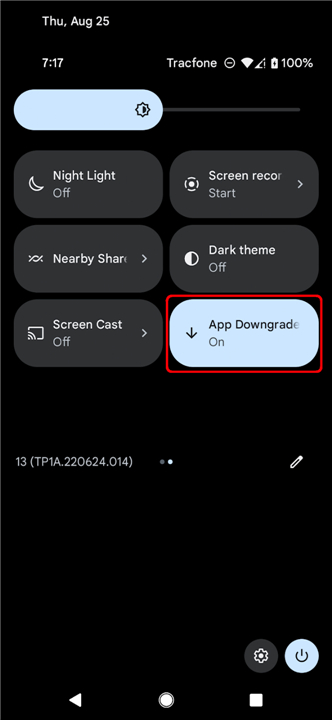
• For quick access, add the optional App Downgrades tile to Quick Settings; it mirrors the same on/off state.
Important notice
• Only for rooted devices running Android 12‑17.
• Requires LSPosed (the LSPosed build with API 101). Other Xposed frameworks are unsupported.
• The module may not work on every device; in the worst case it could cause a boot loop.
• Use at your own risk and back up your data first.
How to get started
1. Root your device with Magisk or KernelSU.
2. Install LSPosed (API 101 build).
3. Download and install the Let Me Downgrade APK.
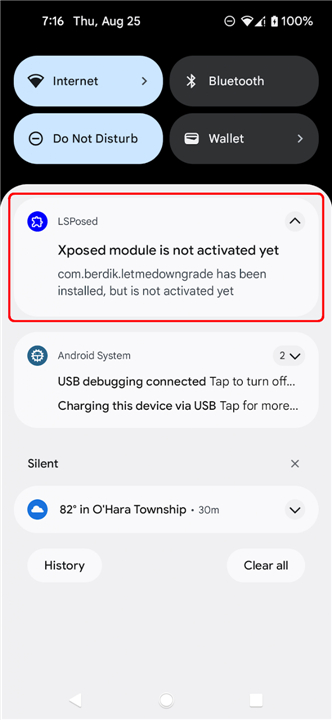
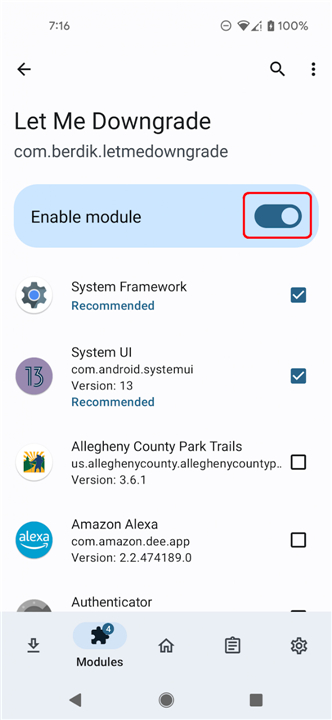
4. Open LSPosed, locate the module, and activate it.
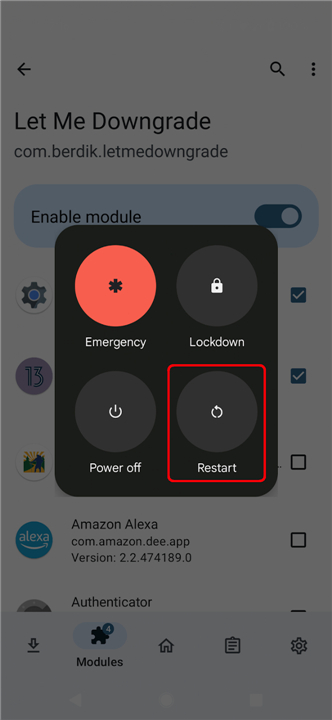
5. Reboot your phone, then sign in as usual.
6. Launch Let Me Downgrade from the app drawer:
• The Status card displays whether downgrades are currently permitted.
• Use the switch to turn the hook on or off.
7. (Optional) Open the Quick Settings tile editor, add the App Downgrades tile, and enjoy one‑tap control.
Why you’ll love it
• Freedom: Install the exact app version you need, no matter what Google Play or the system tries to enforce.
• Simplicity: One toggle, one tile—no complex commands or scripts.
• Confidence: See the current state at a glance and adjust it instantly.
Let Me Downgrade makes it possible
• Take back the power to choose the software that works best for you.
FAQ
Q: Which Android versions does the module support?
A: The module works on Android 12, 13, 14, 15, 16 and 17. It has been tested on those releases, but exact compatibility can still vary slightly between manufacturers and custom ROMs.
Q: Do I have to be rooted to use “Let Me Downgrade”?
A: Yes. The module relies on Xposed’s hooking capabilities, which require root access. You can use Magisk or KernelSU to obtain the necessary privileges.
Q: Why does the module require LSPosed specifically?
A: LSPosed (API 101 build) is the only framework that provides the stable hooks needed for this module. Other Xposed implementations lack the required API level or have compatibility issues, so they are not supported.
Version History
v1.1.0——18 Aug 2026
Add support for downgrading apps on Android 12 through 17. Download the latest version of Let Me Downgrade to enjoy new features and updates immediately!
*1.1.0
This release updates Let Me Downgrade to LSPosed API 101. An LSPosed build with API 101 support is required; this version is not compatible with API 100-only frameworks.
For a full list of the changes in this release, please see the release notes on GitHub: https://github.com/DavidBerdik/Let-Me-Downgrade/releases/tag/1.1.0
*1.0.7
This release replaces the in-app instructions with a proper user interface for toggling the module state. For a full list of the changes in this release, please see the release notes on GitHub: https://github.com/DavidBerdik/Let-Me-Downgrade/releases/tag/1.0.7
*1.0.6
Minor bug fixes and improvements. Install or update to the newest version to check it out!
- AppSize1.88M
- System Requirements5.0 and up
- Is there a feeFree(In game purchase items)
- AppLanguage English
- Package Namecom.berdik.letmedowngrade
- MD5
- PublisherDavid Berdik
- Content RatingTeenDiverse Content Discretion Advised
- Privilege19
-
Let Me Downgrade 1.1.0Install
1.88M2026-10-28Updated










9.5
3635 Human Evaluation
- 5 Star
- 4 Star
- 3 Star
- 2 Star
- 1 Star