

Gotify
Overview
• Gotify is a lightweight, self‑hosted notification server that delivers messages instantly over a WebSocket connection.
• It is designed for developers and teams who need a simple, privacy‑focused way to push alerts, status updates, or custom notifications to any number of clients.
Real‑time Messaging
• Messages are sent to the server via a REST API and immediately broadcast to all connected clients through a single persistent WebSocket channel.
• The WebSocket connection eliminates the need for polling, reducing latency and bandwidth usage.
• Each message can contain a title, body text, optional priority level, and a custom icon or image.
How the Companion App Works
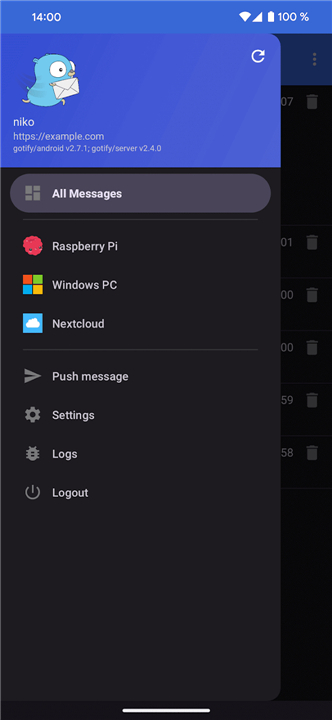
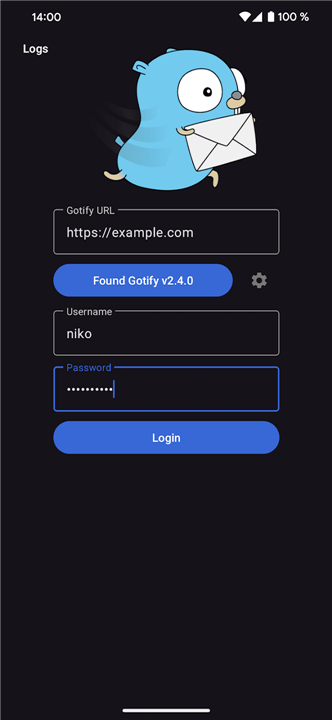
• The mobile/desktop app opens a WebSocket subscription to the configured Gotify server as soon as the user authenticates.
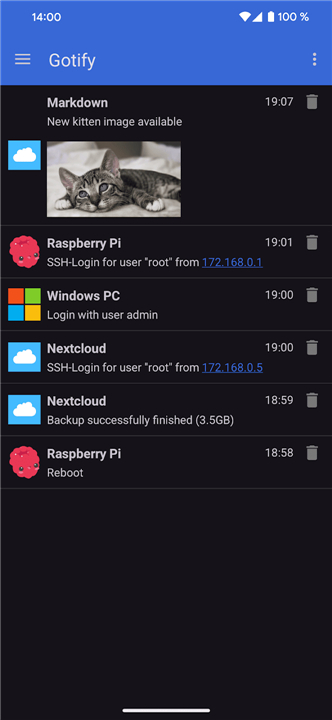
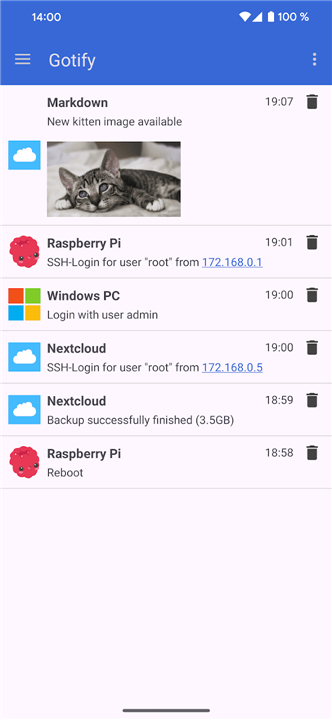
• Upon receiving a new message, the app generates a native push notification, displaying the message’s title and body on the device.
• Users can tap the notification to open the associated payload or dismiss it directly from the notification shade.
Open‑Source Availability
• Both Gotify and the companion app are released under the MIT license, encouraging community contributions and transparency.
• The complete source code, issue tracker, and contribution guidelines are hosted on GitHub: https://github.com/gotify.
Self‑Hosted Server Requirement
• The companion app requires a running Gotify instance that you control; there is no external, hosted service provided by the project.
• Detailed, step‑by‑step instructions for installing Gotify on various platforms (Docker, binary releases, Linux packages, etc.) are available at: https://gotify.net/docs/install.
Additional Resources
• Documentation for the REST API and WebSocket specifications can be found in the GitHub README and the official docs site.
• Community forums, Slack channel, and issue discussions offer support for deployment, configuration, and custom integrations.
FAQ
Q: How does the Gotify companion app interact with the server to show native notifications?
A: As soon as you log in and authenticate your companion app, it opens a secure WebSocket subscription directly to your running Gotify server. When a new notification arrives over this connection, the app immediately processes the payload and triggers a native push notification on your mobile device or desktop, letting you tap to view details or easily dismiss it.
Q: Is Gotify open-source, and can I contribute to its development?
A: Yes, both the Gotify server and its companion applications are fully open-source and released under the permissive MIT license. You can review the source code, open issues, or submit pull requests directly on their official GitHub home page at https://github.com/gotify.
Q: Do I need to pay for a subscription or use a third-party cloud service to run Gotify?
A: You do not need to pay any subscription fees because there is no external cloud service managed by the Gotify project. It is a completely self-hosted solution, meaning you run the entire server stack on your own hardware, giving you full ownership and privacy over your entire notification infrastructure.
Version History
v2.10.1——18 Aug 2026
A client for gotify/server. Download the latest version of Gotify to enjoy new features and updates immediately!
*2.10.1
* This is a compatibility release for the new Gotify version with backwards compatibility
* Allow sending messages to Gotify 3.0
*2.10.0
* OIDC support (coming in gotify/server 3.0.0)
* Fix duplicate notification
* Add configurable reconnect settings
*2.9.0
- Improve automatic reconnect when network gets available.
- Add setting to start onReceive intents directly without user interaction.
- Update to Android 16.
- AppSize6.45M
- System Requirements5.0 and up
- Is there a feeFree(In game purchase items)
- AppLanguage English
- Package Namecom.github.gotify
- MD5
- PublisherGotify
- Content RatingTeenDiverse Content Discretion Advised
- Privilege19
-
Gotify 2.10.1Install
6.45M2026-10-28Updated










9.9
2340 Human Evaluation
- 5 Star
- 4 Star
- 3 Star
- 2 Star
- 1 Star




