
RemotePointer
Overview
• RemotePointer is a versatile utility designed to transform your Android device into a comprehensive remote control for your computer.
• It bridges the gap between your mobile device and PC, offering seamless management of inputs across various scenarios.
Core Control Features
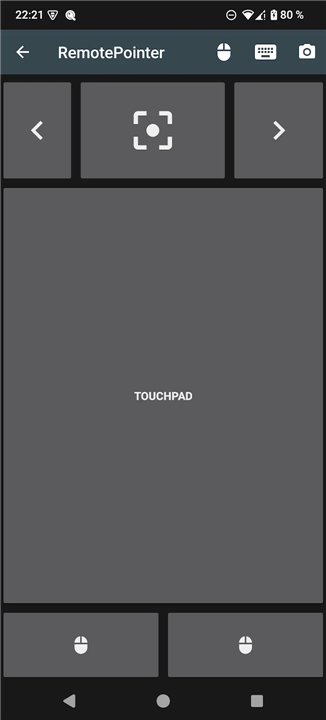
• Full mouse functionality provided through a responsive virtual touchpad on your smartphone.
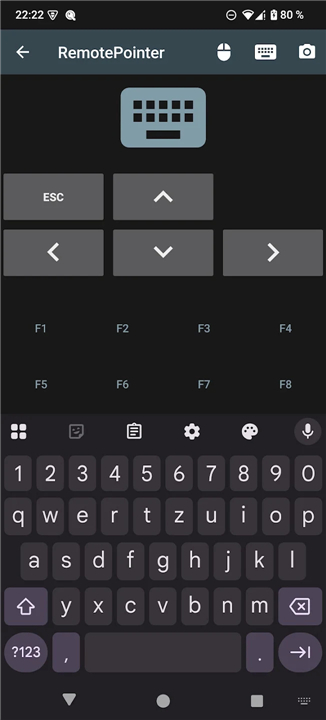
• Complete keyboard integration for remote typing, allowing you to manage your computer from a distance or your couch.
• Intuitive navigation for presentations, enabling users to flip through slides while simultaneously maintaining cursor control.
Innovative Digital Laser Pointer
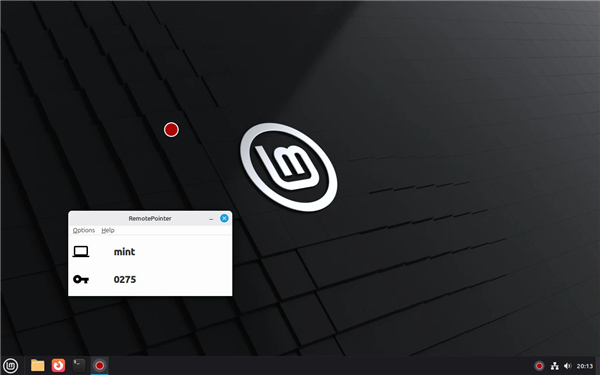
• Utilizes the Android device's internal motion sensors to project a digital laser pointer dot on the screen or projector.
• Ensures high visibility in brightly lit environments where traditional physical laser pointers often fail to be seen.
• Since the pointer is rendered digitally on the OS level, it is captured by screen recording software during presentations or tutorials.
Additional Utility and Privacy
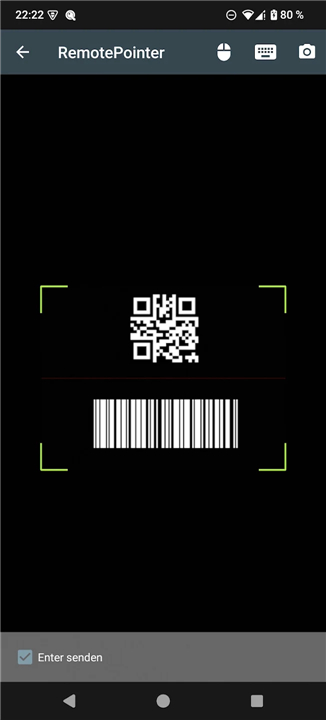
• Includes a built-in barcode and QR code scanner that transmits scanned data directly to your computer.
• Operates on a strictly self-hosted model, eliminating any dependencies on external third-party servers.
• Prioritizes user privacy by omitting all forms of tracking and telemetry.
• The project is entirely Open Source, with the source code for both the Android client and the server application available on GitHub.
Compatibility and Setup
• The server-side software is compatible with Windows, macOS, and Linux operating systems.
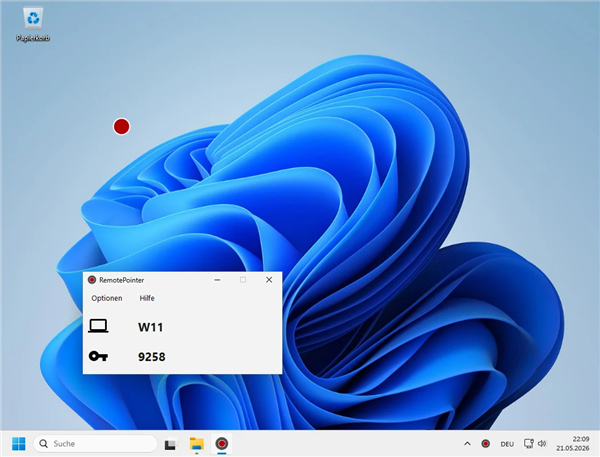
• Users can download the necessary PC software for free at https://sieber.systems/s/rp.
• The open-source repositories can be found at the schorschii GitHub account under RemotePointer-Android and RemotePointer-Server.
FAQ
Q: Can I use RemotePointer to type on my computer from a distance?
A: Yes, it offers complete keyboard integration right from your mobile device. This feature allows you to type text remotely, making it very convenient to manage media playback, enter URLs, or interact with your computer while relaxing on your couch.
Q: How does RemotePointer assist when giving presentations?
A: The app features intuitive slide navigation that enables you to flip through presentation slides with ease. Crucially, it allows you to maintain continuous cursor control while navigating your deck, so you don't need to switch between separate clickers and pointing devices.
Q: How does the innovative Digital Laser Pointer work?
A: Instead of using a physical light beam, RemotePointer taps into your Android device's internal motion sensors to track your physical movement. It then projects a clean digital laser pointer dot directly onto your computer display or connected projector.
Version History
v3.2——11 Aug 2026
Digital Laser Pointer and Mouse Control for Presentations Download the latest version of RemotePointer to enjoy new features and updates immediately!
*3.2
improved reconnect dialog
clipboard sync feature
play/pause, next, prev media keys
*3.1
enable volume up/down in keyboard mode
fix purchase buttons in Google build
reconnect handling on connection abort
*3.0
support for computer volume control using the hardware buttons of the smartphone
standalone build for Github & F-Droid without Play in-app purchases
updated libraries & SDK
- AppSize4.99M
- System Requirements5.0 and up
- Is there a feeFree(In game purchase items)
- AppLanguage English
- Package Namesystems.sieber.remotespotlight
- MD5
- PublisherGeorg Sieber
- Content RatingTeenDiverse Content Discretion Advised
- Privilege19
-
RemotePointer 3.2Install
4.99M2026-09-30Updated










8.6
6982 Human Evaluation
- 5 Star
- 4 Star
- 3 Star
- 2 Star
- 1 Star