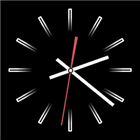
Clock Screensaver & Widget
Overview
• Clock Screensaver & Widget is a versatile timekeeping application designed for Android devices.
• It transforms your screen into a clean, full-screen time display that functions as an interactive home screen widget, a desktop clock, or an automated system-wide screensaver.
Visual Customization
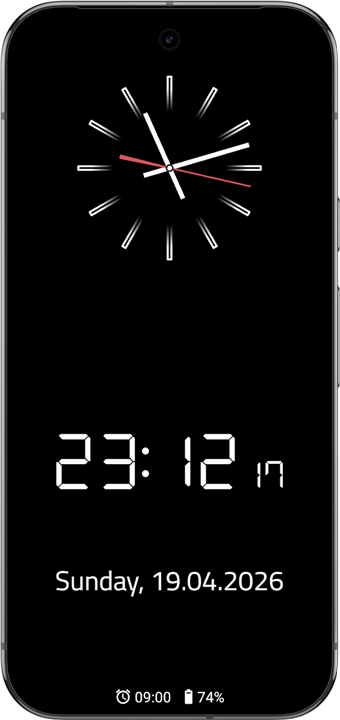
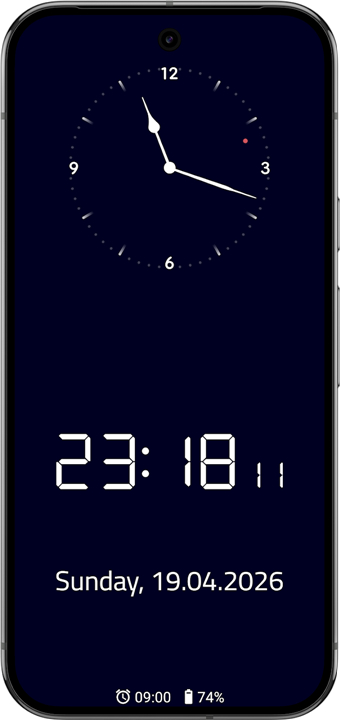
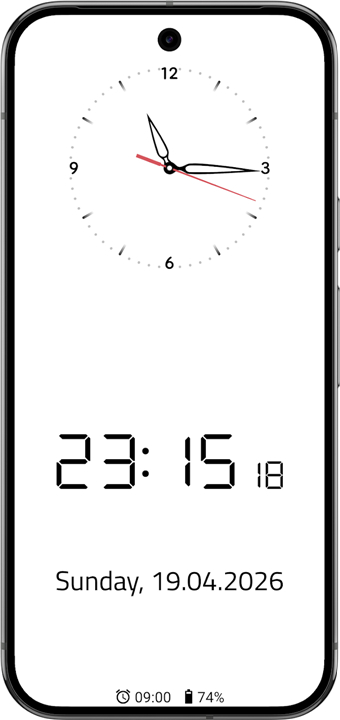
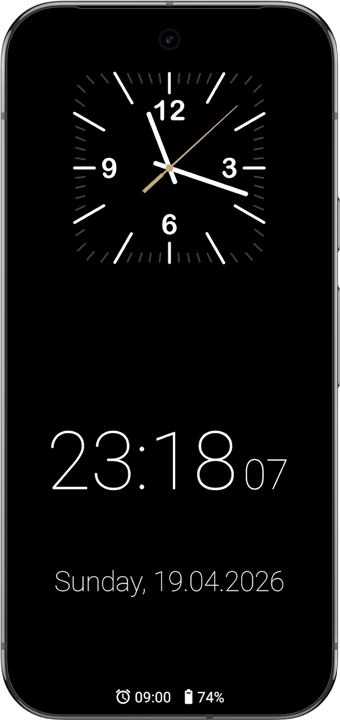
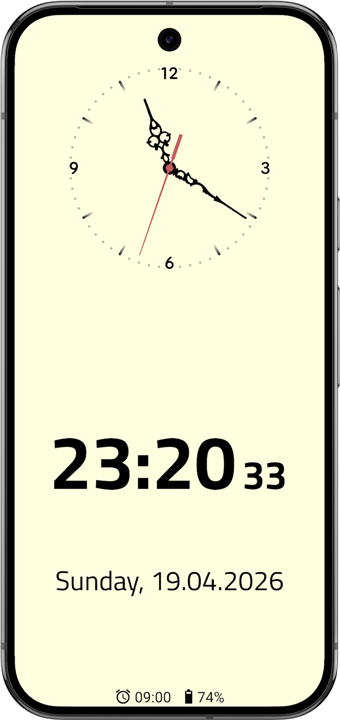
• Choose from a wide selection of pre-defined clock hands and watch faces, or upload custom background images for a personalized layout.
• Toggle the analog and digital clock displays on or off independently to suit your preference.
• Adjust both the background and clock element colors using a full color picker.
Information & Calendar Sync
• Display optional date and weekday information with fully customizable text formatting options.
• Sync and display upcoming alarms alongside scheduled appointments directly from your Android calendar or the internal event database.
Device Compatibility & Screen Safety
• Set the application as your official Android system screensaver (DayDream) on smartphones and tablets.
• Complete compatibility with Android TV devices for large-screen time displays.
• Integrated OLED display protection subtly shifts on-screen elements over time to prevent permanent image burn-in on sensitive displays.
Open Source Project
• Free and open-source software with source code publicly hosted for community contribution and transparency: https://github.com/schorschii/FsClock-Android
FAQ
Q: Can I display both analog and digital clocks at the same time, or choose between them?
A: You have complete flexibility over how the time is rendered on your screen. The app provides independent toggle switches for both the analog and digital components, allowing you to showcase a traditional watch face, a modern digital readout, or a hybrid layout that combines both simultaneously. If you prefer a minimalist look, you can easily disable either element with a single tap in the settings.
Q: What customization options are available for the watch faces and clock hands?
A: You can personalize the visual aesthetic of the analog clock by choosing from an extensive collection of pre-designed clock hands and watch faces. These designs range from sleek, minimalist indicators to detailed, classic watch hands. This variety ensures you can match the clock’s appearance to your personal aesthetic or your room's ambient lighting.
Q: How does color customization work across the interface?
A: The app includes a full-featured color picker that gives you granular control over the color palette of your display. You can adjust the exact hex values or shades of the background, clock hands, hour markers, and digital typography independently. This level of control makes it easy to build high-contrast themes for easy daytime reading or muted, dark themes for nighttime use.
Version History
v2.2——18 Aug 2026
Fullscreen Analog- and Digital Clock with Alarm, Event & Battery View Download the latest version of Clock Screensaver & Widget to enjoy new features and updates immediately!
*2.2
Minor bug fixes and improvements. Install or update to the newest version to check it out!
*2.1
Minor bug fixes and improvements. Install or update to the newest version to check it out!
*2.0
Minor bug fixes and improvements. Install or update to the newest version to check it out!
- AppSize5.28M
- System Requirements5.0 and up
- Is there a feeFree(In game purchase items)
- AppLanguage English
- Package Namesystems.sieber.fsclock
- MD5
- PublisherGeorg Sieber
- Content RatingTeenDiverse Content Discretion Advised
- Privilege19
-
Clock Screensaver & Widget 2.2Install
5.28M2026-10-13Updated










9.9
1288 Human Evaluation
- 5 Star
- 4 Star
- 3 Star
- 2 Star
- 1 Star