
Widgets Anywhere
Overview
• Remember when your phone was truly yours to customize?
• Years ago, Android allowed you to place helpful widgets directly on your lock screen.
• While official updates eventually removed this freedom, Widgets Anywhere is here to bring it back.
• We believe your lock screen should be a gateway to productivity, not a barrier.
• With this app, you can bypass manufacturer limitations and design a lock screen experience that fits your lifestyle.
Reclaiming Your Lock Screen
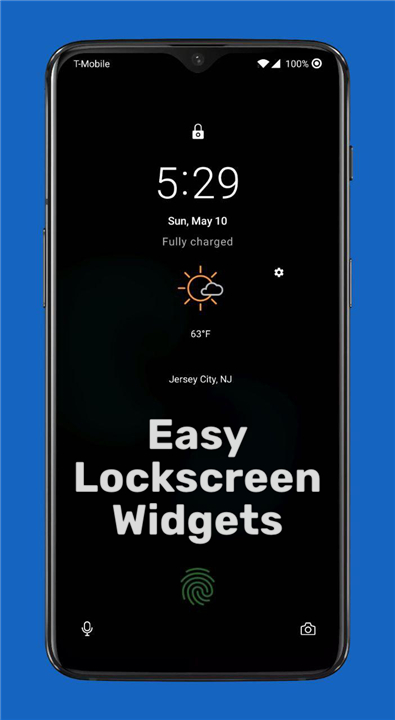
• A Dedicated Canvas: Access your widgets inside a clean, paged frame overlay directly on your lock screen (excluding the Always-On Display).
• Total Freedom: Add any standard home screen widget to your lock screen.
• Flexible Layouts: Assign a single widget to its own page, or group multiple widgets together on a single page.
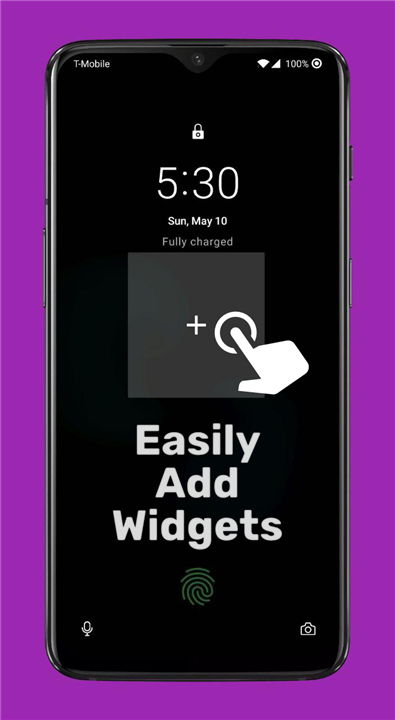
• Effortless Expansion: Add new tools instantly by tapping the plus button on the final page of your frame.
Intuitive Gestures and Controls
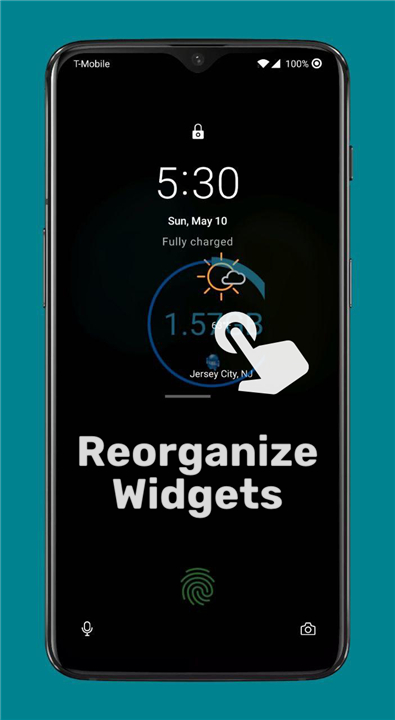
• Organize on the Fly: Press, hold, and drag widgets to arrange them in your preferred order.
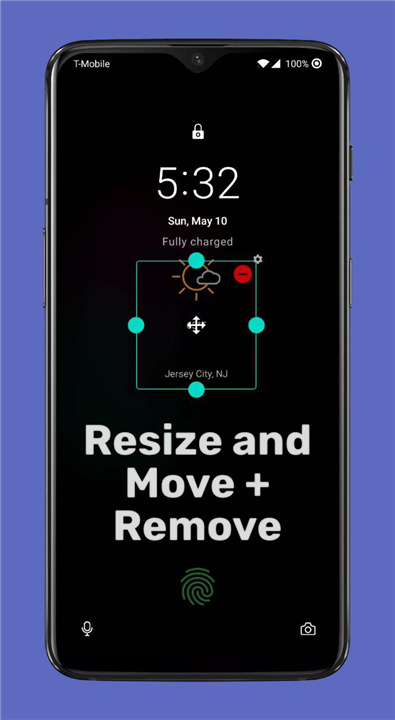
• Quick Customization: Long-press any widget to resize it or remove it from your screen.
• Frame Adjustment: Tap the frame with two fingers to enter editing mode, letting you reposition or resize the entire container.
• Instant Privacy: Tap with three fingers to temporarily hide the widget frame. It will automatically reappear the next time your screen turns on.
Versatility Beyond the Lock Screen
• The Widget Drawer: Swipe a customizable handle from any screen to pull up a vertical scroll of your favorite widgets. This can also be triggered via shortcuts or Tasker.
• Widget Stacks: Save valuable home screen space by stacking multiple widgets on top of each other.
• Quick Settings Integration: Samsung device users can place widgets directly into their Quick Settings tiles for instant access.
Simple and Accessible Setup
• No Root Required: Enjoy the core features immediately without needing root access or complex ADB commands.
• Broad Compatibility: Works on Android 7.0 (Nougat) and later.
• Modern Android Support: Devices running Android 13 and newer simply require a companion app to utilize Masked Mode.
Transparent Security and Permissions
To integrate seamlessly with your system, Widgets Anywhere requests only the essential permissions needed to function:
• Accessibility Service: Required to display the widget frame over your lock screen.
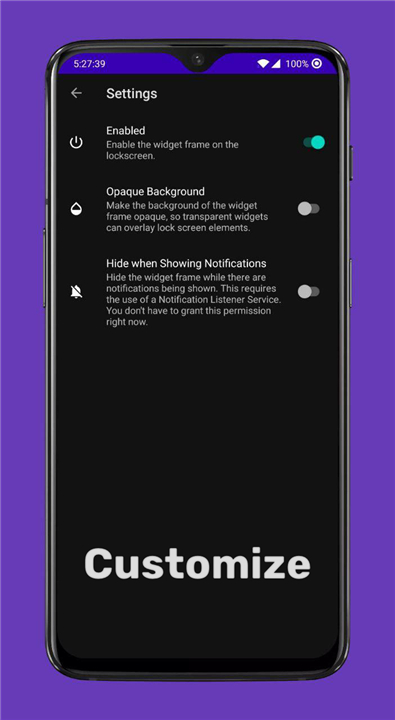
• Notification Listener: An optional permission used to automatically hide the widget frame when notifications arrive.
• Dismiss Keyguard: Used safely to transition from a widget action to your active app. This works alongside your lock screen security and will never bypass your PIN, pattern, or password.
Open and Collaborative
• We believe in transparency and community.
• Widgets Anywhere is entirely open-source, allowing you to view the code or help translate the app into your language.
+ Source Code: https://github.com/zacharee/LockscreenWidgets
+ Translation Project: https://crowdin.com/project/lockscreen-widgets
FAQ
Q: Which versions of Android are supported by the app?
A: The app features very broad compatibility and works smoothly on devices running Android 7.0 Nougat and later. If you are using a newer device running Android 13 or above, you will simply need to install a lightweight companion app to utilize Masked Mode, which helps bypass modern system restrictions.
Q: How do I go about adding new widgets to my lock screen frame?
A: Adding tools to your lock screen is incredibly simple and fast. Once the app is active, you just need to swipe over to the final page of your widget frame on the lock screen and tap the plus button, which will instantly open your device's widget selector so you can add any standard home screen widget.
Q: Can I customize the layout, or am I limited to just one widget per page?
A: You have total freedom over how your layout looks. You can choose to assign a single widget to its own dedicated page for a clean, minimalist look, or you can group multiple widgets together on a single page to keep all your essential tools visible at a glance.
Version History
v4.4.2——17 Aug 2026
Customize your Android lock screen with Widgets Anywhere! Add widgets, stacks, and drawers effortlessly—no root access required. Download the latest version of Widgets Anywhere to enjoy new features and updates immediately!
*4.4.2
Fix item resizing and reordering.
Work on improving touch protection reliability.
Work on improving edge panel detection reliability.
Update translations.
*4.4.1
Fix an issue where frames wouldn't move displays until after relaunching the app.
More crash fixes.
*4.4.0
Minor bug fixes and improvements. Install or update to the newest version to check it out!
- AppSize21.80M
- System Requirements5.0 and up
- Is there a feeFree(In game purchase items)
- AppLanguage English
- Package Nametk.zwander.lockscreenwidgets
- MD5
- PublisherZachary Wander
- Content RatingTeenDiverse Content Discretion Advised
- Privilege19
-
Widgets Anywhere 4.4.2Install
21.80M2026-10-28Updated










8.1
3758 Human Evaluation
- 5 Star
- 4 Star
- 3 Star
- 2 Star
- 1 Star




