

Voice Audiobook Player
Overview
• Voice is a clean, straightforward audiobook player built for listeners who already have their own audio files.
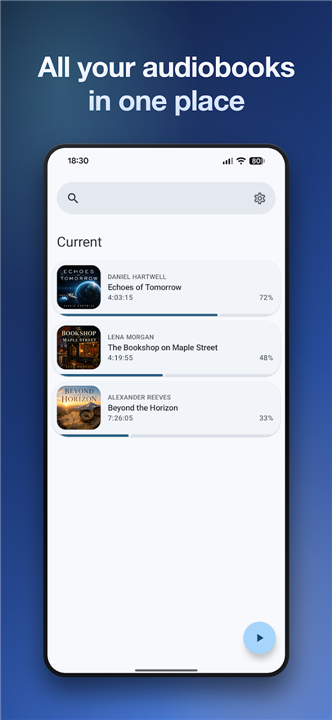
• Add your audiobook folder once, and Voice transforms those local files into a personal library that remembers where you left off, keeps playback controls within easy reach, and stays unobtrusive while you listen.
Key Features
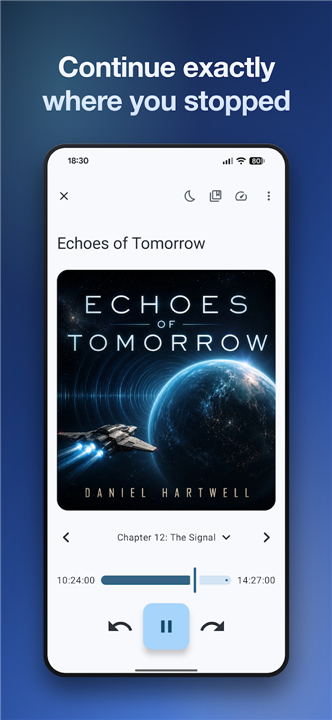
• Resume playback exactly where you stopped
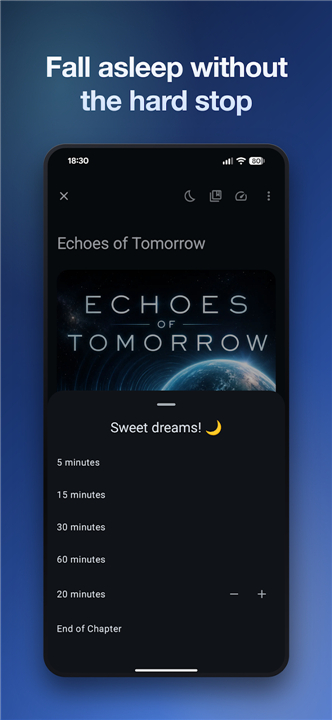
• Sleep timer with a gentle fade‑out
• Option to stop at the end of the current chapter
• Shake to extend the timer
• Adjustable playback speed
• Volume boost for quiet recordings
• Skip silent sections automatically
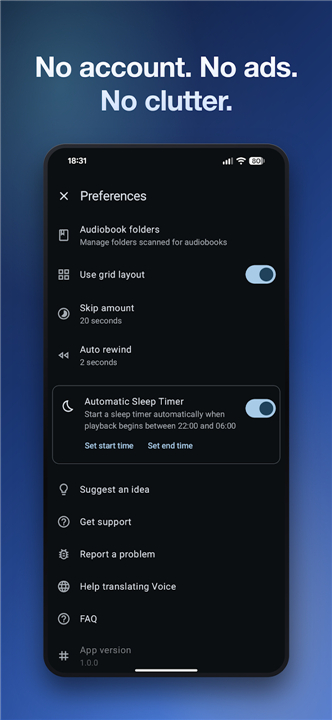
• Auto‑rewind after longer pauses
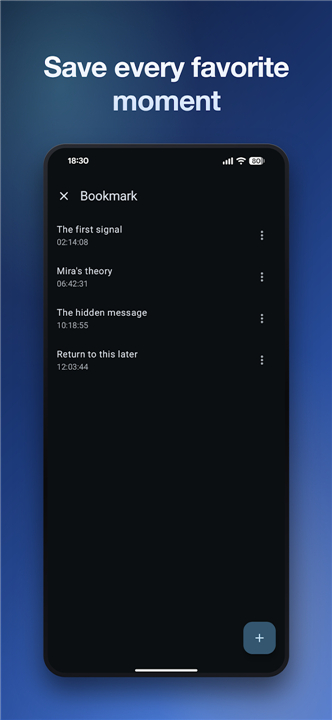
• Bookmarks with timestamps and custom names
• Search by title or author
• Filter views: current, completed, not started
• List and grid display modes
• Cover art pulled from embedded images, local files, or online lookup
• Home‑screen widget, media notification, and Android Auto integration
Supported Formats
• Voice works with DRM‑free audiobook files, including M4B, MP3, M4A, OGG, OGA, and OPUS.
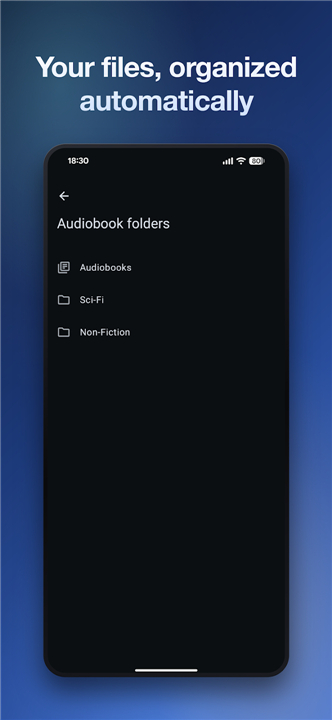
• Keep your books organized in any folder structure you prefer; Voice will recognize and catalogue them automatically.
Why Choose Voice
• No account required
• No advertisements
• No forced cloud synchronization
• All features are available without any paid upgrades
Open Source & Community
• Voice is released under the GNU GPLv3 license, inviting anyone to inspect, modify, and improve the code.
Feedback & Support
• Report issues or suggest enhancements at: https://github.com/PaulWoitaschek/Voice/issues
FAQ
Q: What file formats does Voice support, and are DRM‑protected books usable?
A: Voice works with DRM‑free audiobook files such as M4B, MP3, M4A, OGG, OGA, and OPUS. If your books are protected by DRM, they will not be recognized; you’ll need to obtain a DRM‑free version or convert them yourself before adding them to the app.
Q: Can Voice remember where I left off in each book, and how accurate is the resume feature?
A: Yes, Voice stores a playback position for every title the moment you pause or exit the app. When you return, it resumes exactly at that timestamp, down to the second, so you never lose your place even after switching between multiple books.
Q: Is there a way to set a sleep timer that fades out the audio gently?
A: Absolutely. In the playback screen you’ll find a sleep‑timer icon; tapping it lets you choose a duration. When the timer ends, Voice gradually lowers the volume over a few seconds before stopping, creating a smooth fade‑out that’s less jarring than an abrupt cutoff.
Version History
v26.6.1——26 Aug 2026
A clean audiobook player for your own files, with sleep timer and bookmarks. Download the latest version of Voice Audiobook Player to enjoy new features and updates immediately!
*26.6.1
Minor bug fixes and improvements. Install or update to the newest version to check it out!
*26.5.3
Minor bug fixes and improvements. Install or update to the newest version to check it out!
*26.4.5
Minor bug fixes and improvements. Install or update to the newest version to check it out!
- AppSize6.64M
- System Requirements5.0 and up
- Is there a feeFree(In game purchase items)
- AppLanguage English
- Package Namede.ph1b.audiobook
- MD5a72d1adbfcd7f78a1e43aa944cbec884
- PublisherPaul Woitaschek
- Content RatingTeenDiverse Content Discretion Advised
- Privilege19
-
Voice Audiobook Player 26.6.1Install
6.64M2026-10-12Updated










9.2
2362 Human Evaluation
- 5 Star
- 4 Star
- 3 Star
- 2 Star
- 1 Star




