

VES - Image and Photo Compare
Overview
• VES Image Compare – a fast, private tool for seeing the subtle differences between two photos right on your device
• Stop squinting at your gallery; instantly spot even the tiniest changes between images
Comparison modes
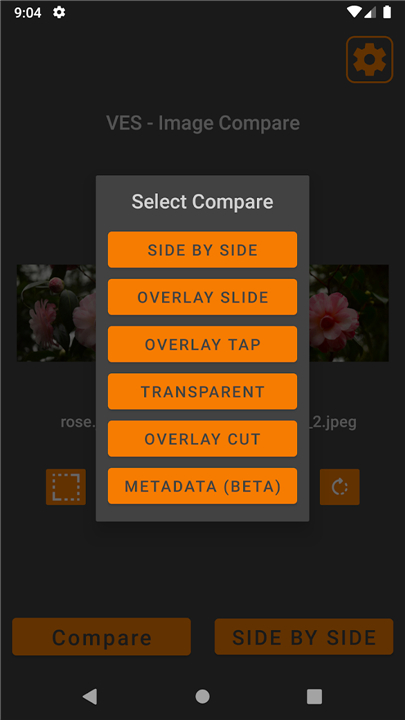
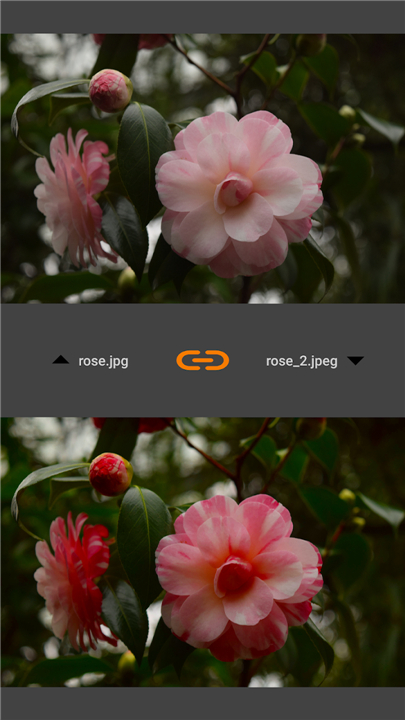
• Side‑by‑Side: view both pictures together for a quick visual check
• Overlay Tap: stack the images and toggle between them with a tap to detect ghosting or movement
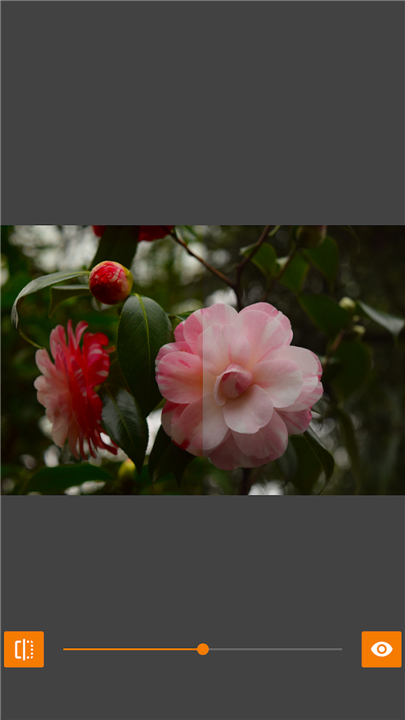
• Overlay Slide: drag a slider to reveal before‑and‑after views in real time
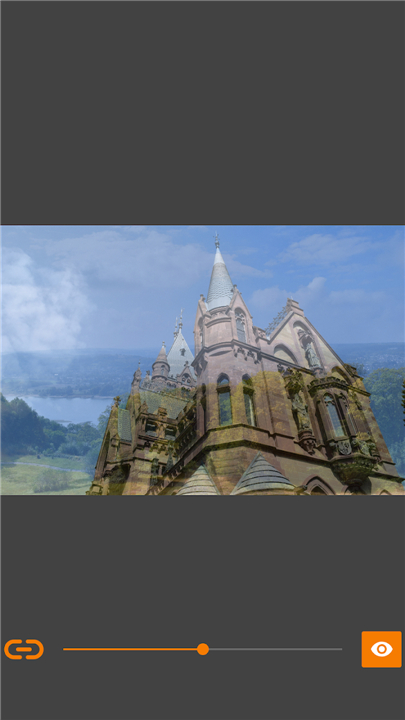
• Slide Transparent: blend the two images to check alignment or colour shifts
• Overlay Cut: draw a precision line to split the view for detailed side‑by‑side analysis
• Touch Transparent: erase the top image with your finger, pause to zoom or pan both pictures, then continue erasing exactly where you left off
• Differences: let the app compare each pixel and highlight the biggest variance areas with coloured circles—no squinting required
Key features
• Synchronized Zoom: zoom one image and the other follows perfectly, ideal for checking focus and sharpness
• Privacy First: no internet permission needed; your photos never leave your phone
• Zero Ads: a clean, distraction‑free interface
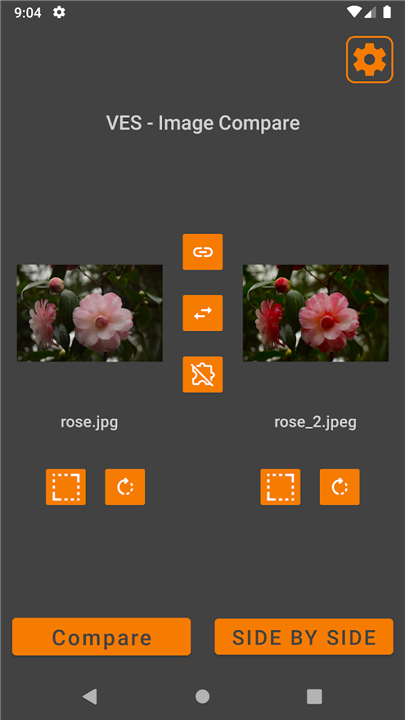
• Flexible Loading: pick images from your gallery, take a new photo, or share directly from another app
• Pre‑Comparison Tools: rotate and resize images to ensure a fair comparison
Ideal uses
• Before‑and‑After: fitness progress, makeup looks, DIY renovations
• Quality Control: compare compressed vs. original files
• Design Work: review logo iterations or UI mockups
Privacy guarantee
• All processing happens offline; data stays in your device’s cache and can be cleared anytime through settings
Contact
• vincentengelsoftware@gmail.com
FAQ
Q: How do the different comparison modes work?
A: Side‑by‑Side shows both images next to each other for a quick glance, Overlay Tap lets you toggle between the two images with a tap to detect movement, Overlay Slide uses a draggable slider to reveal before‑and‑after views, Slide Transparent blends the images to check alignment or colour shifts, Overlay Cut lets you draw a line to split the view for detailed analysis, Touch Transparent lets you erase the top image with your finger while keeping zoom and pan synchronized, and Differences highlights pixel‑level variances with coloured circles.
Q: Can I zoom in on both images at the same time?
A: Yes, the Synchronized Zoom feature ensures that when you zoom or pan one image, the other follows exactly the same movement, making it easy to inspect fine details like focus or sharpness.
Q: What editing tools are available before I compare images?
A: You can rotate and resize either image directly in the app to align them properly, ensuring a fair comparison regardless of original orientation or scale.
Version History
v2.3.6——25 Aug 2026
Compare photos by side-by-side, overlay, slider, transparent, differences, zoom Download the latest version of VES - Image and Photo Compare to enjoy new features and updates immediately!
*2.3.6
Minor bug fixes and improvements. Install or update to the newest version to check it out!
*2.3.5
Minor bug fixes and improvements. Install or update to the newest version to check it out!
*2.3.4
Minor bug fixes and improvements. Install or update to the newest version to check it out!
- AppSize1.80M
- System Requirements5.0 and up
- Is there a feeFree(In game purchase items)
- AppLanguage English
- Package Namecom.vincentengelsoftware.vesandroidimagecompare
- MD5
- PublisherVincentEngel
- Content RatingTeenDiverse Content Discretion Advised
- Privilege19
-
VES - Image and Photo Compare 2.3.6Install
1.80M2026-10-11Updated










9.4
4084 Human Evaluation
- 5 Star
- 4 Star
- 3 Star
- 2 Star
- 1 Star




