
Vectras VM
Overview
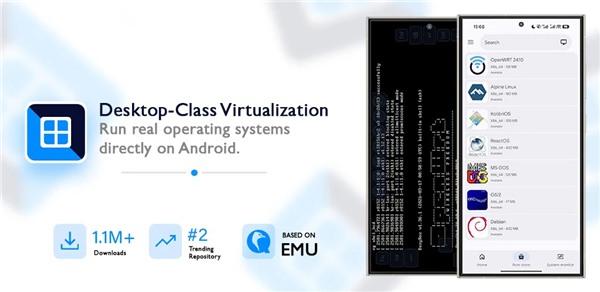
• Vectras VM is a fully‑featured virtual‑machine (VM) application designed for mobile and desktop devices.
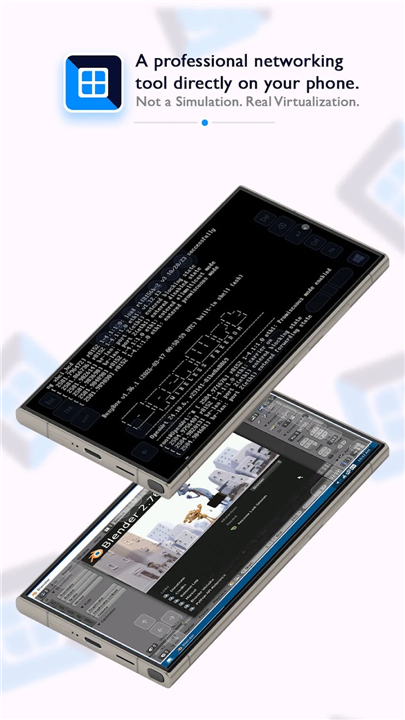
• Unlike browser‑based emulators, Vectras runs actual operating‑system kernels and their native applications directly on your hardware, giving you a genuine computing environment rather than a simulated UI.
Supported Operating Systems
• Windows – from legacy Windows 95/98 up to Windows 10/11 (subject to device capabilities).
• macOS – supports classic Mac OS 9 and OS X 10.4‑10.12 versions.
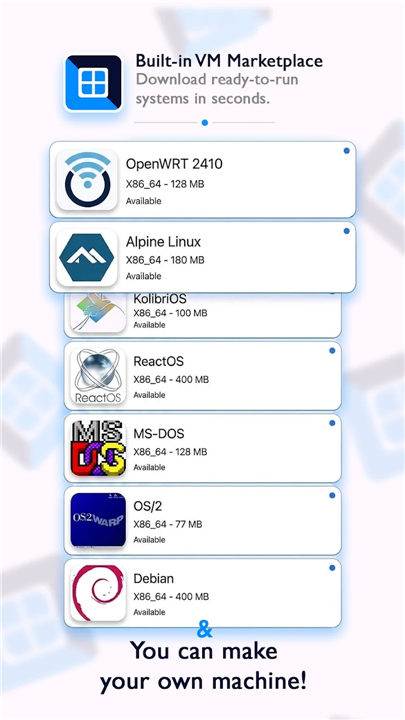
• Linux – a wide range of distributions such as Ubuntu, Debian, Fedora, Arch, and lightweight builds like Alpine.
• Other OSes – includes BSD variants, Android‑based images, and niche systems for hobbyist experimentation.
Real‑World Execution
• The VM loads the complete OS image (ISO, VMDK, or raw disk) and executes it using the device’s CPU and GPU through hardware‑assisted virtualization (KVM/Hypervisor).
• Applications run at native speed, have access to virtualized hardware (network, storage, audio), and can interact with external peripherals emulated by Vectras (e.g., USB, Bluetooth).
Performance & Hardware Compatibility
• Low‑End Devices – lightweight OS images (e.g., Windows 95, Linux TinyCore) are optimized for phones and tablets with modest RAM and single‑core CPUs.
• Mid‑Range Devices – can comfortably host Windows 7, Ubuntu LTS, or macOS Catalina with smooth desktop interactions.
• Flagship Devices – leverage multi‑core CPUs, ample RAM, and GPU acceleration to run demanding environments such as Windows 11 or modern macOS releases at near‑native frame rates.
• Performance scales with RAM, CPU cores, and GPU support; Vectras offers configurable resource allocation to balance speed and power consumption.
Typical Use Cases
• Running legacy desktop software (e.g., Microsoft Office 2003, Adobe Photoshop CS) that is no longer supported on current platforms.
• Playing retro PC games with authentic input handling and audio.
• Testing cross‑platform development builds without needing multiple physical machines.
• Learning operating‑system fundamentals in a sandboxed, reversible environment.
Getting Started
• Install Vectras VM from the official app store for your platform.
• Import or download an OS image; Vectras provides pre‑configured templates for popular systems.
• Allocate CPU cores, RAM, and storage in the VM settings panel.
• Launch the VM, complete the OS installation, and begin using the OS and its applications as you would on a physical computer.
FAQ
Q: Can I use Vectras VM on my mobile phone?
A: Yes, Vectras VM is specifically designed to work across both mobile and desktop platforms. This allows you to take powerful desktop operating systems with you on your phone or tablet, provided your device has enough power to handle the system you want to run.
Q: Which versions of Windows are supported?
A: You have a very wide range of options when it comes to Windows, starting from legacy versions like Windows 95 and 98 all the way up to modern systems like Windows 10 and 11. While older versions run easily on almost any device, the newer versions work best on high-end hardware.
Q: Does it support Apple macOS systems?
A: It certainly does, as Vectras VM can host classic Mac OS 9 as well as various OS X versions ranging from 10.4 up to 10.12. This is a fantastic way to access older Apple software or simply explore the history of the Mac operating system.
Version History
v4.4.0——24 Aug 2026
Launch virtual machines on Android, including OpenWrt and Alpine Linux! Download the latest version of Vectras VM to enjoy new features and updates immediately!
*4.4.0
Minor bug fixes and improvements. Install or update to the newest version to check it out!
*4.3.0
Minor bug fixes and improvements. Install or update to the newest version to check it out!
*4.2.0
Minor bug fixes and improvements. Install or update to the newest version to check it out!
- AppSize45.70M
- System Requirements5.0 and up
- Is there a feeFree(In game purchase items)
- AppLanguage English
- Package Namecom.vectrasllc.vm
- MD5
- PublisherVECTRAS LLC
- Content RatingTeenDiverse Content Discretion Advised
- Privilege19
-
Vectras VM 4.4.0Install
45.70M2026-10-28Updated










8.2
8389 Human Evaluation
- 5 Star
- 4 Star
- 3 Star
- 2 Star
- 1 Star




