

USB Descriptor Explorer (USBDevInfo)
Overview
• A lightweight Android utility that presents USB device data in a clean, structured format—perfect for debugging, validation, and reverse‑engineering.
What you see instantly (no extra permission needed)
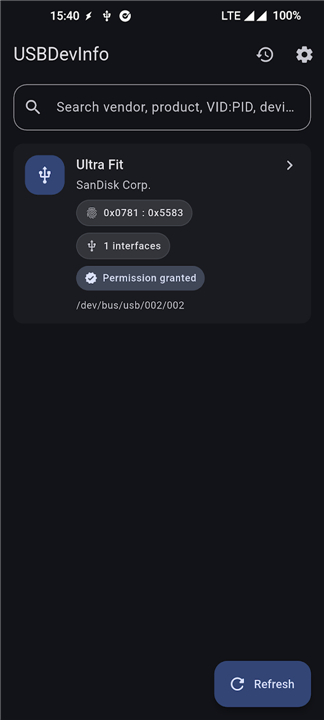
• Vendor ID and Product ID, with human‑readable names when available
• USB version, current speed, and device class/subclass/protocol
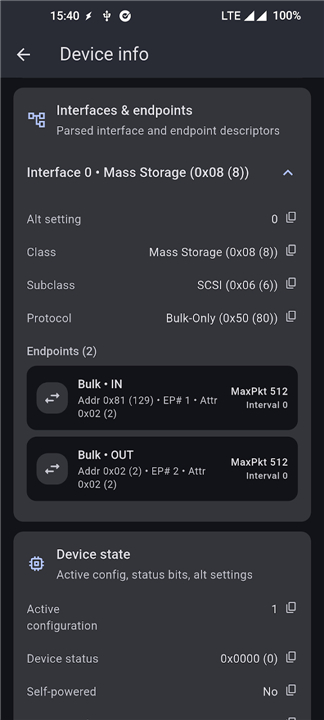
• Complete breakdown of configurations, interfaces, and endpoints
• Reported maximum power consumption
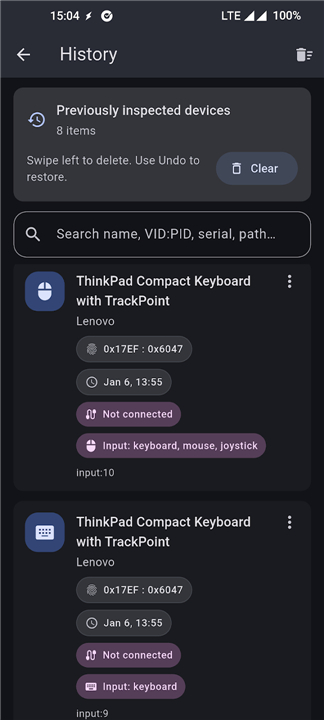
• Detection of input peripherals (keyboard, mouse) via Android’s InputManager
Advanced inspection (grant USB permission for the device)
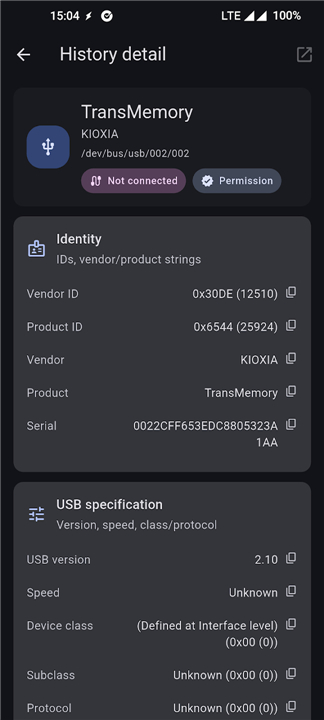
• Full string descriptors: manufacturer, product, serial number, interface strings
• Parsed descriptor tree derived from raw descriptor data
• Device state queries (GET_STATUS, GET_CONFIGURATION, GET_INTERFACE) where supported
• HID report descriptors accompanied by an easy‑to‑read summary
Ideal for USB diagnostics
• Rapidly verify what a device actually reports to the host
• Perform compatibility checks and hardware validation
• Conduct descriptor analysis for laboratory work or security research
• Confirm endpoint behavior, power requirements, and HID functionality
Open source
• The source code is hosted on GitHub: https://github.com/iodn/android-usb-device-info
• Report bugs or suggest features by opening an issue and include your device details.
FAQ
Q: Do I need any special permissions to see the basic device information?
A: No, the app can display core details such as Vendor ID, Product ID, USB version, speed, class, subclass, protocol, configurations, interfaces, endpoints, and power consumption without requesting any extra permissions from you.
Q: When would I need to grant USB permission to the app?
A: Granting USB permission unlocks the advanced inspection features, like reading full string descriptors (manufacturer, product, serial number), viewing the parsed descriptor tree, querying device state commands, and examining HID report descriptors. If you only need the basic overview, you can skip this step.
Q: How do I grant USB permission for a specific device?
A: When you plug in a USB device, the app will show a prompt asking for permission to access that device. Simply tap “Allow” and, if your Android version requires it, confirm the action in the system dialog that appears. The permission is remembered for that device until you revoke it in the app settings or Android’s permission manager.
Version History
v1.0.4——24 Aug 2026
USBDevInfo – Android USB descriptor tool shows IDs, configs, endpoints, HID reports & power. Debugging, validation & reverse‑engineering. Download the latest version of USB Descriptor Explorer to enjoy new features and updates immediately!
*1.0.4
Minor bug fixes and improvements. Install or update to the newest version to check it out!
*1.0.3
Minor bug fixes and improvements. Install or update to the newest version to check it out!
*1.0.0
Minor bug fixes and improvements. Install or update to the newest version to check it out!
- AppSize20.50M
- System Requirements5.0 and up
- Is there a feeFree(In game purchase items)
- AppLanguage English
- Package Nameorg.kaijinlab.usbdevinfo
- MD5
- PublisherKaijinLab
- Content RatingTeenDiverse Content Discretion Advised
- Privilege19
-
USB Descriptor Explorer 1.0.4Install
20.50M2026-10-28Updated










8.0
6796 Human Evaluation
- 5 Star
- 4 Star
- 3 Star
- 2 Star
- 1 Star




