
Unexpected Keyboard
Overview
• Unexpected Keyboard is a specialized input method designed to enhance typing efficiency on mobile devices through an innovative gesture-based interface.
Innovative Input Mechanism
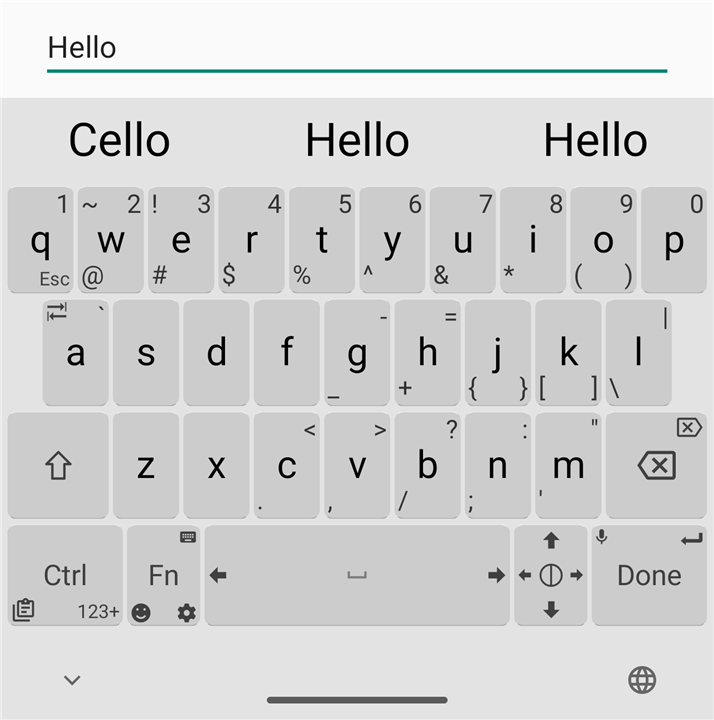
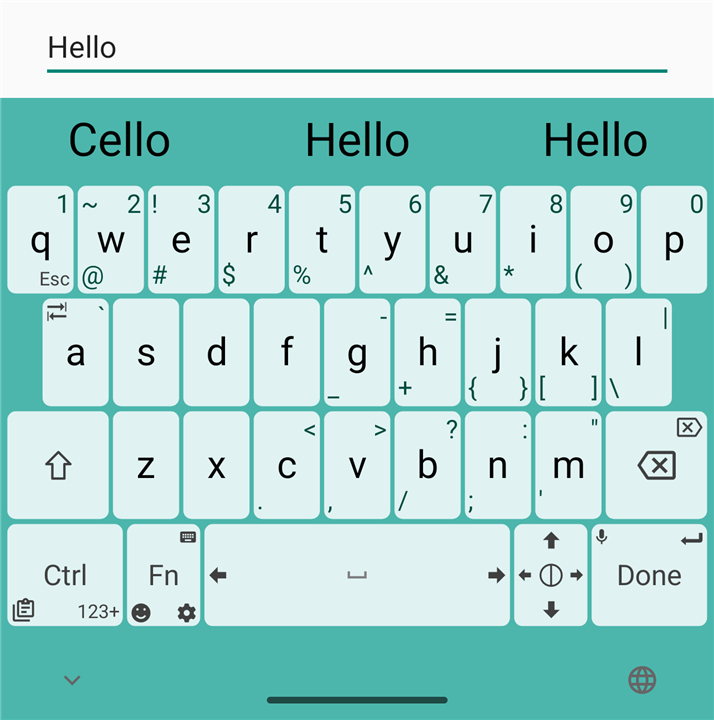
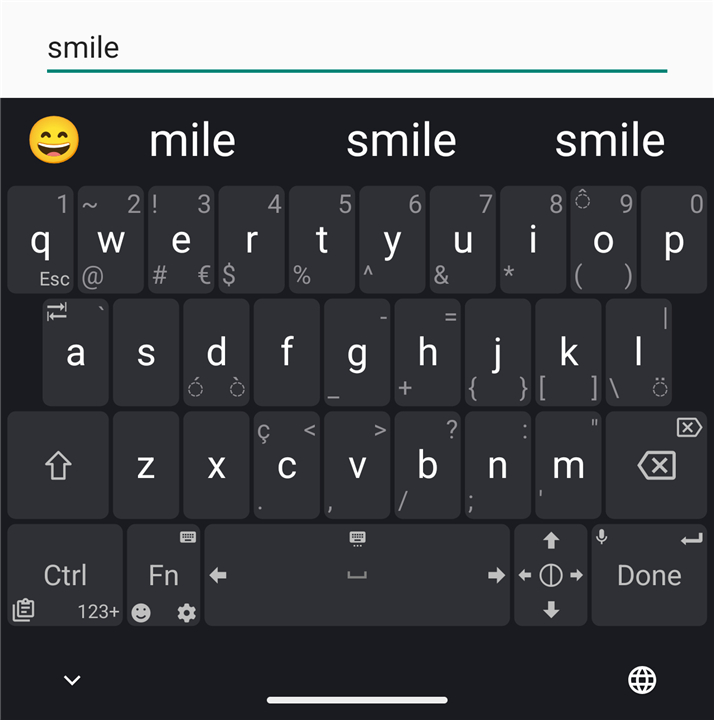
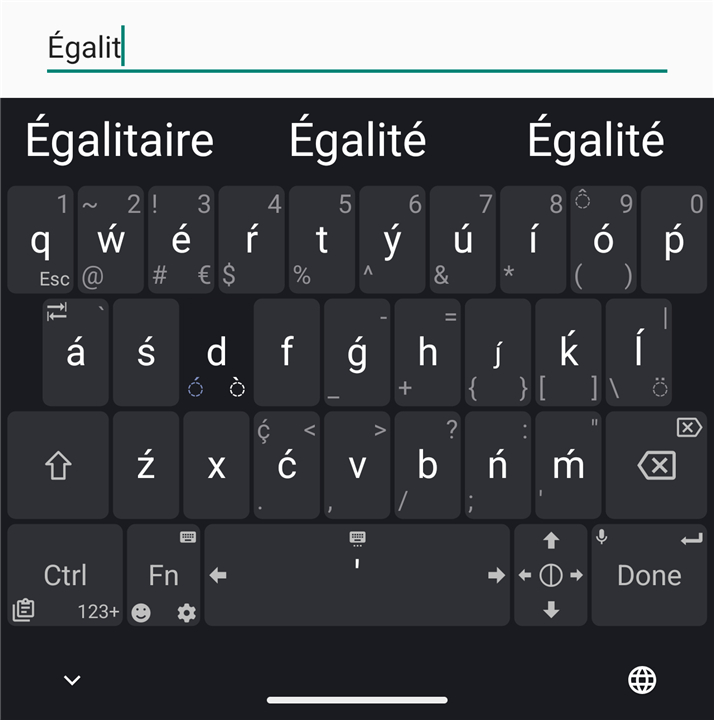
• The primary feature of this keyboard is its multi-directional swipe functionality.
• Each key is capable of producing multiple characters based on the direction of the stroke.
• By swiping a key toward any of its four corners, users can instantly access symbols, numbers, and punctuation without switching to a different layout or long-pressing.
• This system significantly reduces the number of taps required for complex strings of text, allowing for a much faster workflow.
Heritage and Evolution
• The application was originally developed to meet the rigorous demands of programmers, particularly those using the Termux terminal emulator on Android.
• Its design focus was to provide easy access to characters essential for coding, such as brackets, slashes, and pipe symbols, which are often buried in standard mobile keyboards.
• While it retains these powerful technical capabilities, the interface has been refined to be accessible and intuitive for general, everyday use.
• It serves as an ideal solution for anyone who frequently uses special characters in their daily communication or documentation.
Privacy and Open Source Principles
• This application is entirely Open Source, allowing the community to audit the code for transparency and security.
• It contains no advertisements, providing a clean and distraction-free user experience.
• The software is built with privacy in mind, requiring no unnecessary permissions and ensuring that user data remains local to the device.
• It offers a lightweight footprint, ensuring high performance on a wide range of hardware without the bloat found in traditional keyboard applications.
FAQ
Q: How does the innovative gesture-based input system work in practice?
A: The core of the experience revolves around multi-directional swipes where each key acts as a hub for several different characters. By swiping a key toward any of its four corners, you can instantly input symbols, numbers, or punctuation, which eliminates the need to jump back and forth between different keyboard screens or menus.
Q: Is this keyboard mainly designed for professional programmers or can anyone use it?
A: Although the application was originally built to meet the rigorous demands of programmers, it has been refined to be accessible for everyday users. It serves as an ideal solution for anyone who frequently uses special characters in their daily communication or documentation and wants to speed up their overall workflow.
Q: What is the specific history behind the development of Unexpected Keyboard?
A: The app was first developed to solve the frustrations of coding on Android, specifically for those using the Termux terminal emulator. The goal was to provide easy access to essential programming characters like brackets, slashes, and pipes, which are usually buried deep within standard mobile keyboard layouts.
Version History
v2.0.4——28 Jul 2026
Lightweight and privacy-conscious virtual keyboard for Android. Download the latest version of Unexpected Keyboard to enjoy new features and updates immediately!
*2.0.4
Minor bug fixes and improvements. Install or update to the newest version to check it out!
*2.0.3
Minor bug fixes and improvements. Install or update to the newest version to check it out!
*2.0.2
Minor bug fixes and improvements. Install or update to the newest version to check it out!
- AppSize1.00M
- System Requirements5.0 and up
- Is there a feeFree(In game purchase items)
- AppLanguage English
- Package Namejuloo.keyboard2
- MD5
- PublisherJuloo
- Content RatingTeenDiverse Content Discretion Advised
- Privilege19
-
Unexpected Keyboard 2.0.4Install
1.00M2026-10-29Updated










9.9
4027 Human Evaluation
- 5 Star
- 4 Star
- 3 Star
- 2 Star
- 1 Star




