

Tinc Mesh VPN
Overview
• Tinc Mesh VPN for Android is a robust implementation of the tinc peer-to-peer VPN protocol, designed to provide secure, decentralized networking for mobile devices.
• It offers a bridge between standard mobile connectivity and private mesh infrastructures.
Core Features
• Root-Free Operation: The application does not require superuser or root privileges, making it accessible for standard Android devices without compromising system integrity.
• Standard Configuration: It utilizes conventional tinc configuration files, allowing users to easily import existing settings from other platforms.
• Per-App Management: Users can granularly configure VPN access, choosing specific applications to tunnel through the VPN while allowing others to bypass it.
• Enhanced Security: The client supports password-protected private keys to ensure that sensitive cryptographic material remains secure.
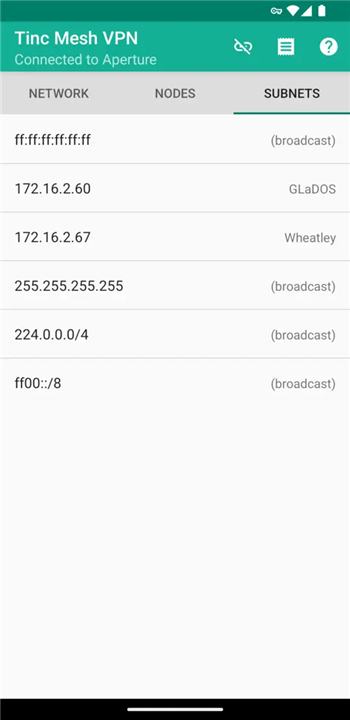
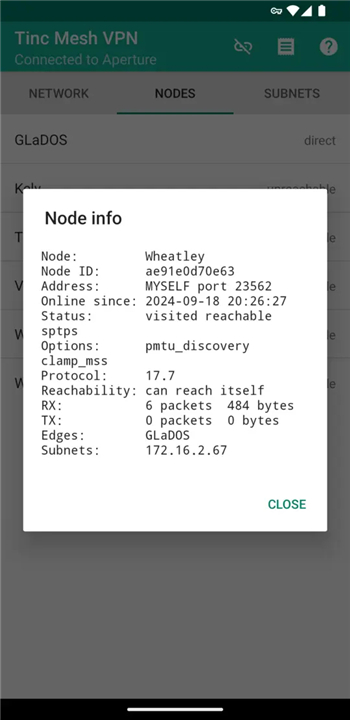
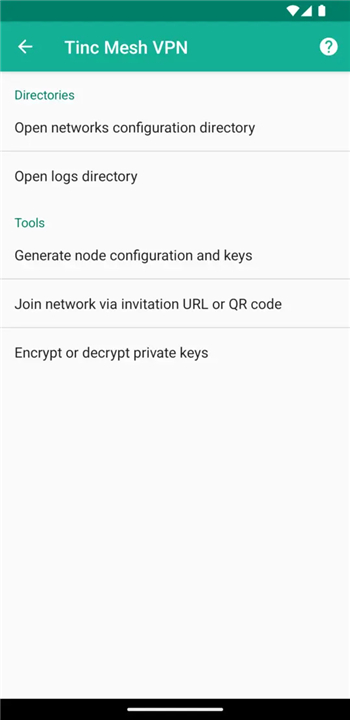
• Graphical User Interface: Connection management is handled through a dedicated GUI, simplifying the process of starting and stopping the VPN.
• Intent Integration: The app is fully automatable via third-party Android applications using Intents, enabling advanced workflow integration.
Operational Requirements
• Client Functionality: This app is a standalone client and is not bundled with any specific VPN service provider.
• Existing Infrastructure: Users must have an established tinc network to connect to, as the app does not provide a network on its own.
• Protocol Support: It adheres to the official tinc VPN protocol specifications for cross-platform compatibility.
Android Platform Limitations
• Router Mode Only: The Android client operates exclusively in router mode, rather than switch mode.
• Single Network: Currently, the application can only maintain a connection to one tinc network at a time.
• No Hook Scripts: Unlike desktop versions, the mobile client does not support the execution of hook scripts upon connection or disconnection.
Resources
• Detailed setup guides, documentation, source code, and issue tracking are available at the official project website: https://tincapp.euxane.eu.
FAQ
Q: Do I need to root my Android device to use this application?
A: No, you do not need superuser access! The application features root-free operation, allowing you to connect securely to your mesh network without compromising your device's built-in system integrity.
Q: Can I import my existing configuration files from other platforms?
A: Yes, you can! The app utilizes standard, conventional tinc configuration files, making it very straightforward to import your existing settings from desktop setups without needing to reconfigure everything manually.
Q: Is it possible to route traffic for specific apps through the VPN while excluding others?
A: Yes, the client offers granular per-app management. This split-tunneling functionality lets you choose precisely which applications should tunnel their data through the encrypted VPN and which ones can bypass it completely.
Version History
v0.44——12 Aug 2026
Tinc mesh VPN client and user interface Download the latest version of Tinc Mesh VPN to enjoy new features and updates immediately!
*0.44
Minor bug fixes and improvements. Install or update to the newest version to check it out!
*0.43
Minor bug fixes and improvements. Install or update to the newest version to check it out!
*0.42
Minor bug fixes and improvements. Install or update to the newest version to check it out!
- AppSize8.30M
- System Requirements5.0 and up
- Is there a feeFree(In game purchase items)
- AppLanguage English
- Package Nameorg.pacien.tincapp
- MD5
- PublisherJouleworks Development LLC
- Content RatingTeenDiverse Content Discretion Advised
- Privilege19
-
Tinc Mesh VPN 0.44Install
8.30M2026-09-30Updated










8.9
5622 Human Evaluation
- 5 Star
- 4 Star
- 3 Star
- 2 Star
- 1 Star




