
TapLock - Double Tap to Lock
Overview
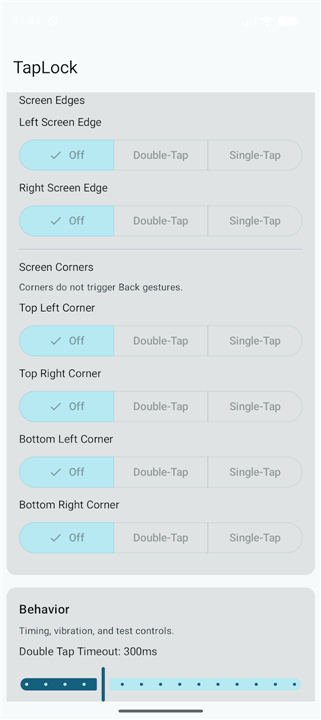
• TapLock provides a streamlined solution for users who miss the native double-tap-to-lock functionality on their mobile devices.
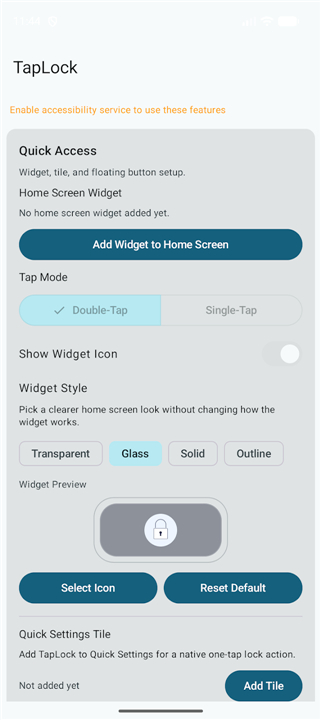
• By integrating a transparent, resizable widget onto your home screen, the app allows for instantaneous screen locking without the need to reach for a physical power button.
• Many modern smartphones have removed the intuitive gesture-based locking feature, causing frustration for users accustomed to quick navigation.
• TapLock restores this convenience by placing a functional overlay on your home screen that responds to touch commands, effectively reducing hardware wear and improving accessibility.
Core Features
• Instant Locking: Trigger the screen lock command immediately with a simple double-tap gesture.
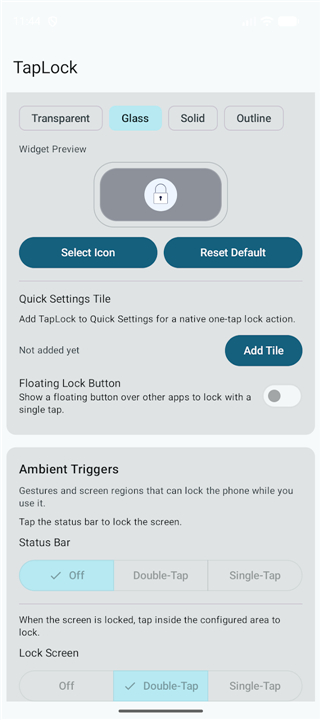
• Invisible Integration: The widget is fully transparent, allowing you to maintain the aesthetic of your custom wallpapers and icon layouts.
• Resizable Interface: Users can customize the dimensions of the widget to cover specific areas of the screen or create a large, easy-to-hit target.
• Performance Focused: The app is designed to be lightweight, ensuring it does not drain battery life or slow down the operating system.
Installation and Setup
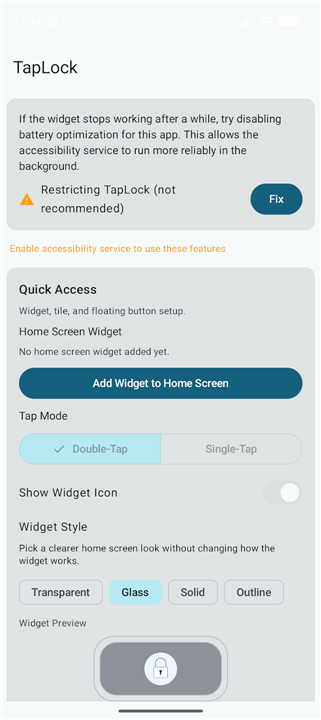
• Long-press any empty area on your home screen to access the widget menu.
• Select the TapLock widget and place it on your preferred screen.
• Adjust the size of the widget to fit your specific needs.
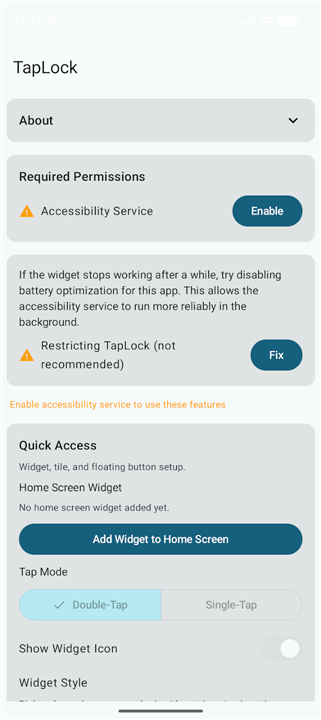
• Follow the in-app prompts to enable the necessary system permissions.
Privacy and Transparency
• No Data Collection: The application does not access, collect, or transmit any personal information or usage data.
• Open Source: For complete transparency, the source code is available for public audit on GitHub.
• Privacy Policy: A comprehensive privacy policy is maintained to ensure users understand how their device remains secure.
Required Permissions
• TapLock utilizes the Accessibility Service API to detect the double-tap gesture and execute the lock command.
• This permission is strictly used for the locking function and does not monitor or interact with any other application data.
FAQ
Q: Does TapLock collect any data or access my personal information?
A: No, TapLock does not access, collect, or transmit any personal data or usage information. It operates solely for the purpose of executing a screen lock command when triggered by a double-tap gesture.
Q: Is TapLock's code open to public review?
A: Yes, for transparency, TapLock's source code is available for public audit on GitHub. This allows anyone to examine the app's functionality and ensure it adheres to high privacy and security standards.
Q: What are the required permissions for TapLock to function?
A: TapLock utilizes the Accessibility Service API to detect the double-tap gesture and execute the lock command. This permission is strictly limited to the locking function and does not monitor or interact with any other application data.
Version History
v1.15——12 Aug 2026
Lock your phone with a simple double-tap—save yourself time and effort Download the latest version of TapLock - Double Tap to Lock to enjoy new features and updates immediately!
*1.15
* UI layout updates
* Fix crash in notch/camera-area status bar detection
*1.13
* Language support for Spanish
* Notch support
* Bug fixes
*1.12
- Simplified battery optimisation flow.
- Added visible lock screen overlay preview when configuring in settings.
- AppSize2.40M
- System Requirements5.0 and up
- Is there a feeFree(In game purchase items)
- AppLanguage English
- Package Namecom.ah.taplock
- MD5
- Publishera_h
- Content RatingTeenDiverse Content Discretion Advised
- Privilege19
-
TapLock - Double Tap to Lock 1.15Install
2.40M2026-09-30Updated










7.5
7160 Human Evaluation
- 5 Star
- 4 Star
- 3 Star
- 2 Star
- 1 Star




