

Super Productivity: To-Do List
Overview
• Reclaim your attention and transform the way you work.
• Super Productivity is a free, open-source task manager built to help you cultivate deep focus, organize your goals, and regain control of your time without intrusive tracking or paywalls.
Master Your Daily Focus
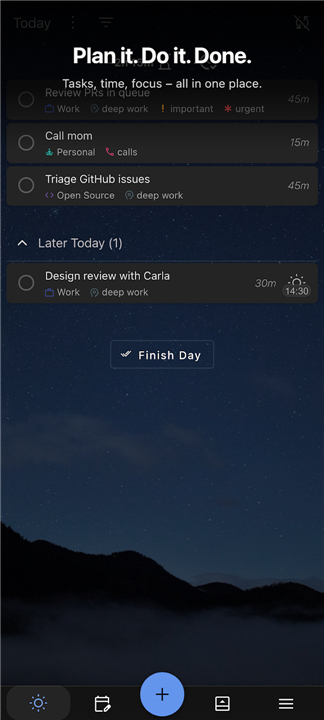
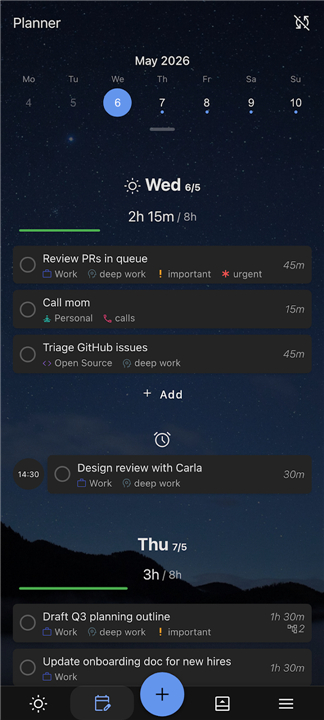
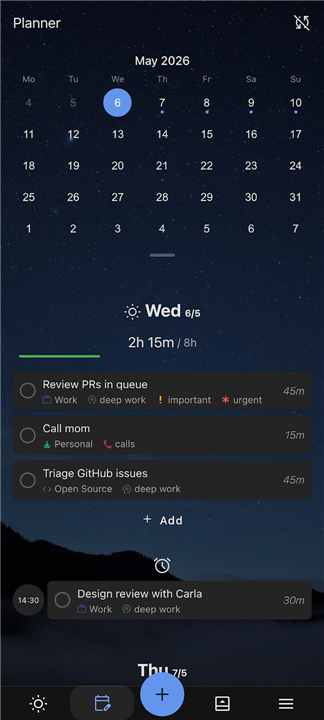
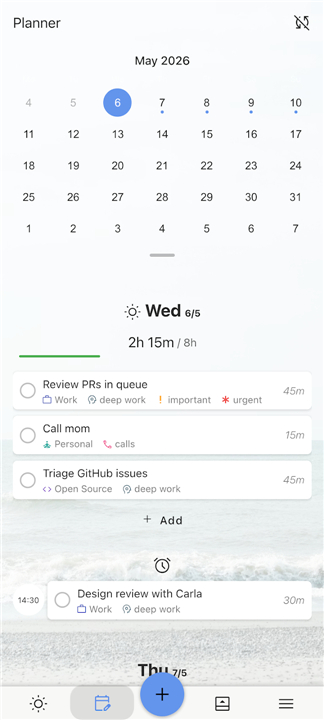
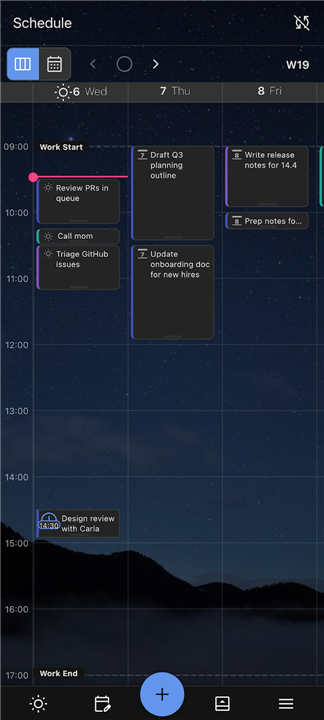
• Design your ideal day by mapping tasks directly onto your schedule for distraction-free execution.
• Break through hesitation using built-in Pomodoro timers and anti-procrastination tools grounded in cognitive behavioral techniques.
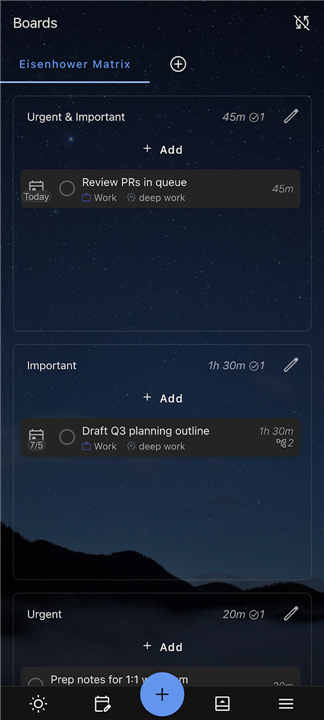
• Customize your workflow with flexible layouts, from Kanban boards and Eisenhower matrices to clean, minimal lists.
• Keep context in one place by attaching essential notes, files, and links directly to any task.
Connect and Track Effortlessly
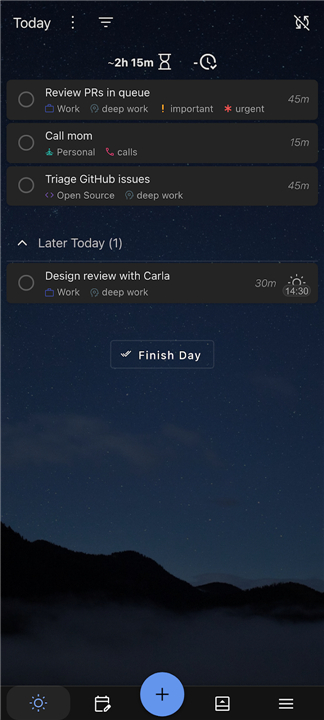
• Capture every moment of effort with single-click time tracking, automated timesheets, and flexible file exports.
• Unify your workspace by linking natively with tools like GitHub, Jira, Trello, Linear, and ClickUp.
Uncompromising Data Privacy
• Maintain absolute control over your personal data with zero telemetry, zero analytics, and no mandatory accounts.
• Sync on your own terms using your preferred storage solutions, such as WebDAV, Dropbox, or CalDAV.
• Rely on a truly open-source platform that remains 100 percent free forever, with no hidden fees or advertisements.
A Proven, Community-Driven Engine
• Empowered by an active global community, continuous improvements, and tens of thousands of dedicated users.
• Celebrated by top tech publications for offering the most complete free focus tools available.
Regain Your Focus
• Step away from chaotic apps that monetize your attention.
• Choose a calmer, more empowered way to accomplish your goals with Super Productivity.
FAQ
Q: Is Super Productivity really completely free to use?
A: Yes, it is entirely free and open-source. There are no paywalls, hidden fees, premium subscriptions, or advertisements, meaning you get full access to all features without ever having to worry about upgrading to a paid plan.
Q: How does Super Productivity handle my personal data and privacy?
A: Your privacy is a core priority with Super Productivity. The application collects zero telemetry or analytics, requires no mandatory account registration, and ensures your task data remains completely under your personal control at all times.
Q: Can I sync my tasks across multiple devices?
A: You can sync your data on your own terms using your preferred cloud storage setup. Super Productivity supports seamless synchronization through popular open and flexible storage options such as WebDAV, Dropbox, and CalDAV.
Version History
v18.19.0——13 Aug 2026
Pomodoro timer, to-do, and timeboxing. Open-source, no accounts, no tracking. Download the latest version of Super Productivity: To-Do List to enjoy new features and updates immediately!
*18.19.0
Workday recurrences no longer start on a weekend selected from the add-task menu. Restored macOS release builds. Plugin addTask and updateTask behavior now matches the local REST API. Improved monitoring report accuracy and resource limits. Added a warning that User Profiles will be removed in the next release.
*18.16.0
Recurring task settings are now integrated into the schedule dialog.
Detected add-task short syntax is highlighted as you type.
Existing tasks now appear in tagged board columns.
Archived tasks restore to Today, and recurring presets retain notes.
Improved mobile controls, dialogs, onboarding, and keyboard behavior.
Fixed duplicate calendar blocks and recurring “Last” dates.
Improved sync recovery and WebDAV/Nextcloud compatibility.
*18.15.1
- 18.15.0
- prevent migrator advisory-lock leak on deploy timeout (#9126)
- heal missing idle config field on schema-migration upgrade (#9124)
- make interrupted CONCURRENTLY migrations recoverable
- stop the widget labelling a stale list as Today (#9098) (#9118)
- add a single-day view to the Schedule tab (#9058)
- show custom section task counts #9068 (#9109)
- keep import author in client-side clock pruning (#9096) (#9102)
- Add critical tests for task and sync helper flows (#9079)
- AppSize20.90M
- System Requirements5.0 and up
- Is there a feeFree(In game purchase items)
- AppLanguage English
- Package Namecom.superproductivity.superproductivity
- MD5
- PublisherThe Front End
- Content RatingTeenDiverse Content Discretion Advised
- Privilege19
-
Super Productivity: To-Do List 18.19.0Install
20.90M2026-09-30Updated










9.2
5014 Human Evaluation
- 5 Star
- 4 Star
- 3 Star
- 2 Star
- 1 Star




