

Sleep Timer
Overview and Features
• Designed to help you drift off effortlessly while listening to your favorite music, audiobooks, or podcasts.
• Automatically manages audio playback to save device battery and prevent unwanted background noise throughout the night.
• Features a soft audio fade-out effect, gently lowering the playback volume before pausing it completely so you are not abruptly disturbed.
How to Use
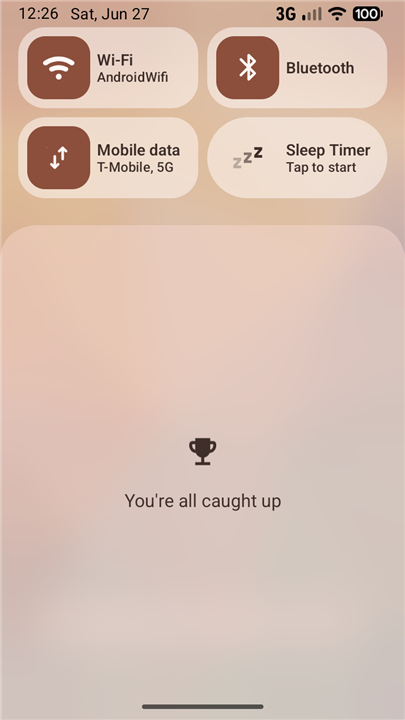
• Add the Tile: Swipe down to open your Android Quick Settings panel, enter edit mode, and drag the Sleep Timer tile into your active grid.
• Start the Timer: Simply tap the Sleep Timer tile to begin a countdown immediately.
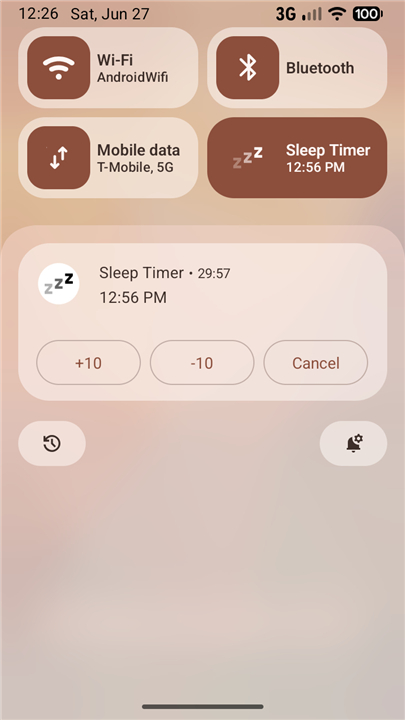
• Manage Active Timers: Control the timer dynamically directly from the persistent notification shade:
+ Extend the duration if you need extra time to fall asleep.
+ Reduce the remaining time if you are feeling drowsy early.
+ Cancel the timer instantly with a single tap.
Important Details
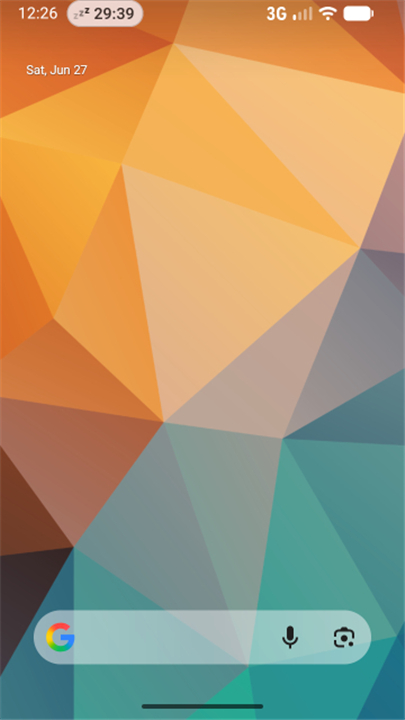
• No App Launcher Icon: This utility operates exclusively through the System Quick Settings panel. It does not create a traditional icon in your app drawer or home screen.
• Open Source: The project is lightweight, transparent, and community-driven. You can view the full source code on GitHub at https://github.com/SimonMarquis/SleepTimer.
FAQ
Q: How does the app prevent me from being suddenly woken up when the timer ends?
A: To prevent you from being startled by a sudden silence, the app features a gentle audio fade-out effect. Instead of cutting the sound off abruptly, it slowly lowers the playback volume over the final moments of your countdown before pausing the audio completely, ensuring your sleep remains undisturbed.
Q: I just installed the app, but I cannot find it on my home screen or in my app drawer. Where is it?
A: Do not worry, your installation was successful! This utility operates exclusively through your Android System Quick Settings panel and does not have a traditional app launcher icon. This deliberate design decision keeps your app drawer clutter-free while keeping the timer easily accessible with a simple swipe.
Q: How do I set up and add the Sleep Timer tile to my Quick Settings?
A: Setting up the tile is very easy. First, swipe down from the top of your screen to open your Android Quick Settings panel, and then enter edit mode by tapping the pencil or edit icon. From there, locate the Sleep Timer tile in the list of available tiles and drag it up into your active grid to save it.
Version History
v1.6.3——20 Aug 2026
Fall asleep easily with Sleep Timer for Android. Automatically fade out audio, pause music & podcasts, and save device battery. Download the latest version of Sleep Timer to enjoy new features and updates immediately!
*1.6.3
Migrate away from unreliable `ACTIVE_TILE` option that would keep the Tile stuck in `STATE_UNAVAILABLE`
*1.6.2
Minor bug fixes and improvements. Install or update to the newest version to check it out!
*1.6.0
Minor bug fixes and improvements. Install or update to the newest version to check it out!
- AppSize17.50K
- System Requirements5.0 and up
- Is there a feeFree(In game purchase items)
- AppLanguage English
- Package Namefr.smarquis.sleeptimer
- MD5
- PublisherSimon Marquis
- Content RatingTeenDiverse Content Discretion Advised
- Privilege19
-
Sleep Timer 1.6.3Install
17.50K2026-10-28Updated










7.9
8072 Human Evaluation
- 5 Star
- 4 Star
- 3 Star
- 2 Star
- 1 Star




