

Simple Markdown
Overview
• Simple Markdown is a lightweight, user-friendly, and completely open-source markdown editor.
• It is designed specifically for writers, developers, and creators who need a distraction-free environment to draft and format documents.
• The tool simplifies the writing process, enabling you to focus entirely on your content without navigating complex menus.
Key Features
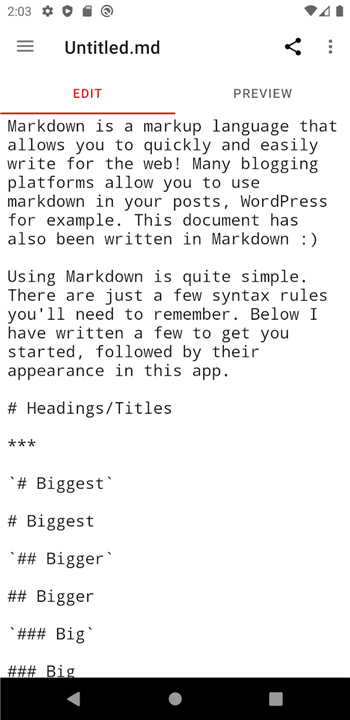
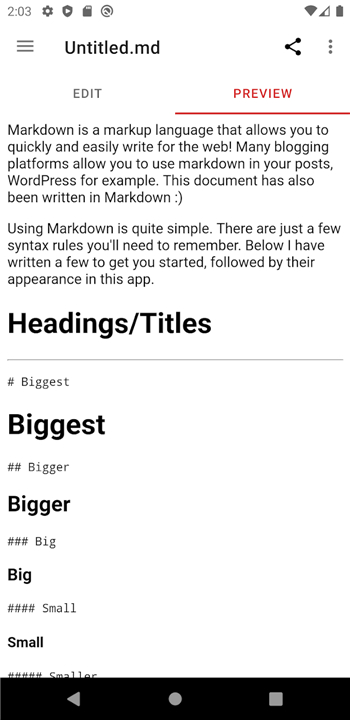
• Offers an intuitive editing interface that supports standard Markdown syntax for rapid formatting.
• Includes seamless sharing capabilities, allowing you to quickly export and distribute your completed files.
• Provides a clean and responsive design optimized for speed and productivity.
Bug Reporting and Feedback
• Ongoing development relies on user feedback to identify and resolve performance issues.
• If you encounter any glitches, formatting errors, or crashes, you can report them to help improve the application.
• Please submit detailed bug reports and feature requests via the official issue tracker: https://github.com/wbrawner/SimpleMarkdown/issues
Developer Contributions
• The project is hosted publicly, inviting developers of all skill levels to collaborate and improve the software.
• You are welcome to inspect the codebase, fork the repository, and submit pull requests with your enhancements.
• Access the source code and development guidelines on GitHub: https://github.com/wbrawner/SimpleMarkdown
Contact and Support
• Direct communication is highly valued for any inquiries that do not fit into public bug reports.
• Feel free to reach out to the creator directly if you have personal questions, partnership proposals, or general feedback about the editor.
FAQ
Q: Does this editor support standard Markdown syntax?
A: Yes, the application features an intuitive editing interface that fully supports standard Markdown syntax. This ensures that you can apply rapid formatting to your text, such as headers, bolding, and lists, while maintaining compatibility with other Markdown-based platforms.
Q: What kind of user interface can I expect when opening the app?
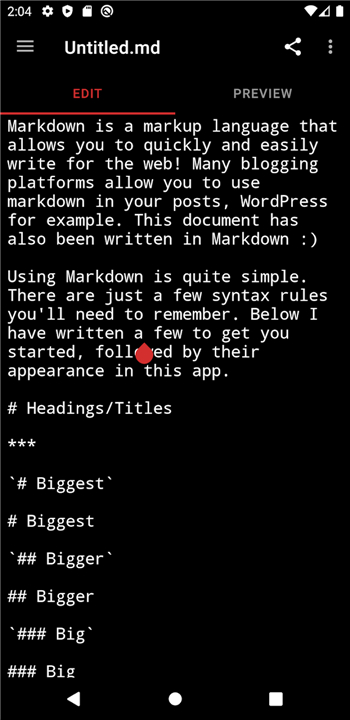
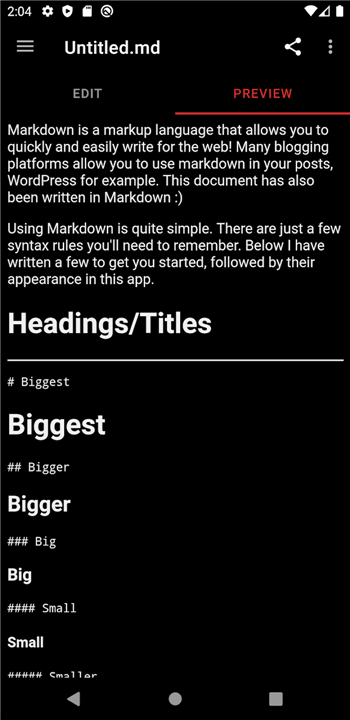
A: You will find a clean and responsive design that has been optimized for both speed and productivity. The interface is purposefully minimal to help you stay immersed in your writing process, making it an ideal choice for those who find traditional word processors too cluttered.
Q: Is Simple Markdown an open-source project?
A: The editor is completely open-source and hosted publicly for anyone to see. This transparency allows the community to verify the code, suggest improvements, and ensure that the tool remains a reliable resource for the writing and development communities.
Version History
v2026.06.02-free——19 Aug 2026
A simple markdown editor Download the latest version of Simple Markdown to enjoy new features and updates immediately!
*2026.06.02-free
- Minor performance improvements
- Fix codeberg_logo for Android 6 devices
- Update dependencies
*2026.06.00-free
This release had several contributions from the community. I won't name anyone for privacy, but you
know who you are, and you are appreciated!
- Make code blocks and tables horizontally scrollable
- Fixed toggle buttons overlapping with text in Settings
- Translated using Weblate (Chinese (Simplified Han script))
- Translated using Weblate (French)
- Translated using Weblate (Indonesian)
- Translated using Weblate (Russian)
- Translated using Weblate (Spanish)
- Update dependencies
*2026.04.00-free
- Add ongoing support options
- Add startup profile
- Update dependencies
- AppSize3.20M
- System Requirements5.0 and up
- Is there a feeFree(In game purchase items)
- AppLanguage English
- Package Namecom.wbrawner.simplemarkdown
- MD5
- PublisherWilliam P Brawner
- Content RatingTeenDiverse Content Discretion Advised
- Privilege19
-
Simple Markdown 2026.06.02-freeInstall
3.20M2026-10-28Updated










7.5
8404 Human Evaluation
- 5 Star
- 4 Star
- 3 Star
- 2 Star
- 1 Star




