

Simple Keyboard
Overview
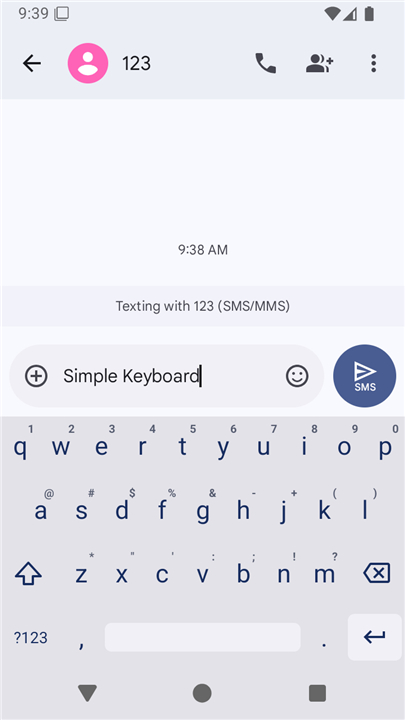
• Simple Keyboard is a lightweight, distraction-free input utility designed specifically for users who prioritize efficiency, speed, and privacy over bloated functionalities.
• It focuses entirely on providing a clean typing experience without taxing your device's resources.
Setup Instructions
• Launch the "Simple Keyboard" application directly from your device launcher.
• Enable the keyboard within your system settings (a standard Android warning regarding input tracking will appear).
• Switch your active input method to Simple Keyboard (typically achieved by long-pressing the spacebar on your current keyboard).
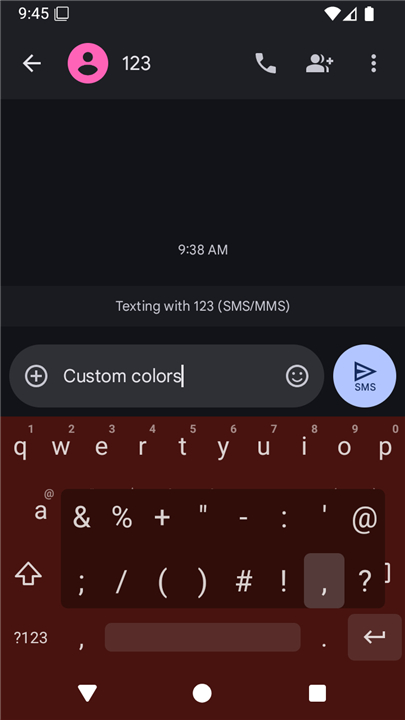
• Customize settings by long-pressing the comma key, or by navigating to System Settings, Languages & Input, and selecting Simple Keyboard.
• Manage other input methods on your device via Settings, Languages & Input, then Manage Keyboards.
Core Features
• Ultra-lightweight footprint requiring less than 1MB of storage space.
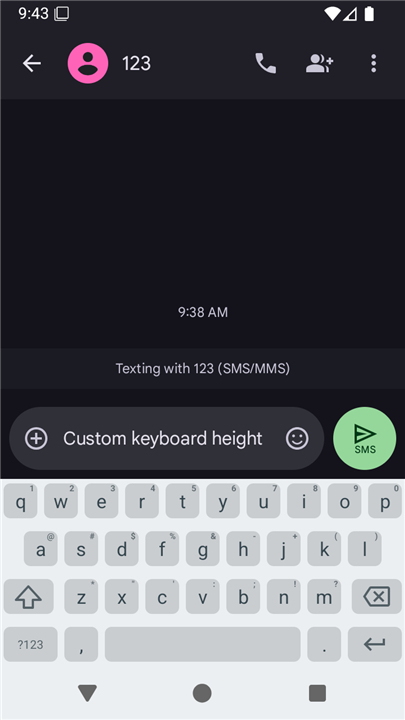
• Adjustable vertical height configuration to maximize screen real estate.
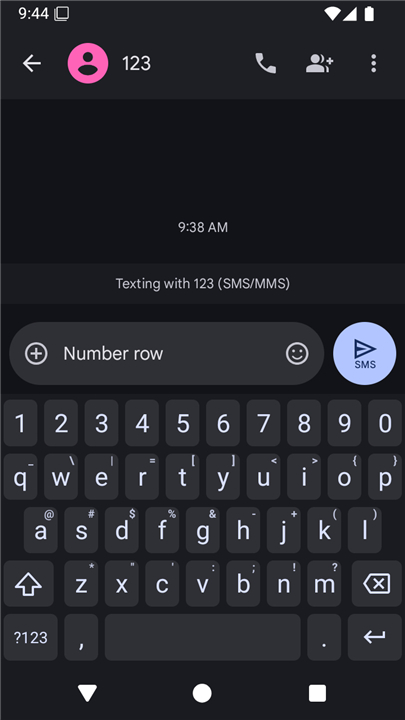
• Optional dedicated number row for faster numerical entry.
• Precision cursor movement by swiping horizontally across the spacebar.
• Quick text deletion using leftward swipe gestures on the backspace key.
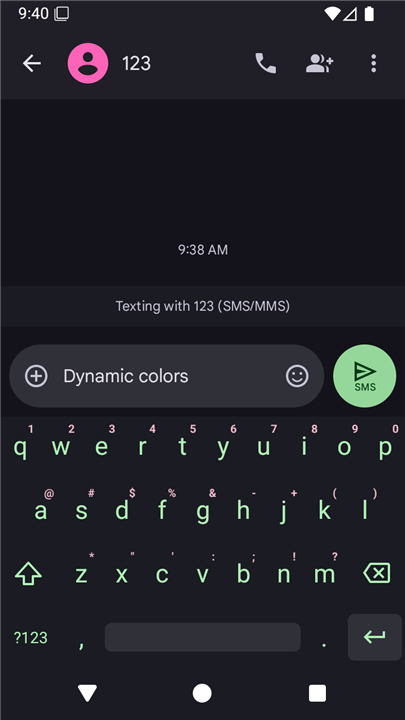
• Custom theme colors to match your device aesthetics.
• Strict privacy with minimal device permissions (only vibration control).
• Completely advertisement-free interface.
Excluded Features (By Design)
• No built-in emojis to keep the interface uncluttered.
• No GIF integration or search functions.
• No background spell checker to conserve memory.
• No gesture-based swipe typing, ensuring minimal processing overhead.
Code and Licensing
• Fully open-source project with publicly accessible source code.
• Released and distributed under the permissive Apache License Version 2.0.
FAQ
Q: How much storage space does Simple Keyboard require on my device?
A: Simple Keyboard features an ultra-lightweight footprint that takes up less than 1MB of storage space. This ultra-small size ensures fast installation, minimal storage impact, and smooth operation even on older devices.
Q: How do I set up Simple Keyboard after installing it?
A: You start by launching the Simple Keyboard application directly from your device launcher. Next, enable the keyboard within your system settings, and then switch your active input method to Simple Keyboard, which you can usually do by long-pressing the spacebar on your current keyboard.
Q: Why do I see a security warning when enabling Simple Keyboard in my settings?
A: When you enable Simple Keyboard, Android displays a standard warning about third-party input methods tracking keystrokes. This is an automatic system alert that appears for all installed keyboards, but you can rest assured that Simple Keyboard respects your privacy and requests minimal device access.
Version History
v6.6——19 Aug 2026
Simple Keyboard is a lightweight keyboard app that focuses on fast, private typing without extra add‑ons. Download the latest version of Simple Keyboard to enjoy new features and updates immediately!
*6.6
Minor bug fixes and improvements. Install or update to the newest version to check it out!
*6.5
Minor bug fixes and improvements. Install or update to the newest version to check it out!
*6.4
Minor bug fixes and improvements. Install or update to the newest version to check it out!
- AppSize610.00K
- System Requirements5.0 and up
- Is there a feeFree(In game purchase items)
- AppLanguage English
- Package Namerkr.simplekeyboard.inputmethod
- MD5
- PublisherRaimondas Rimkus
- Content RatingTeenDiverse Content Discretion Advised
- Privilege19
-
Simple Keyboard 6.6Install
610.00K2026-10-28Updated










8.9
1985 Human Evaluation
- 5 Star
- 4 Star
- 3 Star
- 2 Star
- 1 Star




