Shader Editor
Overview
• The Shader Editor is an open‑source Android application that lets users write, test, and deploy GLSL shaders directly on their device.
• Its source code is available at https://github.com/markusfisch/ShaderEditor, allowing anyone to inspect, modify, or contribute to the project.
Core Features
• Live preview – Render the shader continuously in the background or on a secondary display, giving instant visual feedback.
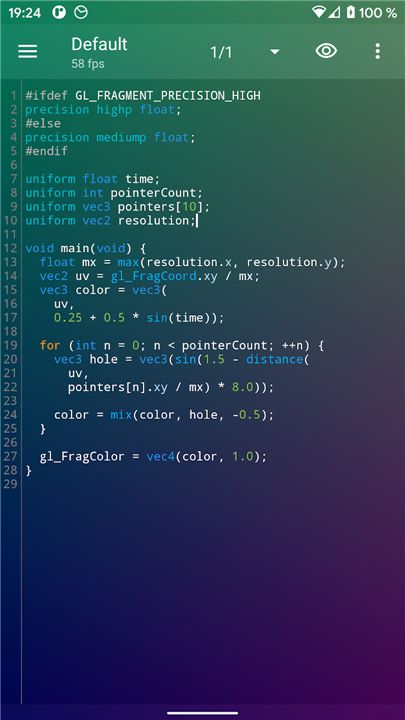
• Syntax highlighting – Color‑coded source code makes it easier to read and understand shader programs.
• Error highlighting – Compile‑time errors are underlined and shown in the editor, helping developers locate problems quickly.
• FPS counter – A real‑time frame‑rate readout helps gauge performance.
• Live‑wallpaper mode – Any compatible shader can be set as a dynamic home‑screen background.
• Hardware sensor access – Exposes accelerometer, gyroscope, and other sensor data to shaders for interactive effects.
• Wallpaper offset support – Enables parallax scrolling when the user swipes between home‑screen pages.
• Battery‑level exposure – Shaders can query the current battery percentage.
• Multi‑touch handling – Accepts up to several simultaneous touch points for richer interaction.
• Back‑buffer texture – The previously rendered frame is available as a texture for feedback effects.
• Texture import – Users may load arbitrary image files and use them as shader inputs.
• Power‑saving rendering – Automatically halts rendering when the battery is low to conserve energy.
Performance Considerations
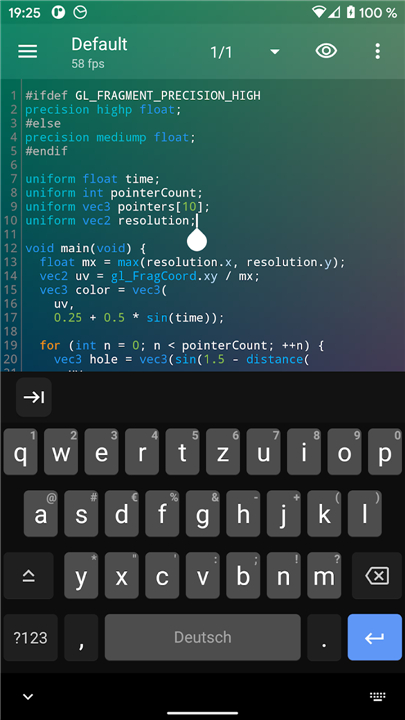
• Some devices throttle GPU usage when unplugged; always test with the soft keyboard hidden and the charger disconnected.
• Aim for a steady ≈ 30 fps or higher to avoid UI sluggishness, especially when the shader runs as a live wallpaper.
Compatibility Issues
• Certain manufacturers (e.g., Huawei Ideos X3, Asus Transformer) disable shader error reporting, making debugging impossible on those devices.
Contribution & Bug Reporting
• Issues, feature requests, and pull requests should be submitted through the GitHub issue tracker: https://github.com/markusfisch/ShaderEditor/issues.
FAQ
Q: What does the live preview feature do?
A: The live preview continuously renders your shader in the background or on a secondary display, giving you immediate visual feedback as you edit the code. This makes it easy to experiment and iterate without having to rebuild or relaunch anything.
Q: How does syntax highlighting help me?
A: Keywords, variables, numbers, and comments are displayed in different colors, which makes the shader code easier to read and helps you spot mistakes like missing semicolons or mismatched braces at a glance.
Q: How do I turn my shader into a live wallpaper?
A: After you’re happy with the preview, open the shader’s menu and select “Set as Live Wallpaper.” The system will ask for confirmation, and once approved the shader will run as your home‑screen background, updating with each frame.
Version History
v2.36.2——24 Aug 2026
Create GLSL shaders and use them as live wallpaper. Download the latest version of Shader Editor to enjoy new features and updates immediately!
*2.36.2
* Improve editing
* Use display refresh rate for FPS cap
* Ensure non-premultiplied alpha for textures
* Add Simplified and Traditional Chinese translation
*2.36.1
Fix main layout for old Androids
*2.36.0
Move error SnackBar on top of ActionBar
Add RGBA noise texture
- AppSize3.39M
- System Requirements5.0 and up
- Is there a feeFree(In game purchase items)
- AppLanguage English
- Package Namede.markusfisch.android.shadereditor
- MD5
- PublisherMarkus Fisch
- Content RatingTeenDiverse Content Discretion Advised
- Privilege19
-
Shader Editor 2.36.2Install
3.39M2026-10-28Updated










8.8
4651 Human Evaluation
- 5 Star
- 4 Star
- 3 Star
- 2 Star
- 1 Star