

Saber: Handwritten Notes
Redefining Digital Handwriting
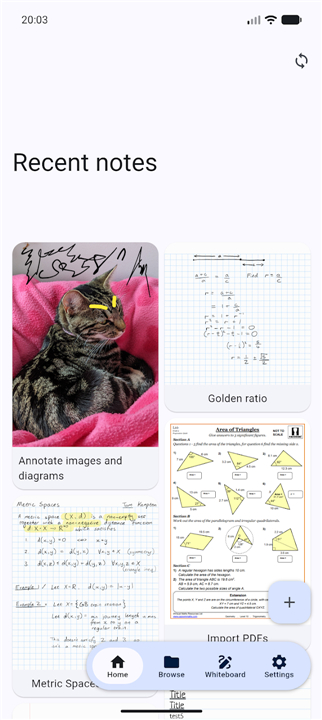
• Saber is more than just a notes app; it is a dedicated workspace designed to capture your ideas with the fluidity of pen and paper, combined with the power of modern technology.
• Whether you are a student, a professional, or a creative, Saber adapts to the way you think.
Intuitive Design & Seamless Sync
• Experience a clutter-free interface that stays out of your way.
• Your notes are available instantly across all your devices, syncing effortlessly so you can pick up exactly where you left off, whether you are on a phone, tablet, or desktop.
Visual Comfort in Any Light
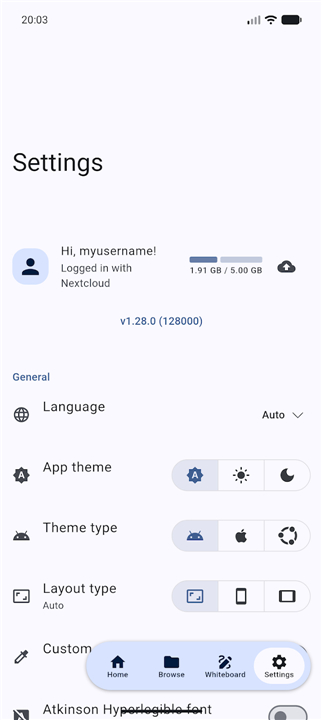
• Saber features a unique inverted interface for low-light environments.
• When you switch to dark mode, your white ink shines on a black background, and both PDFs and images are intelligently inverted.
• This ensures your eyes stay strain-free, whether you are in a dimly lit lecture hall or working late at night.
Uncompromised Security & Transparency
• Your privacy is our priority.
• With an ironclad, dual-password encryption system, your notes remain exclusively yours—even if the server is compromised.
• Saber is fully open-source, allowing you to verify exactly how your data is handled.
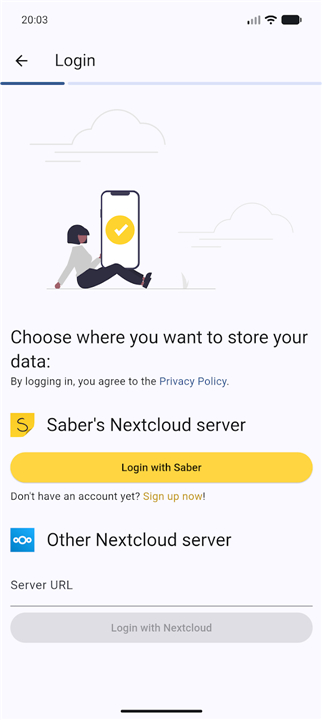
• You have the freedom to host your notes on the official server, use a private server, or even host your own for complete control.
Superior Highlighting for Complex Work
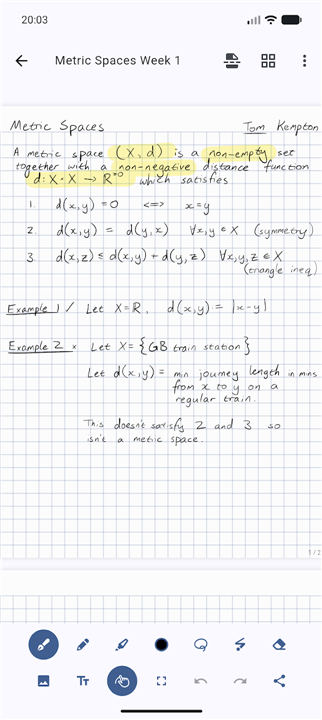
• Designed with input from mathematicians and engineers, our highlighter engine solves the common flaws of digital note-taking.
• Using advanced canvas compositing, Saber ensures that highlighting remains consistent, clean, and perfectly legible, even when you overlap strokes or mark multi-line equations.
Infinite Organization
• Master your workflow with a limitless nested folder structure.
• No matter how deep your projects go, stay organized without restriction.
• With your most recent work always accessible on the home screen, you will never lose track of your progress.
Start Your Journey
• Stop wrestling with clunky software and start writing.
• Discover a platform where your ideas flow as fast as you can think.
• Download Saber today and transform the way you capture your world.
FAQ
Q: Can I use Saber across multiple devices, or am I limited to just one?
A: You can certainly use Saber on a variety of devices, including your phone, tablet, and desktop. The app features seamless synchronization, ensuring that your notes are available instantly and that you can pick up exactly where you left off, no matter which device you are currently using.
Q: How does Saber handle note-taking in low-light environments?
A: Saber includes a highly effective dark mode designed for visual comfort. When you enable this feature, the interface inverts so that your white ink appears bright against a black background, and it intelligently inverts any imported PDFs or images. This prevents eye strain during late-night study sessions or while working in dimly lit rooms.
Q: Is my private information secure within the app?
A: Your privacy is our highest priority. We utilize an ironclad, dual-password encryption system that ensures your notes belong solely to you. Even in the highly unlikely event that our servers were compromised, your data would remain inaccessible and secure.
Version History
v1.35.0——16 Jul 2026
The notes app built for handwriting Download the latest version of Saber: Handwritten Notes 1.35.0 to enjoy new features and updates immediately!
*1.35.0
• The browse page is now sorted alphabetically by default. You can customize the sort with the button at the top.
• Fixed a crash on certain Android devices.
• Removed the scroll up to refresh functionality because it was confusing.
*1.34.3
• Fixed some blank pages appearing in exported PDFs.
• Improved the smoothness of scrolling in the editor.
• Added a Dutch translation.
• Added a Portuguese translation in addition to the existing Brazillian Portuguese translation.
*1.34.2
• Fixed the "Watch for updates on the server" feature not working.
• Improved PDF export and thumbnailing performance.
• Experimental improved stylus support on Windows, adding orientation and button detection.
- AppSize130.00M
- System Requirements5.0 and up
- Is there a feeFree(In game purchase items)
- AppLanguage English
- Package Namecom.adilhanney.saber
- MD5
- PublisherAdil Hanney
- Content RatingTeenDiverse Content Discretion Advised
- Privilege19
-
Saber: Handwritten Notes 1.35.0Install
130.00M2026-10-28Updated










8.2
4307 Human Evaluation
- 5 Star
- 4 Star
- 3 Star
- 2 Star
- 1 Star




