

Quick Settings Sound Profile
Overview
• Quick Settings Sound Profile provides an efficient way to manage your device audio states without navigating through complex system menus.
• By integrating a dedicated tile directly into your notification shade, the app ensures that your preferred sound mode is always just one swipe and a tap away.
Core Functionality
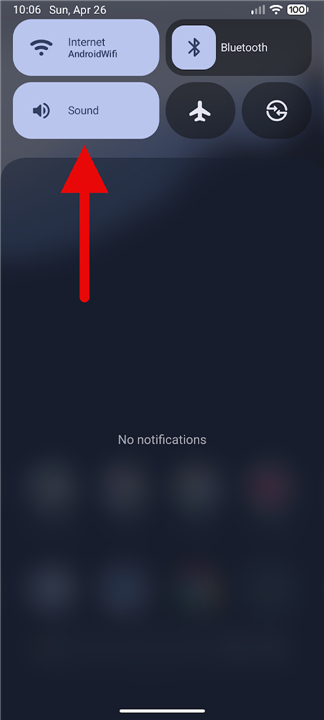
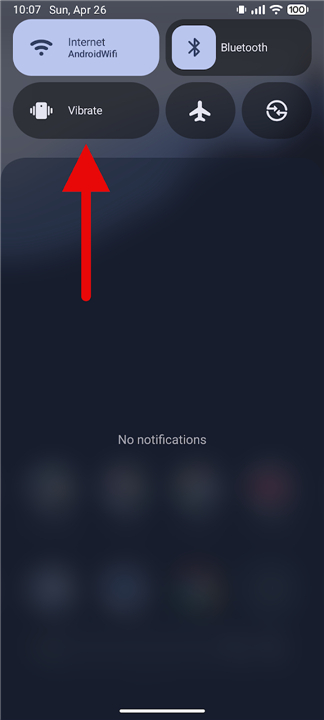
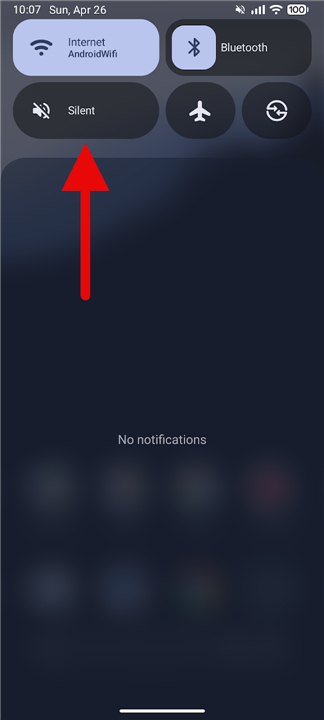
• Switches seamlessly between Ring, Vibrate, and Silent modes through a unified interface.
• Uses a single-tap mechanism to cycle through profiles, saving time compared to using physical volume buttons or the settings app.
• Provides a visual indicator within the Quick Settings area to show the current active audio state.
Advanced Customization
• Features granular settings for users running Android 15 or higher, allowing for deeper control over device behavior.
• Enables users to define specific parameters for each mode, such as how the device handles haptics or system sounds upon activation.
• Offers a tailored experience that adapts to different environments, whether in a meeting or outdoors.
Device Compatibility and Setup
• Specifically optimized for Google Pixel smartphones to address the lack of a native sound mode toggle in the stock software.
• Remains compatible with a broad range of other Android devices, ensuring functionality across different manufacturers.
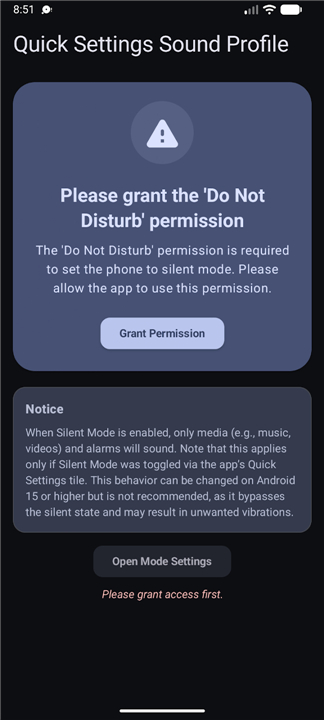
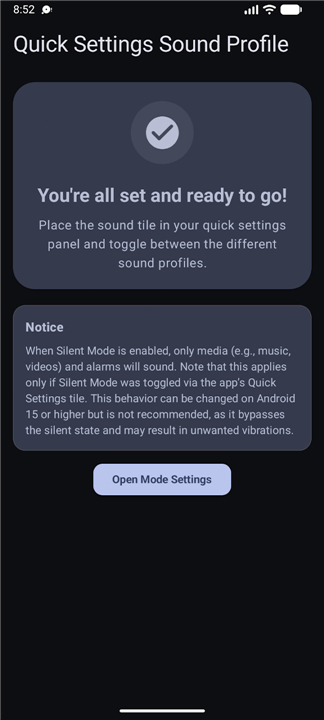
• Requires a simple one-time setup where the user adds the tile to their active Quick Settings layout and grants the necessary system permissions.
Open Source Development
• The application is fully open source, promoting transparency and community-driven improvements.
• Users and developers can access the source code, report issues, or contribute to the project via GitHub.
• The repository is publicly available at: https://github.com/CurryPlayer/quick-settings-sound-profile/
FAQ
Q: How does the single-tap mechanism improve the user experience?
A: The single-tap mechanism allows you to cycle through Ring, Vibrate, and Silent modes instantly without needing to interact with physical buttons or complex on-screen sliders. This approach saves a significant amount of time and effort, making it much more convenient than traditional methods of switching audio profiles.
Q: Does the app provide a way to see which sound mode is currently active?
A: Yes, the app features a helpful visual indicator located directly within the Quick Settings area of your notification shade. By glancing at the tile icon, you can immediately identify whether your phone is set to Ring, Vibrate, or Silent mode without having to open any additional apps.
Q: Why was this app specifically optimized for Google Pixel smartphones?
A: Google Pixel devices running stock Android software often lack a native, one-tap toggle for switching between sound modes in the Quick Settings menu. This app was developed to fill that specific gap, providing Pixel users with a functionality that many feel should have been included in the operating system from the start.
Version History
v1.0.1——11 Aug 2026
Change your sound profile (ring, vibrate, mute) via a Quick Settings tile. Download the latest version of Quick Settings Sound Profile to enjoy new features and updates immediately!
*1.0.1
Minor bug fixes and improvements. Install or update to the newest version to check it out!
*1.0.0
Minor bug fixes and improvements. Install or update to the newest version to check it out!
*0.4.0
Minor bug fixes and improvements. Install or update to the newest version to check it out!
- AppSize1.15M
- System Requirements5.0 and up
- Is there a feeFree(In game purchase items)
- AppLanguage English
- Package Namecom.curryplayer.quicksettingssoundprofile
- MD5
- PublisherKatriccurry
- Content RatingTeenDiverse Content Discretion Advised
- Privilege19
-
Quick Settings Sound Profile 1.0.1Install
1.15M2026-09-30Updated










7.6
2742 Human Evaluation
- 5 Star
- 4 Star
- 3 Star
- 2 Star
- 1 Star




