

Quick Ball
Instant Access to Core System Controls
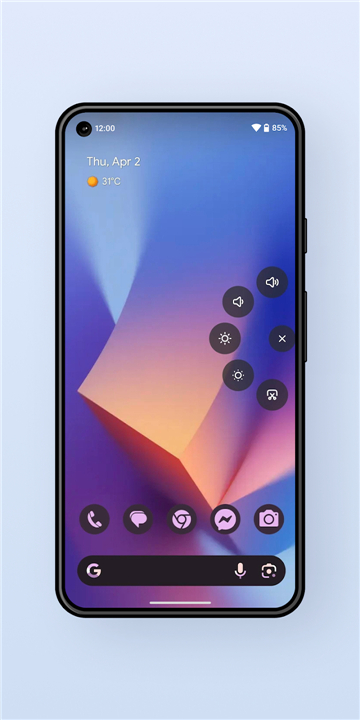
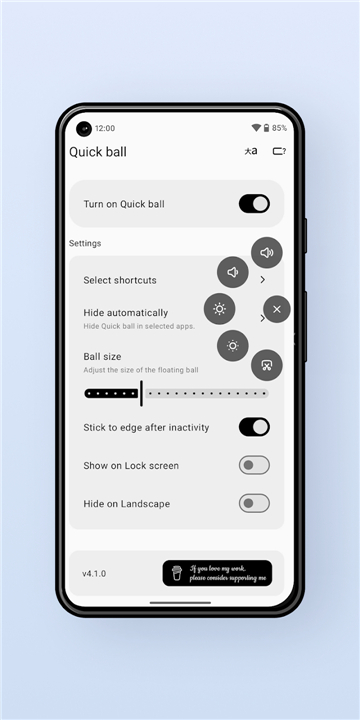
• Quick Ball is a lightweight, floating widget that hovers on the screen whenever the device is unlocked.
• By tapping the ball you can instantly reach the most frequently used system functions—volume, screen brightness, and lock‑screen activation—without leaving the current application.
• The widget disappears automatically when the device is locked, then reappears as soon as the user unlocks the phone, ensuring it never interferes with the lock‑screen experience.
Key Features
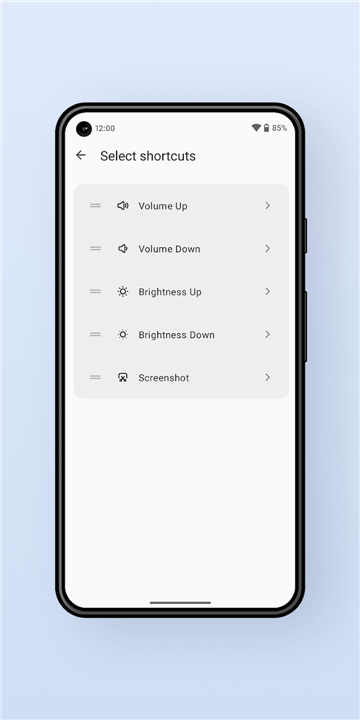
• Quick Actions – One‑tap controls for:
+ Raising or lowering media and ringtone volume
+ Increasing or decreasing screen brightness in real time
+ Locking the screen instantly
• Always Visible – The ball stays on top of every app while the device is unlocked, providing constant access to the controls.
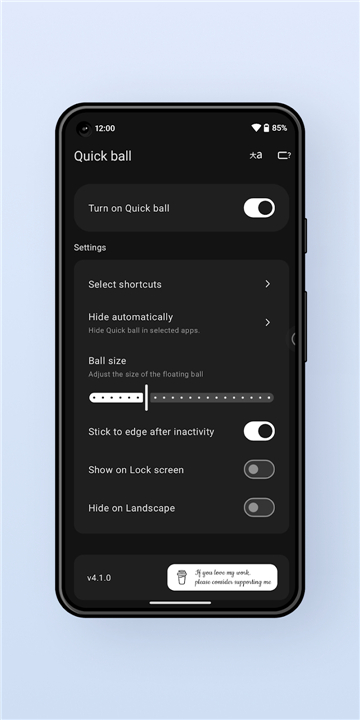
• Smart Positioning – The last location of the ball is saved; after each unlock it reappears exactly where the user left it.
• Auto‑Hide – When the device enters the lock screen the ball fades out automatically, and it re‑materialises on the next unlock.
• Draggable Interface – Users can press, hold, and drag the ball to any spot on the display that feels most convenient.
• Auto‑Snap – Upon release the ball gently snaps to the nearest screen edge, preventing accidental obstruction of app content.
Security & Privacy
• Requires Accessibility and Modify System Settings permissions solely to render the floating widget, capture touch gestures, and adjust volume/brightness.
• No personal data, contacts, messages, or usage logs are accessed, stored, or transmitted by the app.
• All permission requests are transparent and limited to the functions described above.
Acknowledgements
• Akib Shikder – Provided valuable UI/UX suggestions that shaped the final design and interaction flow.
Quick Ball delivers a seamless, unobtrusive way to manage essential system settings with a single tap, keeping the user in control without breaking immersion.
FAQ
Q: Which system functions can I control with a single tap on the ball?
A: Tapping the ball opens a compact menu that lets you raise or lower both media and ringtone volume, increase or decrease screen brightness in real time, and lock the screen instantly—all without leaving the app you’re currently in.
Q: Will Quick Ball interfere with my lock‑screen experience?
A: Not at all. The widget automatically fades out the moment the device locks, disappears completely while the lock screen is active, and then re‑appears the instant you unlock the phone. This ensures the lock screen stays clean and unobstructed.
Q: Can I move the ball to a spot that’s more convenient for me?
A: Absolutely. Press and hold the ball, then drag it to any location on the display that feels comfortable. When you release it, Quick Ball gently snaps to the nearest edge, so it never blocks important content in your apps.
Version History
v5.1.0——27 Aug 2026
A Quick Action Ball that gives fast access to controls —volume, brightness, lock Download the latest version of Quick Ball to enjoy new features and updates immediately!
*5.1.0
- Interactive volume and brightness sliders in toasts
- Customizable menu radius
- Customizable toast color
*5.0.0
Rewritten with Jetpack Compose for a smoother, modern experience
Smoother floating menu animations
Added new shortcuts for quicker access
Advanced customization settings for more control
*4.3.3
Fix stick issue on foldable devices.
- AppSize1.52M
- System Requirements5.0 and up
- Is there a feeFree(In game purchase items)
- AppLanguage English
- Package Nameio.github.chayanforyou.quickball
- MD5
- PublisherChayan Mistry
- Content RatingTeenDiverse Content Discretion Advised
- Privilege19
-
Quick Ball 5.1.0Install
1.52M2026-10-15Updated










8.8
6846 Human Evaluation
- 5 Star
- 4 Star
- 3 Star
- 2 Star
- 1 Star




