

qBitController
Overview
• qBitController is a robust, free, and open-source application designed to provide seamless remote management of your qBittorrent servers.
• Whether you are running a home lab, a dedicated seedbox, or a remote office server, this utility offers a comprehensive interface to monitor and control your torrenting activities from anywhere.
Server Administration
• Multi-Server Support: Connect to and switch between multiple qBittorrent instances within a unified interface.
• Remote Configuration: Safely access and manage your server settings over secure connections.
Torrent Control and Ingestion
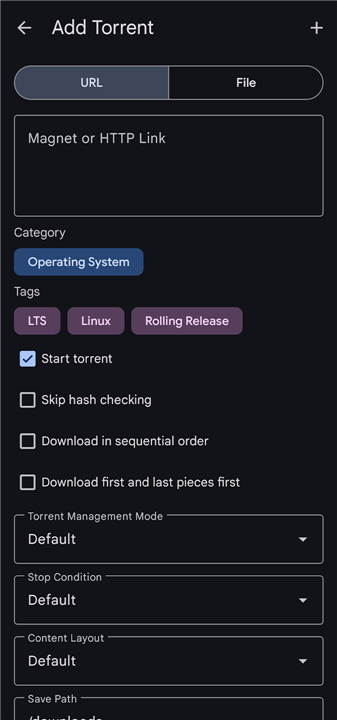
• Flexible Uploading: Add new torrents quickly by importing local torrent files or directly pasting magnet links.
• Core Actions: Pause, resume, force start, recheck, or delete torrents, with the option to remove downloaded data from the disk.
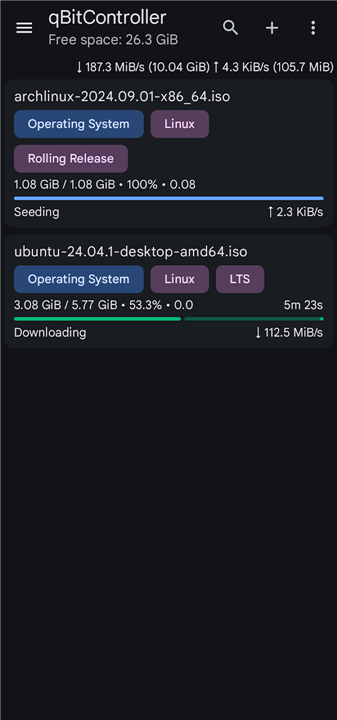
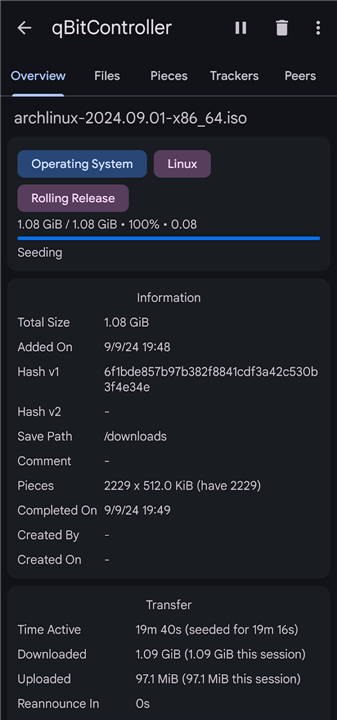
• Real-Time Monitoring: Access comprehensive details for each transfer, including piece maps, peer lists, speed charts, and tracker statuses.
Organization and Filtering
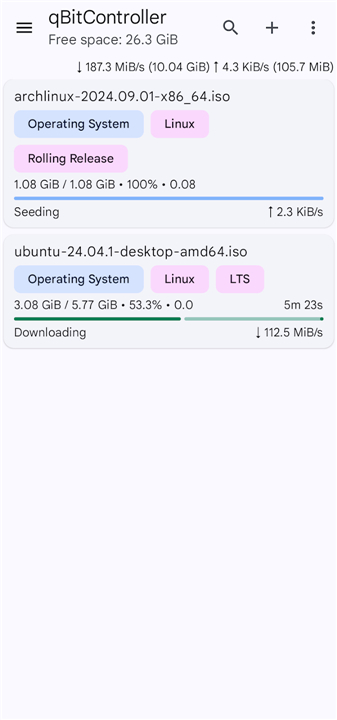
• Advanced Sorting: Order your active transfers by name, size, progress, estimated time of arrival (ETA), and download or upload speeds.
• Granular Filtering: Locate files rapidly by filtering your transfer list by download state, specific trackers, tags, or custom categories.
• Taxonomy Management: Create, edit, and assign custom categories and tags to keep your files organized.
Automation and Discovery
• RSS Feed Integration: Subscribe to RSS feeds and configure automated download rules to fetch new content instantly as it becomes available.
• Integrated Search: Search for new torrents online directly within the application to streamline your download workflow.
FAQ
Q: Is there a cost associated with using qBitController or is it restricted by a license?
A: You will be pleased to know that qBitController is completely free to use and remains an open-source project. This means you can access all its premium-tier features without worrying about subscription fees or hidden costs, and the community is free to contribute to its ongoing development and transparency.
Q: Can I manage multiple qBittorrent instances simultaneously through the app?
A: Yes, the application features built-in multi-server support that allows you to connect to and switch between several different qBittorrent instances within a single, unified interface. This is particularly useful for power users who maintain different servers for varied purposes, such as one for private trackers and another for public distributions.
Q: How do I go about adding new content to my server using this tool?
A: qBitController offers flexible uploading options to streamline your ingestion process. You can quickly add new downloads by importing local torrent files directly from your device or by simply pasting magnet links into the interface, ensuring that your server starts processing the new data immediately.
Version History
v2.2.1——13 Aug 2026
Control qBittorrent from your Android device Download the latest version of qBitController to enjoy new features and updates immediately!
*2.2.1
Minor bug fixes and improvements. Install or update to the newest version to check it out!
*2.2.0
Minor bug fixes and improvements. Install or update to the newest version to check it out!
*2.1.0
Minor bug fixes and improvements. Install or update to the newest version to check it out!
- AppSize5.97M
- System Requirements5.0 and up
- Is there a feeFree(In game purchase items)
- AppLanguage English
- Package Namedev.bartuzen.qbitcontroller
- MD5
- PublisherBartu Özen
- Content RatingTeenDiverse Content Discretion Advised
- Privilege19
-
qBitController 2.2.1Install
5.97M2026-09-30Updated










9.7
2294 Human Evaluation
- 5 Star
- 4 Star
- 3 Star
- 2 Star
- 1 Star




