

Polaris
Overview
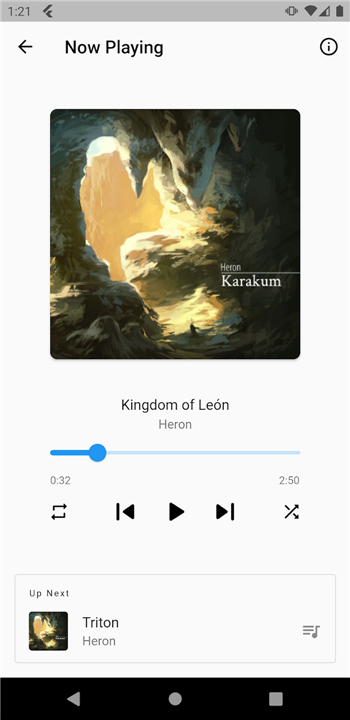
• Polaris is a lightweight audio streaming client engineered to bridge the gap between your self-hosted music library and your mobile device, allowing you to access your personal collection wherever you go.
Playback and Listening
• Intelligent Shuffle Mode: Mix your playlists, artists, and entire library seamlessly to enjoy a randomized and dynamic listening experience.
• Advanced Song Preloading: Buffer upcoming tracks in the background to eliminate lag, guarantee instant playback starts, and prevent mid-track buffering.
• High-Fidelity Audio: Stream your media library in its original audio format without unwanted compression or loss of sound quality.
Offline Capabilities and Data Management
• Dedicated Offline Mode: Save your favorite albums, tracks, and playlists directly to your device for completely offline listening during commutes, flights, or off-grid travel.
• Bandwidth Optimization: Retain cached tracks locally to minimize mobile data consumption and extend battery life while streaming on the go.
• Local Storage Management: Manage your downloaded music directly within the application to maintain full control over your device storage.
Server Integration and Performance
• Direct Server Connection: Link securely to your personal Polaris server instance with a fast, straightforward setup.
• Remote Accessibility: Stream your complete catalog over Wi-Fi or cellular networks with responsive, low-latency performance.
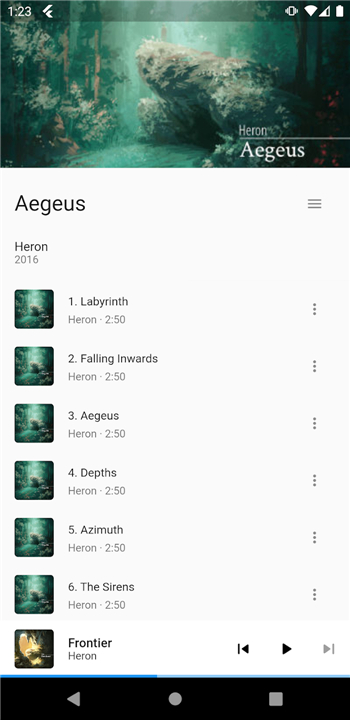
• Streamlined Interface: Navigate your collection using a clean, responsive layout focused entirely on efficient audio playback and organization.
FAQ
Q: How do I connect the Polaris app to my personal music server?
A: Setting up your connection is quick and straightforward. You simply link the Polaris mobile app directly to your personal Polaris server instance using your server's address and credentials, establishing a secure connection that gets you up and running in no time.
Q: Can I stream my music when I am away from my home Wi-Fi network?
A: Yes, you absolutely can. Polaris is built for remote accessibility, allowing you to stream your complete catalog seamlessly over both Wi-Fi and mobile cellular networks with highly responsive, low-latency performance.
Q: Does Polaris have a shuffle feature, and how does it handle mixing tracks?
A: It certainly does, and it is designed to keep your queue interesting. Polaris features an Intelligent Shuffle Mode that seamlessly mixes your playlists, specific artists, or even your entire library to give you a truly randomized and dynamic listening experience every time.
Version History
v0.10.4——20 Aug 2026
Music player for usage with a Polaris streaming server Download the latest version of Polaris to enjoy new features and updates immediately!
*0.10.4
• Fixed a bug where the mini-player would sometimes disappear during navigation
*0.10.3
• When opening the playback queue, the list of songs will now scroll near the current song
• Tapping a song in the queue now unpauses playback
• Adjusted whitespace on Albums page
• App UI no longer overlaps device safe-area (ie. nav buttons)
• Updated Flutter to version 3.38
*0.10.2
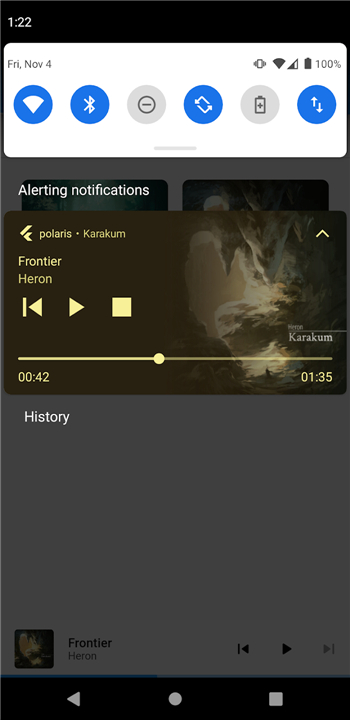
• Added seeking controls in system notifications
• Adjusted whitespace on Artist/Releases and Artist/FeaturedOn pages
• Improved compatibility with playback controls in system notifications
- AppSize53.80M
- System Requirements5.0 and up
- Is there a feeFree(In game purchase items)
- AppLanguage English
- Package Nameagersant.polaris
- MD5
- PublisherAntoine Gersant
- Content RatingTeenDiverse Content Discretion Advised
- Privilege19
-
Polaris 0.10.4Install
53.80M2026-10-06Updated










7.7
7869 Human Evaluation
- 5 Star
- 4 Star
- 3 Star
- 2 Star
- 1 Star




