
Photo Recovery: Video Recovery
Overview
• Accidentally deleting a cherished photo or an essential video can be a distressing experience.
• Whether you lost a snapshot of a milestone event or a critical document, the consequences can feel permanent.
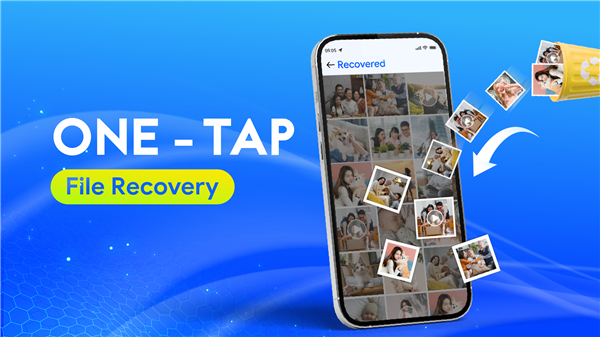
• Fortunately, Photo Recovery: Video Recovery offers a sophisticated solution to retrieve your lost data instantly, without requiring root access to your device.
• This application allows you to scan, identify, and restore deleted files to your original library or permanently purge them to optimize your storage capacity.
Key Features and Functionality
1. Comprehensive Recovery Capabilities
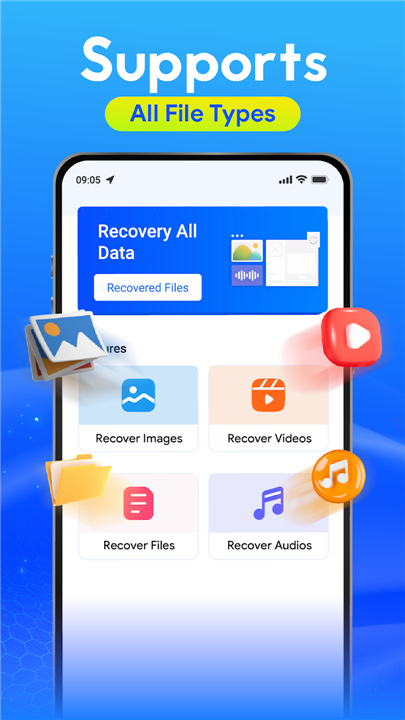
• The tool is designed for versatility, supporting the retrieval of photos, videos, audio files, and various document formats stored on your internal memory or external storage.
2. Scanning Technology
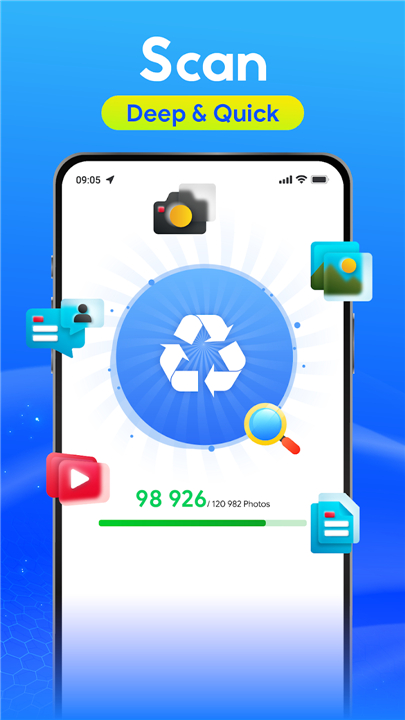
• Utilize both Quick and Deep Scan modes.
• The Deep Scan feature acts as a thorough disk digger, scouring your device to locate traces of deleted files that other tools might miss.
3. Organized Restoration
• To simplify the recovery process, all discovered files are automatically categorized by file type and extension.
• This ensures you can locate and manage your data with minimal effort.
4. Precision Recovery
• Avoid unwanted clutter by using the Preview feature.
• You can view each photo or video before committing to the restoration process, ensuring only the files you truly need are recovered.
5. One-Tap Restoration
• The software is built for accessibility.
• It provides a one-tap solution for file restoration, eliminating the need for complex technical configurations or risky device rooting.
6. Maintaining File Integrity
• Unlike other services, this app ensures that your media is restored in its original resolution.
• We prioritize quality, meaning no compression or data degradation occurs during the recovery process.
Technical Support
• Note that some devices may display existing files alongside deleted ones during the scan.
• Please continue searching to isolate the missing data.
• For further assistance or inquiries, reach out to our team at contact@taymay.io.
FAQ
Q: What types of files can I recover with this application?
A: The tool is designed with high versatility, allowing you to retrieve not only photos and videos but also audio files and a wide range of document formats stored on either your internal memory or your external storage devices.
Q: What is the difference between Quick Scan and Deep Scan?
A: The Quick Scan is designed for rapid identification of recently deleted items, while the Deep Scan functions as a thorough disk digger. This deeper process scours every corner of your device to locate traces of files that other conventional tools might overlook.
Q: Is it possible to see the files before I decide to restore them?
A: Yes, our precision recovery feature includes a preview function. You can view each photo or video before committing to the restoration, which helps you avoid clutter and ensures you only restore the files you actually need.
Version History
v89.0.0.0——29 Jun 2026
Quickly recover deleted photos, videos and files - Never lose file again! Download the latest version of Photo Recovery: Video Recovery to enjoy new features and updates immediately!
*89.0.0.0
- Improved file recovery speed and accuracy.
- Enhanced support for more file formats.
- Bug fixes.
*85.0.0.0
- Improved file recovery speed and accuracy.
- Enhanced support for more file formats.
- Bug fixes.
*84.0.0.0
- Improved file recovery speed and accuracy.
- Enhanced support for more file formats.
- Bug fixes.
- AppSize31.86M
- System Requirements5.0 and up
- Is there a feeFree(In game purchase items)
- AppLanguage English
- Package Namecom.media.photos.videos.audios.recovery.restore.undelete
- MD5
- PublisherHihoay.io
- Content RatingTeenDiverse Content Discretion Advised
- Privilege19


-
Photo Recovery: Video Recovery 89.0.0.0Install
31.86M2026-08-15Updated










9.9
5910 Human Evaluation
- 5 Star
- 4 Star
- 3 Star
- 2 Star
- 1 Star