
Paperless Mobile
Overview
• This mobile client offers full control over your personal document archive.
• Please note that an active, accessible Paperless-ngx instance is required to use this application.
Core Document Operations
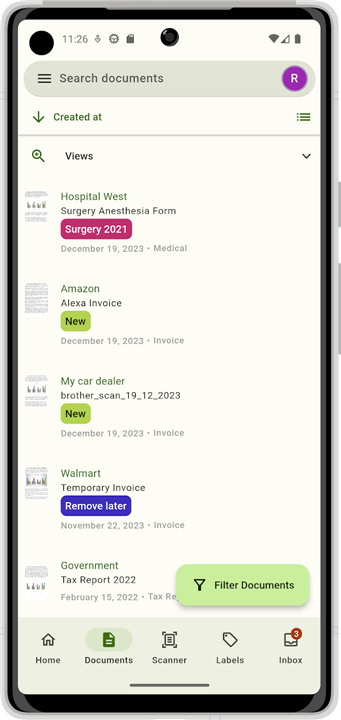
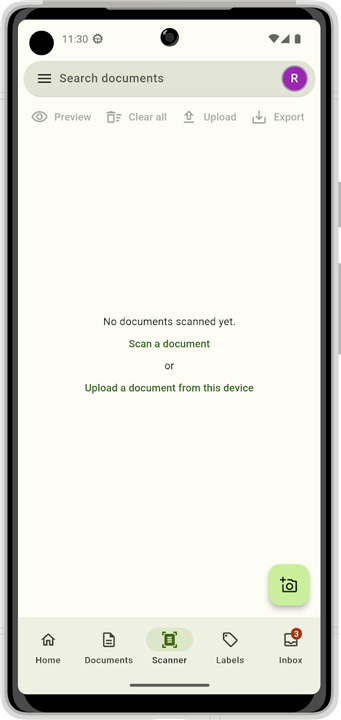
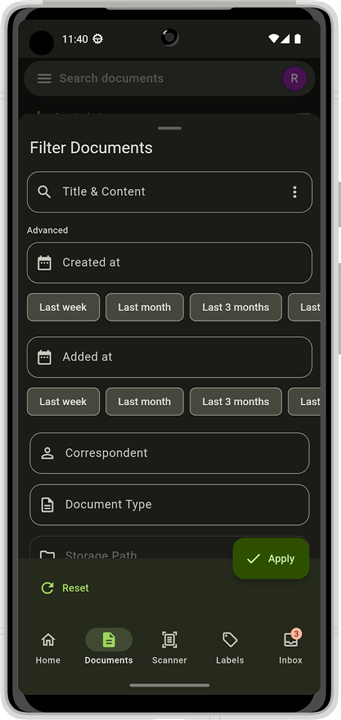
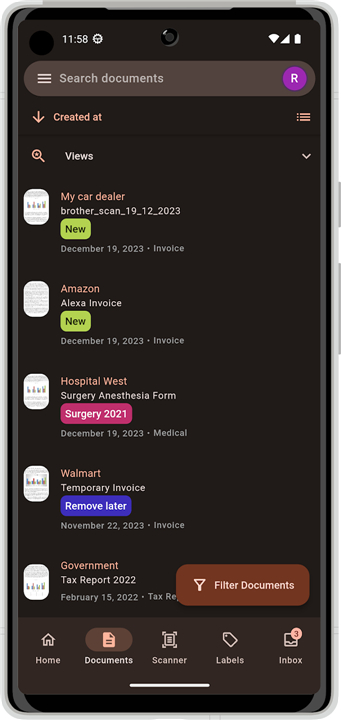
• Access, view, and search your entire document collection instantly.
• Upload, edit, or remove files directly from your mobile device.
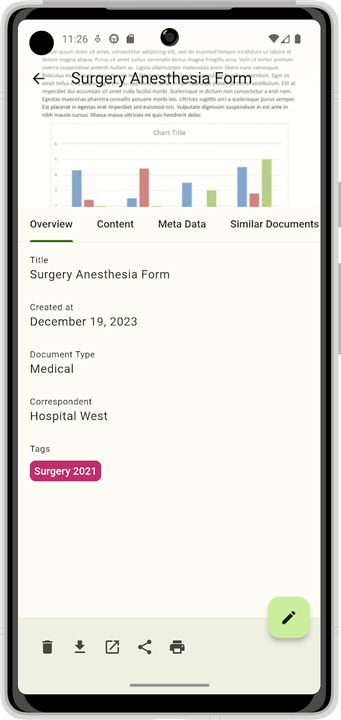
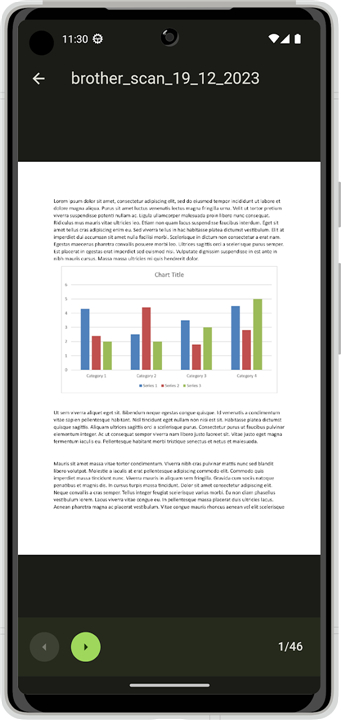
• Preview documents in high quality, download copies, print wirelessly, or share them through external apps.
Organization & Metadata
• Fully manage organization systems, including tags, correspondents, and document types.
• Set and adjust custom storage paths to keep your document hierarchy organized.
Scanning & Workflow
• Digitizes physical paperwork using your device camera, uploading scans directly to your instance.
• Apply pre-configured metadata, such as tags, document types, correspondents, and custom creation dates, during the scanning process.
• Rapidly review, modify, and clear out unorganized files using the dedicated inbox view.
Security & Connectivity
• Protect app access using hardware biometric authentication, such as fingerprint or face recognition.
• Authenticate securely on custom networks using mutual TLS (mTLS) client certificates.
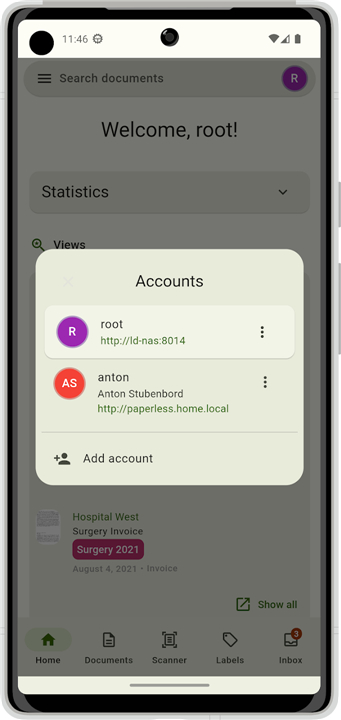
• Connect and switch seamlessly between multiple user accounts or server instances.
User Interface & Personalization
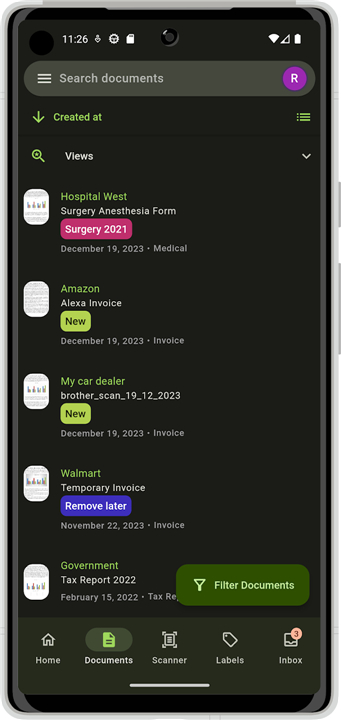
• Experience a clean, modern user interface built according to the Material Design 3 specification.
• Customize your view with integrated light and dark modes, featuring dynamic color matching for Android 12 and newer.
• Utilize fully localized interfaces in English, German, French, Spanish, Catalan, Polish, Czech, Russian, and Turkish, with additional languages planned for future updates.
FAQ
Q: Can I perform the same document management tasks on my phone as I do on the web interface?
A: Yes, you certainly can. The app allows you to access, view, and search through your entire document collection instantly, and you have full permission to upload new files, edit existing metadata, or remove documents directly from your mobile device.
Q: How does the scanning feature work for physical paperwork?
A: The app includes a built-in scanning tool that utilizes your device’s camera to digitize physical documents. Once you capture a scan, the app uploads it directly to your Paperless-ngx instance, making the transition from paper to digital seamless and quick.
Q: Is it possible to organize my documents using tags and categories through the app?
A: Privacy and integrity are core values of the Deliveries app, as it strictly refrains from tracking or selling your user data to third parties. Furthermore, the application is completely ad-free, ensuring that your experience remains focused on utility without any intrusive marketing or data harvesting.
Version History
v5.0.0-alpha2——29 Jul 2026
An (almost) fully fledged mobile paperless-ng*x client. Download the latest version of Paperless Mobile to enjoy new features and updates immediately!
*5.0.0-alpha2
Minor bug fixes and improvements. Install or update to the newest version to check it out!
*5.0.0-alpha1
Minor bug fixes and improvements. Install or update to the newest version to check it out!
*4.5.0
Minor bug fixes and improvements. Install or update to the newest version to check it out!
- AppSize39.70M
- System Requirements5.0 and up
- Is there a feeFree(In game purchase items)
- AppLanguage English
- Package Namede.astubenbord.paperless_mobile
- MD5
- PublisherAnton Stubenbord
- Content RatingTeenDiverse Content Discretion Advised
- Privilege19
-
Paperless Mobile 5.0.0-alpha2Install
39.70M2026-09-30Updated










8.1
5377 Human Evaluation
- 5 Star
- 4 Star
- 3 Star
- 2 Star
- 1 Star




