
Package Manager
Take Control of Your Android Apps
• Package Manager is a powerful tool that lets you install, organize, and fine‑tune applications on any Android device.
Important notice
• The developer is not liable for any damage that may occur to your device while using this app.
Prerequisites for advanced functions
• Some capabilities require root access or Shizuku integration.
Core features
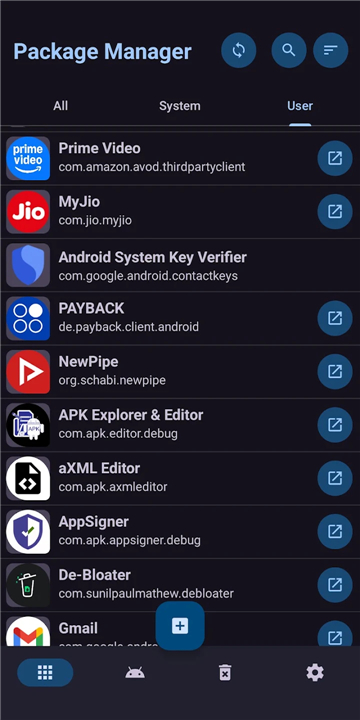
• View system and user apps in a clean list, either combined or separated.
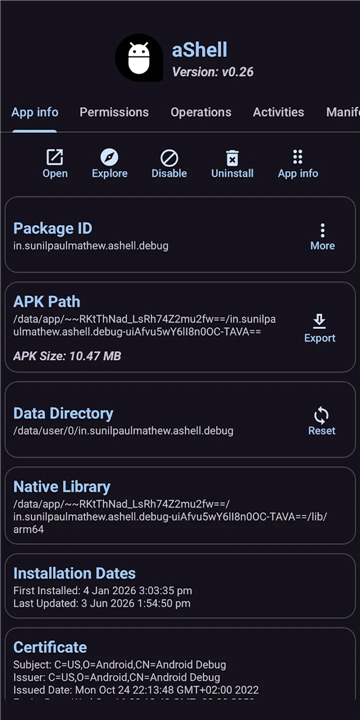
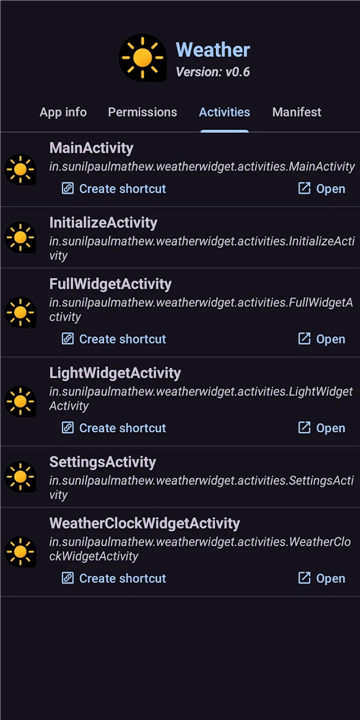
• Perform basic actions such as opening an app, viewing its details, visiting its Play Store page, or uninstalling user apps.
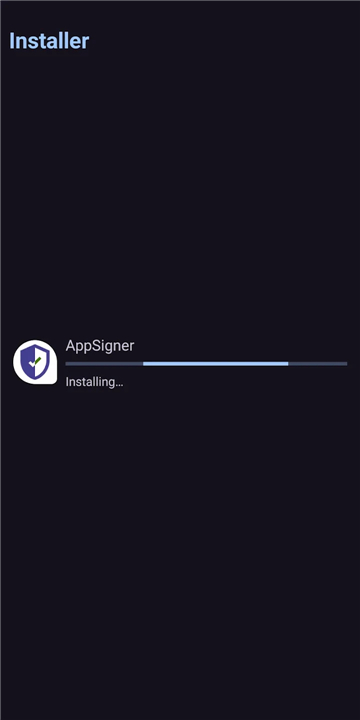
• Install split APKs and app bundles (.apks, .apkm, .xapk) directly from storage.
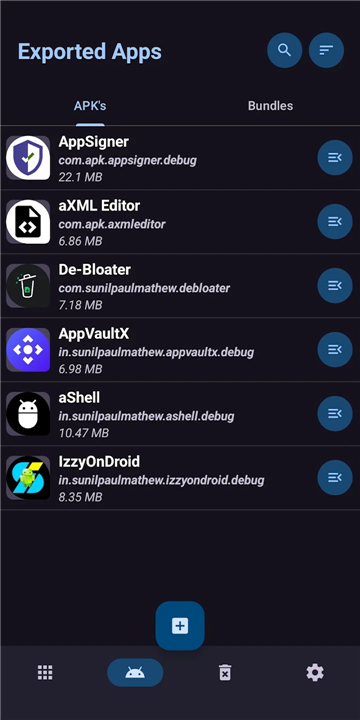
• Export individual apps or batches—including split APKs—to your device.
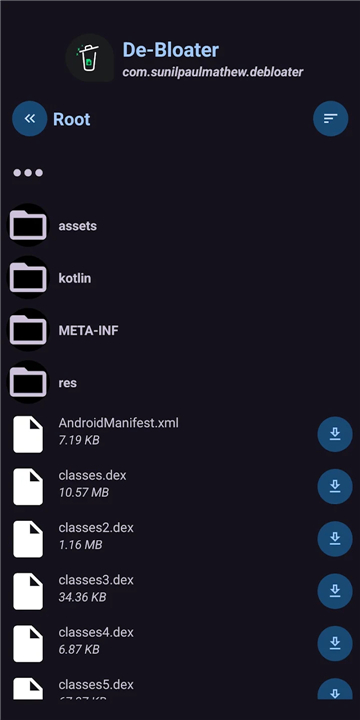
• Explore and export the contents of an installed app (experimental).
Advanced features (need root or Shizuku)
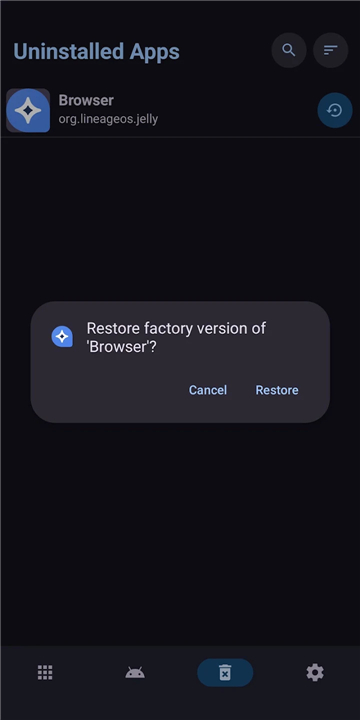
• Remove single or multiple system apps to debloat your device.
• Enable or disable apps in bulk.
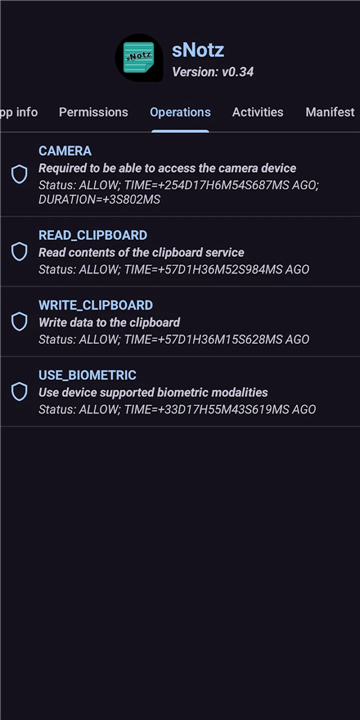
• Gain near‑full control over AppOps operations.
Help and resources
• If you encounter any issues, contact the developer at https://smartpack.github.io/contact/ before leaving a negative review.
• Detailed usage guides are available at https://ko-fi.com/post/Package-Manager-Documentation-L3L23Q2I9, and you can report bugs or request features via https://github.com/SmartPack/PackageManager/issues/new.
Open‑source invitation
• The application is freely available on GitHub (https://github.com/SmartPack/PackageManager/). Contributions from the community are welcome.
Help us translate
• Join the translation effort on POEditor: https://poeditor.com/join/project?hash=0CitpyI1Oc.
• The English strings can be reviewed here: https://github.com/SmartPack/PackageManager/blob/master/app/src/main/res/values/strings.xml.
FAQ
Q: Do I need root access to use the app?
A: No, the basic features—viewing apps, opening them, uninstalling user apps, installing split APKs, and exporting—are fully functional without root. Root or Shizuku is only required for advanced capabilities like removing system apps, bulk enabling/disabling, and comprehensive AppOps manipulation.
Q: Can I uninstall system apps without root?
A: Uninstalling system apps typically requires elevated privileges. With Package Manager you can disable system apps without root, but to completely remove them you need either root access or Shizuku integration enabled.
Q: How do I export an app to share with another device?
A: Select the app you wish to export from the list, choose the “Export” option, and pick whether you want the standard APK, split APKs, or the full app bundle. The exported files will be saved to a location you specify, ready to be transferred via USB, email, or any file‑sharing method.
Version History
v7.9——25 Aug 2026
Effortlessly install, and manage apps: Experience the future of app management Download the latest version of Package Manager to enjoy new features and updates immediately!
*7.9
- Brand-new app icon and refreshed visual design.
- Improved UI consistency across dialogues, buttons, and Package Explorer.
- Enhanced stability & fixed crashes during Batch Restore and when viewing large files.
- Package Explorer now displays folder names in bold for better readability.
- Upgraded batch options and minor layout tweaks for an improved user experience.
*7.8
- Enhanced Batch Reset logic.
- New modern Dashboard UI design.
- Improved batch options, now initiated by taping icons.
- Dependency updates and miscellaneous performance tweaks.
- Miscellaneous changes.
*7.7
* Fixed enable/disabe apps.
* Fixed sorting apps by update time.
* Improved layouts and UI for latest android.
* Updated build tools and dependencies.
* Updated Chinese(s) and Polish translations.
* Miscellaneous changes.
- AppSize2.80M
- System Requirements5.0 and up
- Is there a feeFree(In game purchase items)
- AppLanguage English
- Package Namecom.smartpack.packagemanager
- MD5
- Publishersunilpaulmathew
- Content RatingTeenDiverse Content Discretion Advised
- Privilege19
-
Package Manager 7.9Install
2.80M2026-10-12Updated










7.7
3509 Human Evaluation
- 5 Star
- 4 Star
- 3 Star
- 2 Star
- 1 Star