

OW Camera 2 For Pebble
Overview
• OW Camera 2 for Pebble is an advanced remote photography application that bridges your Android phone's camera with your Pebble smartwatch.
• By acting as a remote viewfinder and shutter trigger, it enables hands-free shooting for perfect group photos, selfies, and stable shots without touching your phone.
Smartwatch Integration
• Real-time camera preview displayed directly on your Pebble screen.
• Trigger the camera shutter or start video recording remotely from your wrist.
• Fully updated to support modern Pebble firmware, with dedicated compatibility for the Pebble 2 Duo and Pebble Time 2.
Advanced Camera Controls
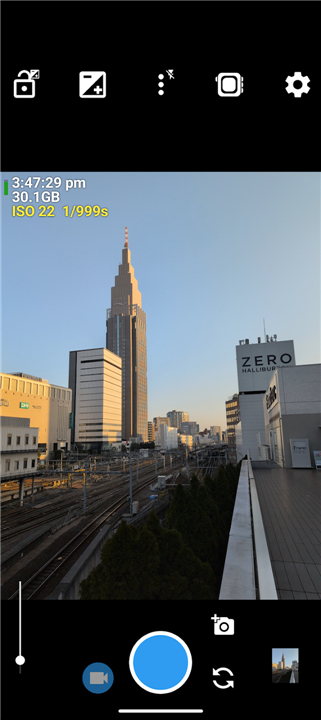
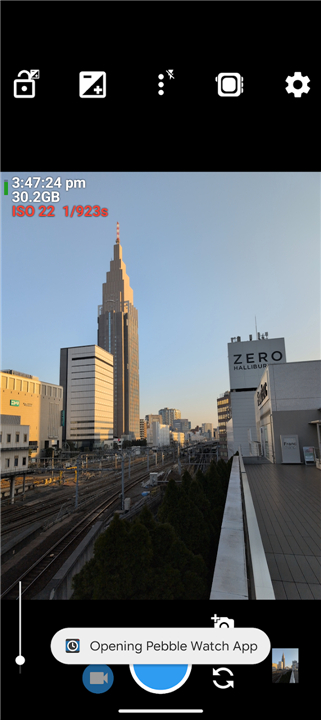
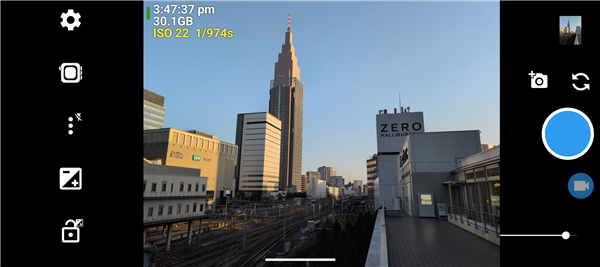
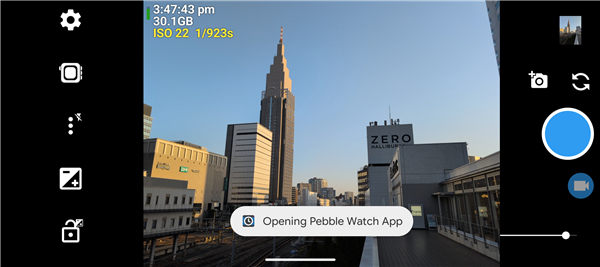
• Full manual settings accessible from your phone, including adjustments for ISO, exposure, and white balance.
• Multiple focus modes to ensure your subject is always sharp, whether shooting close-ups or distant landscapes.
• Seamless switching between high-resolution photo capture and video recording.
Framing and Composition Tools
• Built-in grid overlays to assist with proper alignment and the rule of thirds.
• On-screen level indicators to help keep your horizons perfectly straight.
• Instant visual feedback through the watch screen to adjust your phone's angle before shooting.
Open Source Foundation
• Built upon the powerful, reliable, and ad-free Open Camera engine.
• Safe and highly customizable, offering extensive options for file storage, photo resolution, and user interface preferences.
FAQ
Q: What kind of manual camera settings can I adjust using this app?
A: The app provides a suite of advanced manual controls accessible from your phone, including the ability to fine-tune your ISO, exposure, and white balance. These professional-grade settings give you much more creative control over your images than a standard point-and-shoot application would.
Q: Is it possible to record video using the remote trigger?
A: You can easily switch between capturing high-resolution still photographs and starting video recordings right from your wrist. This makes it a versatile tool for vloggers or anyone who wants to capture motion shots without needing an assistant to press the record button.
Q: How does the app help me keep my photos straight and well-composed?
A: To assist with professional composition, the app includes built-in framing tools such as grid overlays for the rule of thirds. Additionally, it offers on-screen level indicators that help you keep your horizons perfectly straight, which is especially useful for landscape photography.
Version History
v2.0——28 Jul 2026
Turn your Pebble smartwatch into a remote camera shutter with OW Camera 2. Get live previews, manual controls, and hands-free photos. Download the latest version of OW Camera 2 For Pebble to enjoy new features and updates immediately!
*2.0
Add Minor bug fixes and improvements. Install or update to the newest version to check it out!
- AppSize5.53M
- System Requirements5.0 and up
- Is there a feeFree(In game purchase items)
- AppLanguage English
- Package Namecom.github.jamsinclair.owcamera2
- MD5
- Publisherjamsinclair
- Content RatingTeenDiverse Content Discretion Advised
- Privilege19
-
OW Camera 2 For Pebble 2.0Install
5.53M2026-10-28Updated










8.6
3036 Human Evaluation
- 5 Star
- 4 Star
- 3 Star
- 2 Star
- 1 Star




