

OpenBible
Overview
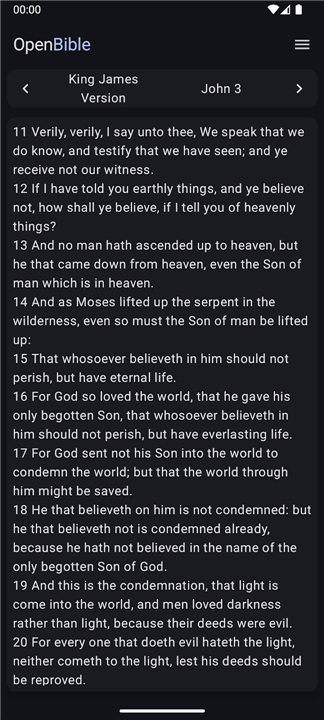
• OpenBible is a dedicated Android application designed to provide a streamlined and distraction-free environment for engaging with the Holy Scriptures.
• By focusing on a minimalist philosophy, the app eliminates secondary elements such as section headings, human commentary, reading plans, and external tips, ensuring that the user’s focus remains entirely on the text itself.
Core Philosophy and Content
• The application is built to be lightweight and fast, requiring minimal system resources and no unnecessary user inputs.
• It offers a broad catalog of translations available in numerous languages, all of which can be downloaded for offline use.
• Maintenance updates are frequently released to ensure that formatting remains accurate and that the text is presented clearly across all devices.
Navigation and Search
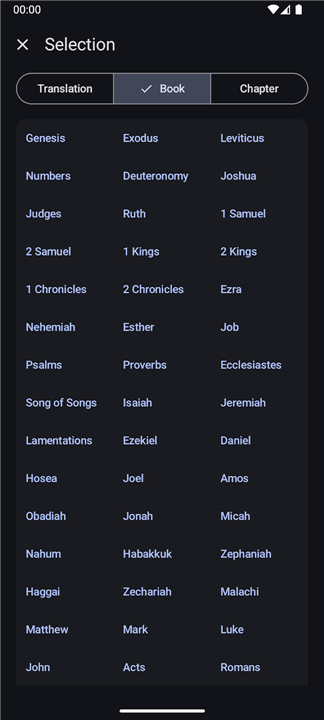
• Users can navigate through a simple interface to select their preferred translation, book, and chapter.
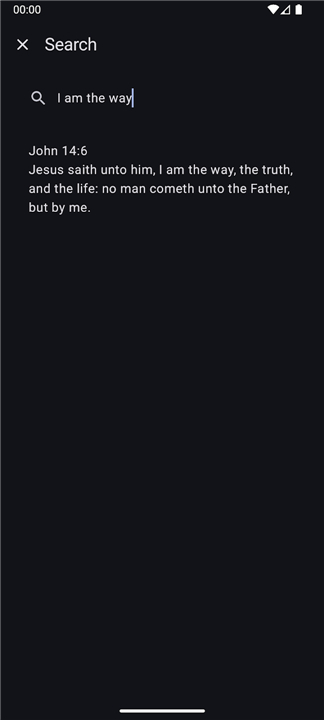
• An integrated search function allows for the quick location of specific verses or passages by searching for keywords or phrases within the content.
User Interface Personalization
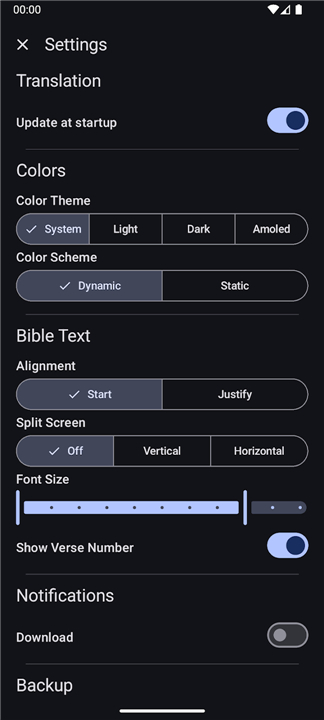
• Visual customization options include multiple color themes and schemes to suit different lighting conditions.
• Readability can be enhanced by adjusting text alignment, font size, and the visibility of verse numbers.
• A split-screen mode is available for users who wish to view or compare different sections of the Bible simultaneously.
• To simplify the setup process, the app automatically adopts system-wide preferences for themes and display settings.
Interactive Features and Data Management
• Intuitive touch gestures, such as pinching or double-clicking the screen, allow for temporary font size adjustments while reading.
• Users can select specific text to copy to the clipboard or share with others through external applications.
• All user settings, selected translations, and reading progress are saved and can be backed up to facilitate data recovery or device migration.
FAQ
Q: Which Bible translations are available in the app?
A: The app includes a wide catalog of translations spanning many languages. From classic versions like the King James Version and the New International Version to newer, community‑driven translations in dozens of languages, you can download any of them for offline reading. The list is continually expanded and updated.
Q: Do I need an internet connection to read the Bible after I’ve downloaded a translation?
A: No. Once you’ve downloaded a translation, all of its books and chapters are stored locally on your device. You can read, search, and navigate the text anywhere—whether you’re on a plane, in a remote cabin, or simply out of Wi‑Fi range.
Q: How does OpenBible keep the interface clean and minimalist?
A: The design eliminates everything that isn’t essential to the reading experience. There are no sidebars, no daily verses, and no suggested content. The home screen simply lets you pick a translation, a book, and a chapter. Even the settings are tucked away so they appear only when you explicitly ask for them.
Version History
v3.2.3——6 Aug 2026
OpenBible provides the Bible with as little distractions as possible Download the latest version of OpenBible to enjoy new features and updates immediately!
*3.2.3
Minor bug fixes and improvements. Install or update to the newest version to check it out!
*3.2.2
Minor bug fixes and improvements. Install or update to the newest version to check it out!
*3.2.1
Minor bug fixes and improvements. Install or update to the newest version to check it out!
- AppSize1.58M
- System Requirements5.0 and up
- Is there a feeFree(In game purchase items)
- AppLanguage English
- Package Namecom.schwegelbin.openbible
- MD5
- PublisherSchweGELBin
- Content RatingTeenDiverse Content Discretion Advised
- Privilege19
-
OpenBible 3.2.3Install
1.58M2026-09-24Updated










8.3
8390 Human Evaluation
- 5 Star
- 4 Star
- 3 Star
- 2 Star
- 1 Star




