
OBDocker - OBD2 Car Scanner
Your Ultimate OBD2 Car Companion
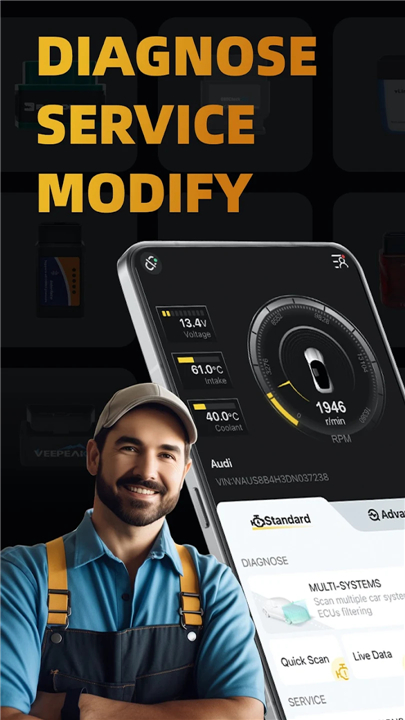
• Take full control of your vehicle's health and performance with OBDocker.
• This professional-grade OBD2 scanner app combines advanced diagnostic power with an intuitive interface, giving you the toolset to service, customize, and understand your car like a seasoned professional.
Key Features
1. Advanced Diagnostics
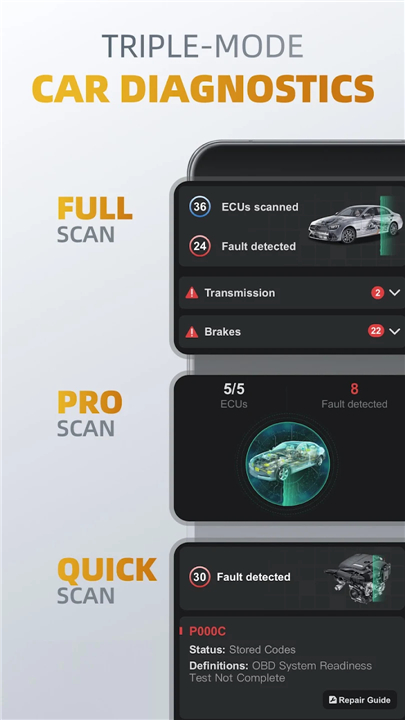
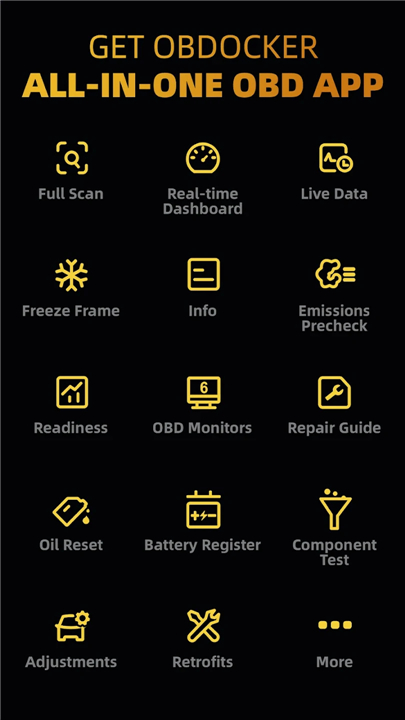
• OE-Level Full-System Scan: Run comprehensive diagnostics across all vehicle systems with a single tap.
• Targeted Multi-System Scan: Filter and focus on specific modules such as ABS, SRS, TCM, and BCM.
• Quick Scan: Instantly read and clear engine trouble codes to keep your drive smooth.
2. Real-Time Data Monitoring
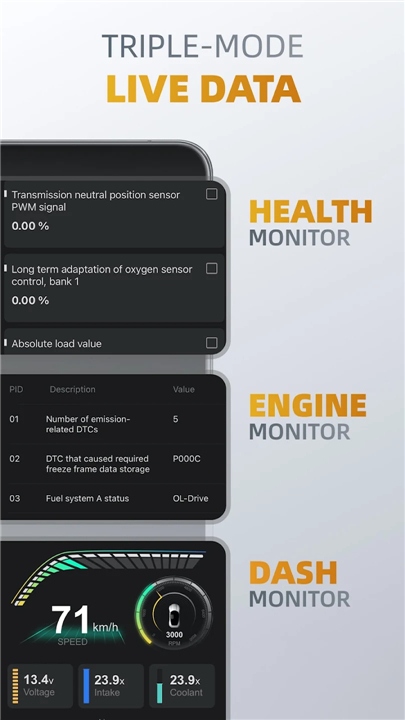
• Health Monitor: Track live parameters across all systems to catch potential issues early.
• Engine Performance: Keep a close eye on your engine's vital statistics.
• Dynamic Dashboard: View key vehicle metrics in real-time through a clear visual display.
3. Complete Maintenance & Service
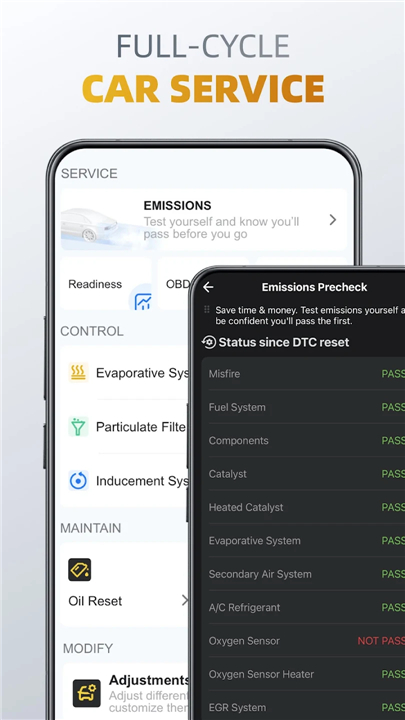
• Emissions Pre-Check: Run readiness tests to pass your official smog check with confidence.
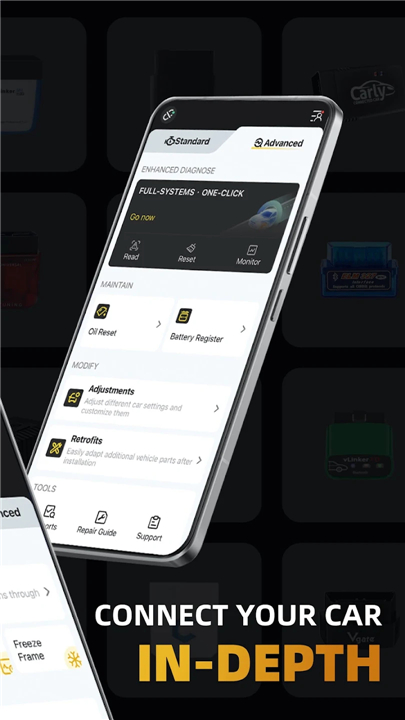
• Advanced System Controls: Perform crucial procedures like EVAP leak tests, DPF regeneration, and system reinitializations.
• Service Resets: Quickly clear maintenance lights and reset your oil life change reminders.
• Battery Registration: Register newly installed batteries to ensure correct charging system behavior.
4. One-Click Customization
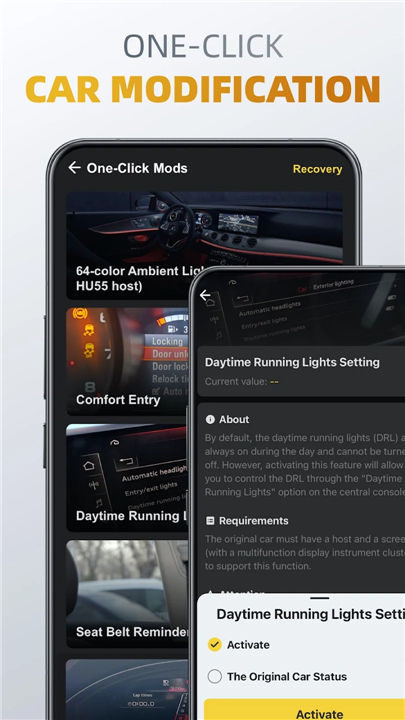
• Personalized Adjustments: Modify hidden vehicle settings and personalize features with one click.
• Easy Retrofits: Program and adapt new hardware components after installation.
Compatible OBD Adapters
To connect OBDocker to your vehicle, you will need a compatible hardware adapter:
• Top Tier Performance: Vlinker Series, OBDLink Series, MotorSure OBD Tool, Carista EVO.
• Standard Performance: Genuine ELM327 or ELM329 compatible adapters, such as Veepeak, Vgate iCar, UniCarScan, NEXAS, and Carista.
• Low Performance: Generic, cheap clone adapters (not recommended for advanced features).
Vehicle Compatibility
• Standard Mode: Universal diagnostic support for OBD2, OBD-II, and EOBD compliant vehicles worldwide.
• Advanced Mode: Enhanced diagnostics and coding customized for brands including Toyota, Lexus, Nissan, Infiniti, Honda, Acura, Hyundai, Kia, Volkswagen, Audi, Skoda, SEAT, Mercedes-Benz, BMW, Mini, Porsche, Ford, Lincoln, Chevrolet, Cadillac, GMC, and Buick, with more makes constantly being added.
Subscriptions & Plans
• Begin your journey with our free trial to experience the power of OBDocker firsthand.
• To unlock the absolute limit of your vehicle's diagnostic and coding potential, choose between our Pro and Pro Max plans.
Please Note
• Available sensors and diagnostic capabilities depend directly on your vehicle's specific Engine Control Units (ECUs).
• The app cannot display data that your vehicle's manufacturer did not configure.
FAQ
Q: What is the difference between a Quick Scan and an OE-Level Full-System Scan in the app?
A: A Quick Scan is perfect for a fast health check because it instantly reads and clears basic engine trouble codes to keep your daily drive smooth. On the other hand, the OE-Level Full-System Scan dives much deeper by analyzing every single electronic control unit in your vehicle, giving you a comprehensive diagnostic report across all major onboard systems with just a single tap.
Q: Can I use OBDocker to diagnose specific parts of my car like the brakes or airbags?
A: Yes, you definitely can. With our Targeted Multi-System Scan feature, you can filter your diagnostics to focus specifically on critical individual modules such as the Anti-lock Braking System (ABS), Supplemental Restraint System (SRS), Transmission Control Module (TCM), or Body Control Module (BCM), saving you time when troubleshooting specific issues.
Q: How does the real-time data monitoring feature work while I am driving?
A: The app features a Dynamic Dashboard and Health Monitor that stream live parameters directly from your engine and other vehicle systems while you drive. This allows you to track vital engine statistics, monitor performance metrics on a clear visual display, and catch potential issues early before they turn into costly repairs.
Version History
v3.2.7——1 Sep 2026
OBDocker is an OBD2 car scanner app that helps you diagnose, service, and customize your vehicle. Download the latest version of OBDocker - OBD2 Car Scanner to enjoy new features and updates immediately!
*3.2.7
Minor bug fixes and improvements. Install or update to the newest version to check it out!
*3.2.6
Minor bug fixes and improvements. Install or update to the newest version to check it out!
*3.2.5
Minor bug fixes and improvements. Install or update to the newest version to check it out!
- AppSize122.92M
- System Requirements5.0 and up
- Is there a feeFree(In game purchase items)
- AppLanguage English
- Package Namecom.obdocker.obdocker
- MD5f2e8cb841bac0dfb3a07ba501b16d90a
- PublisherMotorsure INC.
- Content RatingTeenDiverse Content Discretion Advised
- Privilege19
-
OBDocker - OBD2 Car Scanner 3.2.7Install
122.92M2026-10-28Updated










7.0
7372 Human Evaluation
- 5 Star
- 4 Star
- 3 Star
- 2 Star
- 1 Star




