

Reply Radar
Overview
• Reply Radar is a lightweight productivity app that acts as a personal reminder system for any message you need to answer.
• It captures incoming texts, WhatsApp chats, Instagram DMs, emails, and other direct‑message formats in one place, preventing the common habit of reading a message, getting distracted, and forgetting to respond for days or weeks.
Who Benefits
• Individuals who frequently juggle multiple communication channels and worry about overlooking a reply.
• Professionals who need to maintain timely follow‑ups with clients, colleagues, or partners.
• Social users who want to avoid the awkward “I meant to reply” moment without feeling guilty.
Core Features
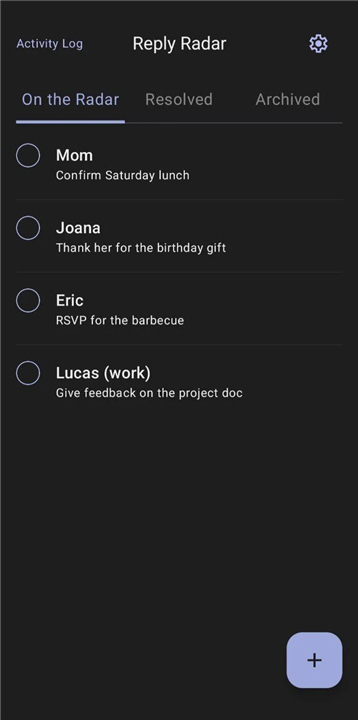
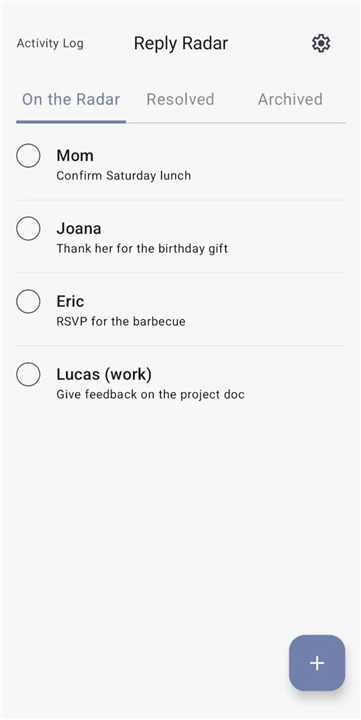
• Unified Inbox – All pending replies appear together, organized like a to‑do list.
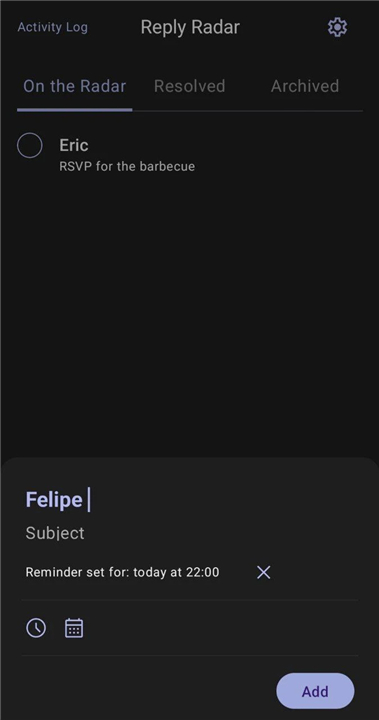
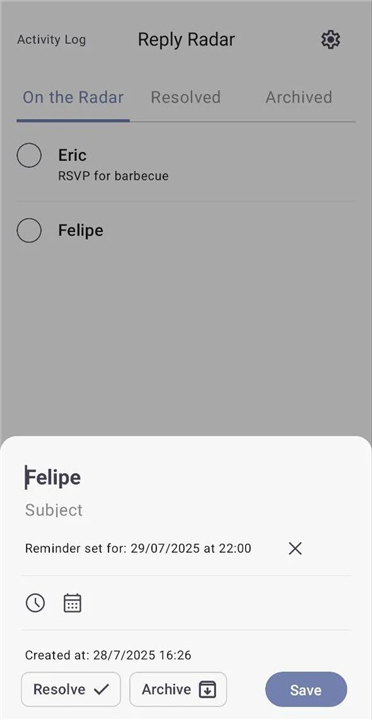
• Custom Reminders – Choose a specific date and time for each pending reply; the app will notify you at the optimal moment.
• Gentle Notifications – Non‑intrusive alerts that nudge you without disrupting your workflow.
• Priority Tagging – Mark urgent messages so they surface first in your reminder queue.
• Snooze Option – Temporarily postpone a reminder if you’re busy, with automatic rescheduling.
How It Works
1. Receive a message on any supported platform.
2. Tap the “Add to Reply Radar” button (or use the share extension) to log the conversation.
3. Set a reminder date, time, and priority level.
4. Continue with your day; the app will deliver a discreet notification when it’s time to respond.
Benefits
• Eliminates accidental ghosting of friends and contacts.
• Reduces mental clutter by turning scattered pending replies into a manageable list.
• Improves response reliability, enhancing personal and professional relationships.
Reply Radar keeps forgotten replies visible, delivers timely nudges, and brings order to your inbox—so you can stay connected on your own terms.
FAQ
Q: Which communication platforms and messaging apps does Reply Radar support?
A: The app is highly versatile and supports a wide range of popular communication channels. You can easily track conversations from WhatsApp, Instagram DMs, standard text messages, emails, and various other direct-messaging formats where conversations tend to slip through the cracks.
Q: How do I actually add a message from another app into Reply Radar?
A: Adding a message is incredibly simple and takes just a couple of taps. Whenever you receive a message on any supported platform, you can use the convenient "Add to Reply Radar" button or tap your device’s share extension to quickly log the conversation and set up your reminder.
Q: Can I set custom times for my reminders, or does the app decide when to notify me?
A: You have complete control over when you receive notifications. When logging a message, you can choose the exact date and time that works best for your schedule, ensuring that you are only nudged to reply at the optimal moment.
Version History
v1.6.0——27 Aug 2026
Keep track of messages, DMs and replies — all in one place. Download the latest version of Reply Radar to enjoy new features and updates immediately!
*1.6.0
Support for 8 new languages: German, French, Spanish, Latvian, Italian, Arabic, Hindi and Japanese.
Preview functions for all major components and screens, covering light/dark themes, different states and tabs.
*1.5.0
Reminders with custom date and time.
Notifications for reminders, with permission handling.
*1.4.0
Minor bug fixes and improvements. Install or update to the newest version to check it out!
- AppSize9.30M
- System Requirements5.0 and up
- Is there a feeFree(In game purchase items)
- AppLanguage English
- Package Namecom.rafaelfelipeac.replyradar
- MD5
- PublisherRafael Cordeiro
- Content RatingTeenDiverse Content Discretion Advised
- Privilege19
-
Reply Radar 1.6.0Install
9.30M2026-10-13Updated










7.3
1410 Human Evaluation
- 5 Star
- 4 Star
- 3 Star
- 2 Star
- 1 Star




