My Sibelga
Your Energy Management Partner in Brussels
• Do you live in Brussels?
• Take full command of your home energy usage with the My Sibelga app.
• Designed to be intuitive and accessible, this tool allows you to monitor your electricity consumption and manage your energy costs with precision, whether you are at home or on the go.
Key Features
1. Detailed Consumption Tracking:
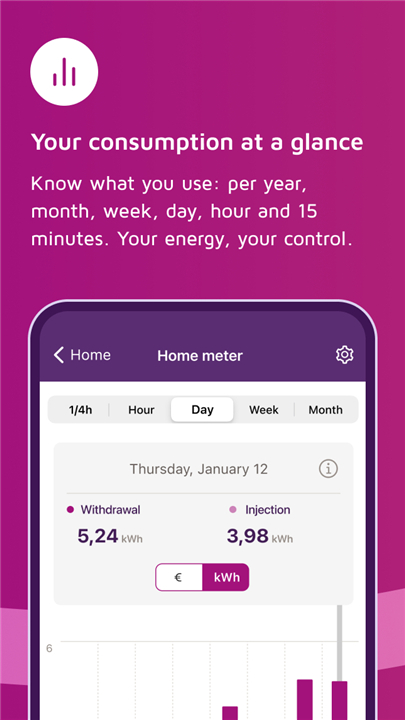
• Gain professional insights into your electricity usage.
• View data segmented by hour, day, week, month, or year to identify patterns and optimize your habits.
2. Solar Energy Monitoring:
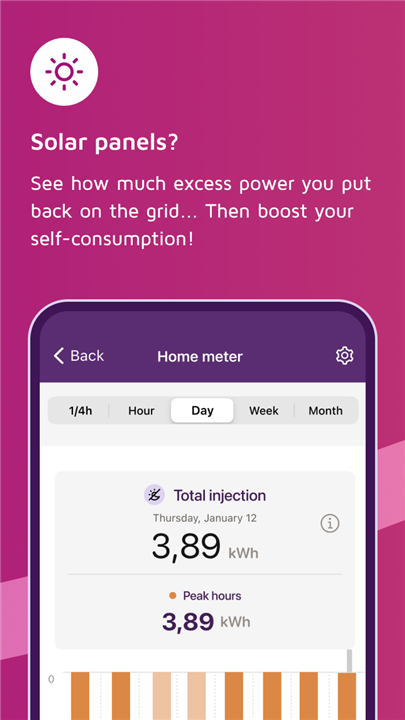
• If you have solar panels, keep a close eye on your sustainability efforts by tracking exactly how much energy you inject back into the grid.
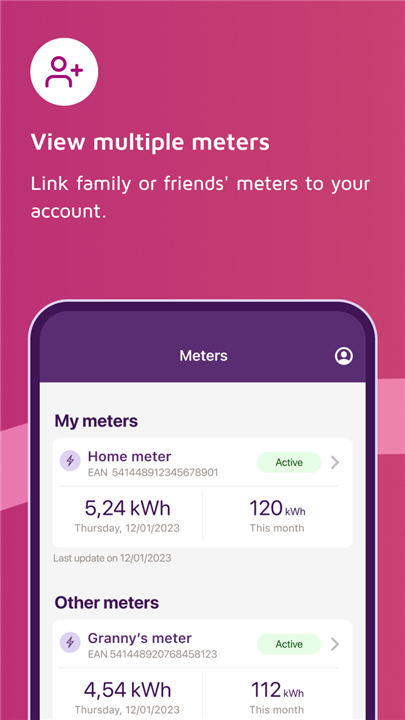
3. Unified Management:
• Manage multiple properties from a single account.
• You can link your own meters, as well as those belonging to family members or friends, for centralized control.
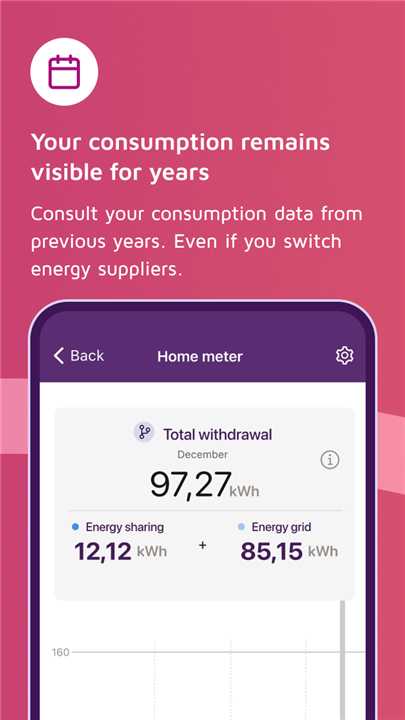
4. Comprehensive History:
• Easily access your historical consumption data and review the specific readings that have been submitted to your energy supplier.
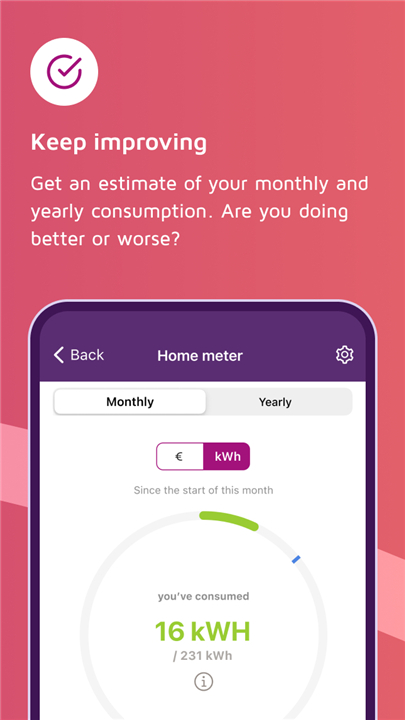
5. Financial Forecasting:
• Use the monthly estimation tool to track your consumption forecasts.
• Anticipating your settlement bill helps you budget effectively and avoid unexpected costs.
Requirements and Connectivity
• To get started, you will need the EAN code for a meter located in the Brussels-Capital Region.
• While the app is available to all, a smart meter is required to unlock the full range of advanced features.
• By enabling remote meter reading, you ensure that detailed, real-time consumption data is sent to your device.
• Without this activation, you will be limited to annual meter reading updates.
Data Analysis and Optimization
• Beyond simple tracking, you can export your consumption data for deeper analysis or sharing.
• You may also import your usage figures directly into the BRUSIM simulator to compare various energy rates and find the most cost-effective deal for your household.
FAQ
Q: Do I need a smart meter to use the My Sibelga app?
A: While you can use the app if you have a traditional meter, you will only see annual updates. A smart meter is required to unlock the advanced, real-time tracking features that allow you to see your usage by the hour, day, or week.
Q: Is it possible to monitor multiple properties through a single account?
A: Yes, the app allows you to link several meters under one profile. This means you can easily manage your own home alongside the properties of family members or friends from one centralized location.
Q: How can I start using the app for my home?
A: To get started, you simply need to have the EAN code for the electricity meter located at your address in Brussels. Once you have this code, you can register it within the app to begin tracking your data.
Version History
v2.39.41——25 Jun 2026
Monitor your electricity consumption and control your energy expenses. Download the latest version of My Sibelga to enjoy new features and updates immediately!
*2.39.41
Minor bug fixes and improvements. Install or update to the newest version to check it out!
*2.37.16
Minor bug fixes and improvements. Install or update to the newest version to check it out!
*2.31.34
Minor bug fixes and improvements. Install or update to the newest version to check it out!
- AppSize6.12M
- System Requirements5.0 and up
- Is there a feeFree(In game purchase items)
- AppLanguage English
- Package Namebe.sibelga.mysibelga
- MD5
- PublisherSibelga
- Content RatingTeenDiverse Content Discretion Advised
- Privilege19
-
My Sibelga 2.39.41Install
6.12M2026-09-08Updated










7.2
1043 Human Evaluation
- 5 Star
- 4 Star
- 3 Star
- 2 Star
- 1 Star