

My Expenses
Overview
• Transform your relationship with money using My Expenses—the intuitive, powerful financial management tool designed to put you in complete control of your financial future.
Core Tracking & Management
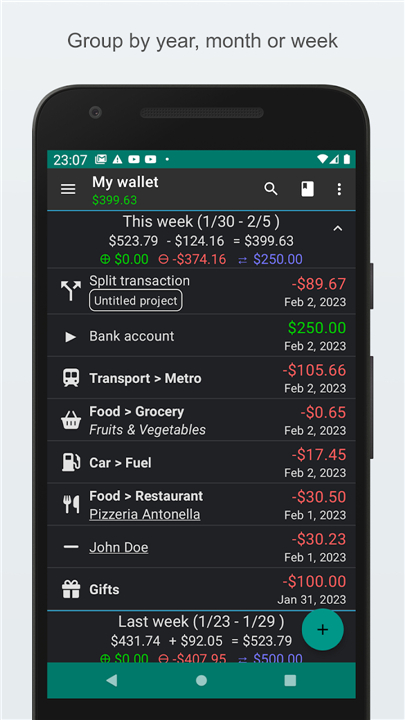
• Seamless Expense Tracking: Effortlessly monitor income and spending on your smartphone or tablet, anytime and anywhere.
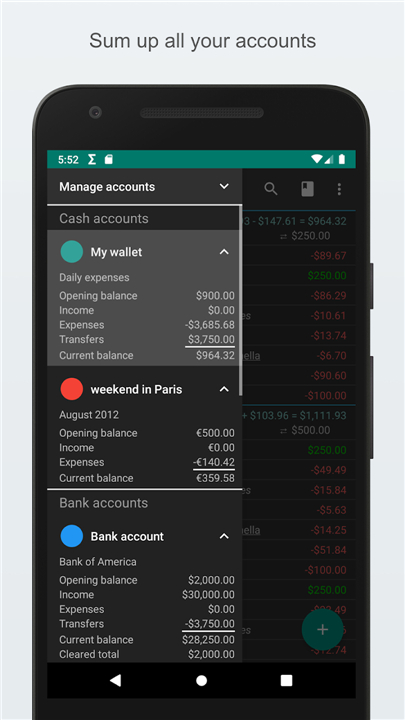
• Multi-Currency Account Support: Easily manage multiple financial accounts and execute transfers across different currencies without hassle.
• Automated Planning: Set up recurring transactions to streamline regular bills and stay ahead of your financial commitments.
• Instant Entry Options: Log expenses in seconds using convenient home screen widgets and quick-access shortcuts.
Financial Insights & Reconciliation
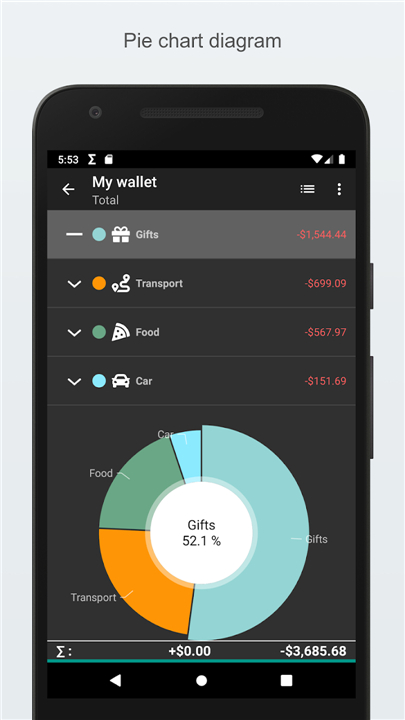
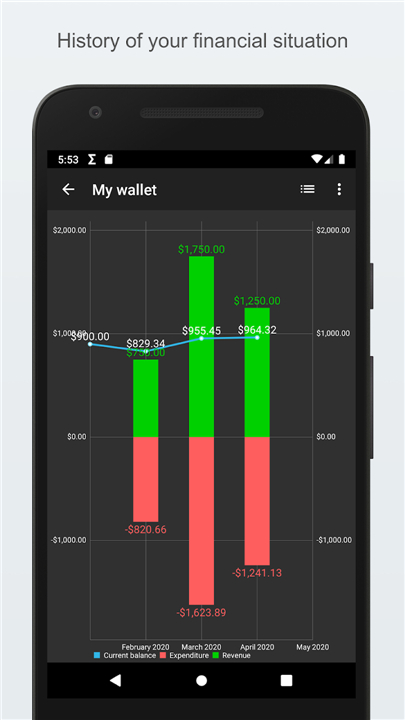
• Visual Data Analytics: Understand your spending habits through dynamic graphs, historical trends, and customizable data filters.
• Bank Statement Reconciliation: Match your recorded transactions with bank statements to maintain flawless record accuracy.
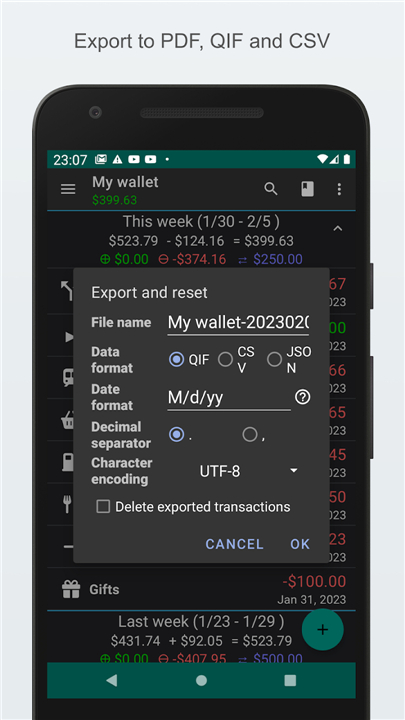
• Flexible Data Transfer: Import and export your financial information smoothly using standard CSV and QIF formats.
Personalization & Security
• Ironclad Data Protection: Keep your sensitive financial records private using password protection or your device's native lock screen.
• Tailored User Interface: Customize your app experience with adaptable visual themes and adjustable font sizes.
Premium Upgrade Plans
• Contrib Key: Remove all ads and unlock unlimited accounts along with expanded recurring plans.
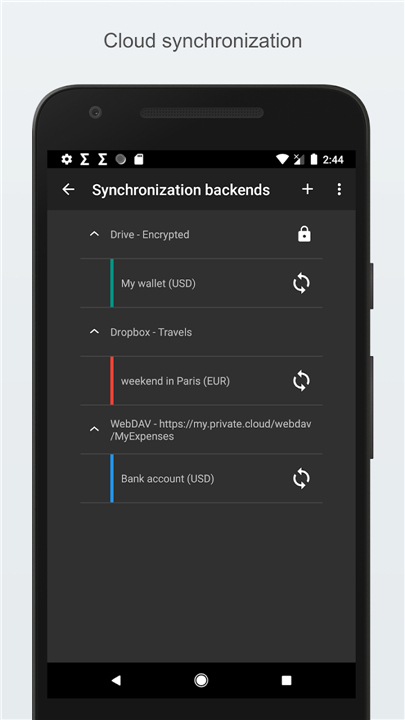
• Extended Key: Add automated data backups, cloud synchronization, and advanced CSV import options.
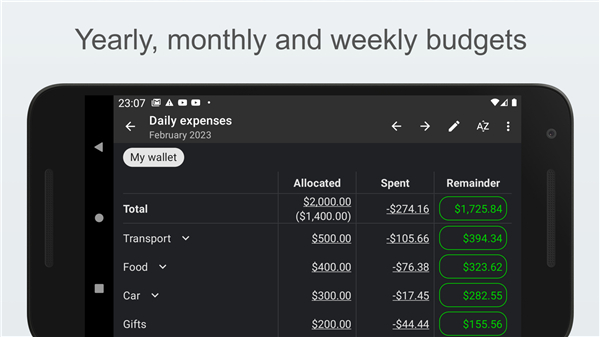
• Professional Key: Supercharge your financial management with smart budgeting tools, digital receipt scanning, and dedicated email support.
Essential App Permissions
• Calendar: Integrates upcoming and recurring transaction plans directly into your local or preferred calendar.
• Internet: Powers secure cloud synchronization, anonymous performance tracking, and crash reporting.
• Accounts: Enables reliable multi-device synchronization via integrated cloud services.
Take charge of your financial growth
• Master your money today with My Expenses!
FAQ
Q: What kinds of visual insights does My Expenses provide?
A: The app transforms raw data into dynamic charts, trend lines, and customizable graphs. You can view spending breakdowns by category, track income versus expenses over time, and filter data by date range, account, or currency. These visual tools make it easy to spot patterns, identify overspending, and celebrate financial milestones.
Q: How can I make sure my recorded transactions match my bank statements?
A: My Expenses includes a bank‑statement reconciliation tool. After you import a statement (or connect your bank via supported sync), the app highlights any unmatched entries. You can then confirm, edit, or delete discrepancies, ensuring that your personal ledger mirrors the official records down to the last cent.
Q: Which file formats are supported for importing and exporting my financial data?
A: You can import and export using the standard CSV (Comma‑Separated Values) and QIF (Quicken Interchange Format) files. This flexibility lets you back up your data, migrate from another system, or share information with accountants without any hassle.
Version History
v4.1.0.2——27 Aug 2026
Take control of your finances with My Expenses! Track spending, manage multiple currencies, and get deep financial insights. Download the latest version of My Expenses to enjoy new features and updates immediately!
*4.1.0.2
Minor bug fixes and improvements. Install or update to the newest version to check it out!
*4.0.9.1
Minor bug fixes and improvements. Install or update to the newest version to check it out!
*4.0.6.5
Minor bug fixes and improvements. Install or update to the newest version to check it out!
- AppSize46.20M
- System Requirements5.0 and up
- Is there a feeFree(In game purchase items)
- AppLanguage English
- Package Nameorg.totschnig.myexpenses
- MD5
- PublisherMichael Totschnig
- Content RatingTeenDiverse Content Discretion Advised
- Privilege19
-
My Expenses 4.1.0.2Install
46.20M2026-10-13Updated










9.9
6650 Human Evaluation
- 5 Star
- 4 Star
- 3 Star
- 2 Star
- 1 Star




