Music Player for Android
Overview
• Unleash the full potential of your music library with a player designed for an unparalleled listening experience on Android.
• Discover, personalize, and enjoy your favorite tracks with crystal-clear audio and intuitive control.
Your Music, Your Way
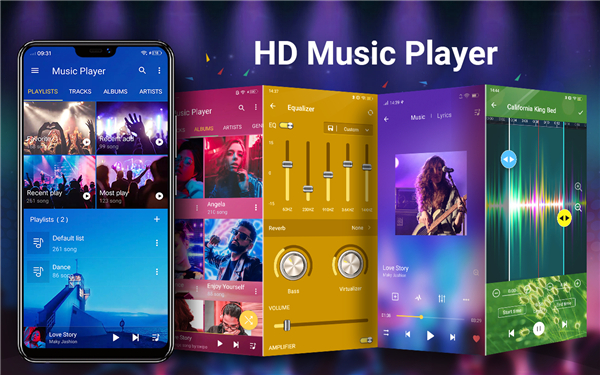
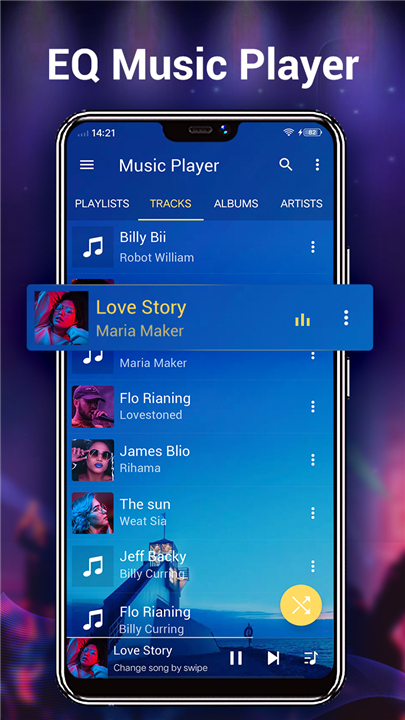
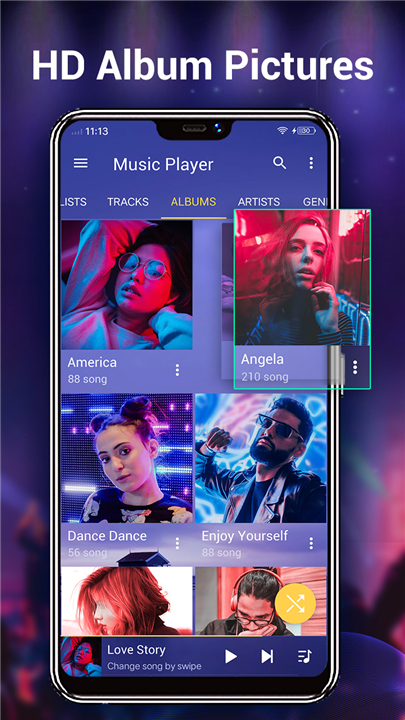
• Intuitive Browsing: Explore your entire collection by artist, album, genre, song, playlist, or dive deep into your organized folder structure.
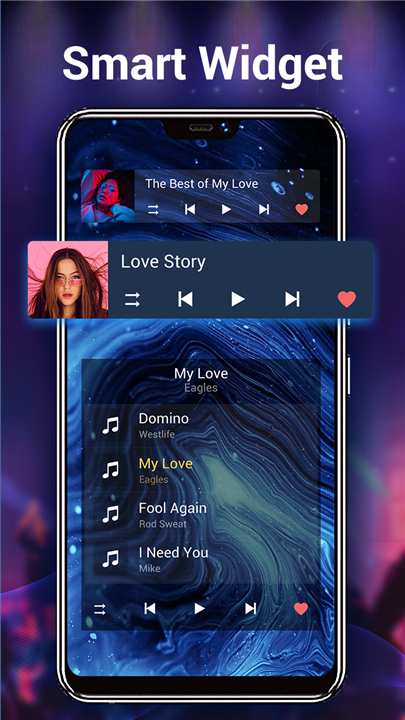
• Quick Access Widgets: Control your sound instantly with convenient home screen widgets (4x1, 2x2, 4x1).
Immersive Sound & Style
• Crystal-Clear Audio: Experience high-definition playback with support for MP3, MP4/M4A, WMA, FLAC, and APE formats.
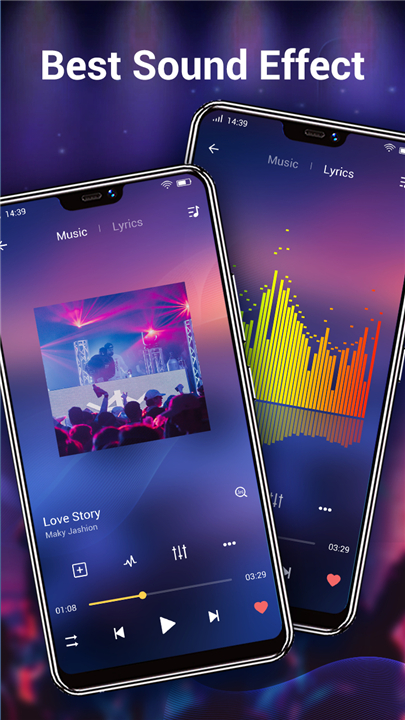
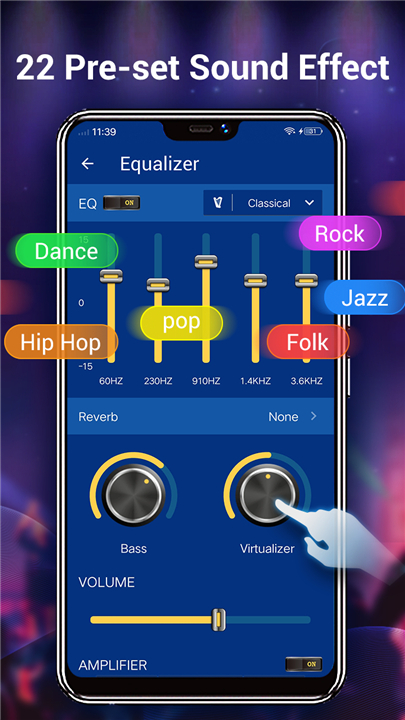
• Dynamic Equalizer: Craft your perfect soundscape with a 5-band equalizer, choosing from over 20 preset tones or fine-tuning it yourself.
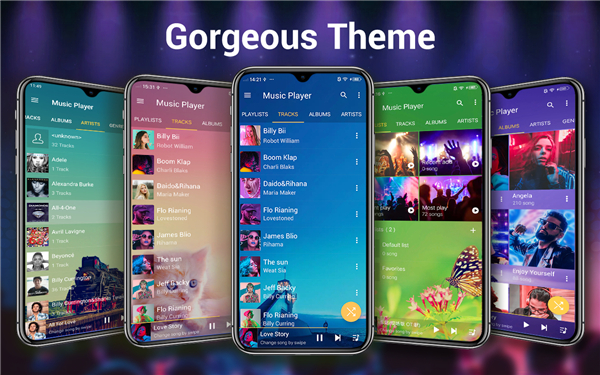
• Personalized Visuals: Transform your player's look with a selection of over 20 stunning background skins.
Seamless Control & Smart Organization
• Effortless Discovery: Quickly locate any song in your vast music library.
• Intelligent Playlists: Rediscover your favorites and most played tracks with smart, auto-generated lists.
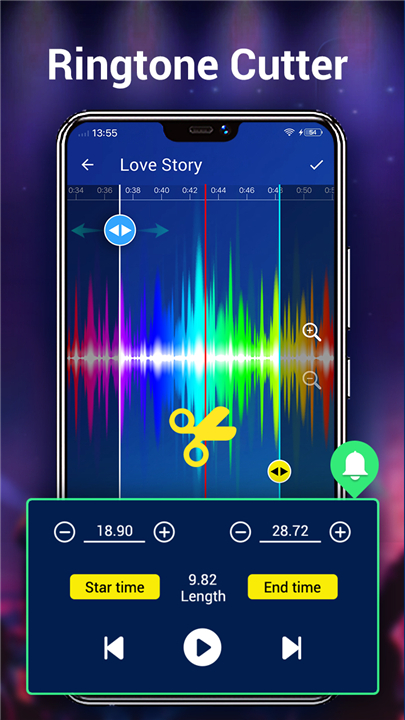
• Creative Tools: Cut and edit music files directly within the app to craft custom ringtones.
• Visual Richness: Personalize your experience by choosing album artwork, artist photos, and genre illustrations from the Internet, your Gallery, ID3 tags, or album folders.
• Lyric Support: Sing along with integrated lyric display.
• Continuous Listening: The player remembers your last playlist for uninterrupted enjoyment.
• Notification Controls: Manage playback directly from your notification bar, complete with album art, title, and artist information.
Important Note:
• This application is exclusively a local music player and does not offer online music search or download services.
FAQ
Q: Can I really play all my music files with this app, regardless of their format?
A: Absolutely! It supports a wide range of popular and high-definition audio formats including MP3, MP4/M4A, WMA, FLAC, and APE, ensuring you can enjoy high-definition playback of virtually your entire collection.
Q: How can I navigate through my music collection to find specific songs or artists?
A: You have several convenient ways to explore your music! You can browse your entire collection by artist, album, genre, individual song, or your custom playlists. If you prefer to stay organized, you can also dive deep into your organized folder structure.
Q: Is it easy to control playback without having to open the app every single time?
A: Yes, it’s super easy! You can control your sound instantly using our convenient home screen widgets, available in 4x1, 2x2, and 4x1 sizes. Plus, you can manage playback directly from your notification bar, which even shows album art, title, and artist information.
Version History
v7.5.0——7 May 2026
Music player & Audio player, powerful Equalizer, Bass boost, Sound changer! Download the latest version of Music Player for Android to enjoy new features and updates immediately!
*7.5.0
• Display album tracks number, better enjoyment
• Optimize some features, more efficient
*7.3.9
• Fixed user feedback issues, better enjoyment
• Optimize some UI details, more easy to use
*7.3.8
• UI performance optimized, better enjoyment
• Optimize users issues, more user-friendly
- AppSize22.50M
- System Requirements5.0 and up
- Is there a feeFree(In game purchase items)
- AppLanguage English
- Package Namecom.eliferun.music
- MD5
- PublisherLeopard V7
- Content RatingTeenDiverse Content Discretion Advised
- Privilege19
-
Music Player for Android 7.5.0Install
22.50M2026-09-07Updated










7.9
5418 Human Evaluation
- 5 Star
- 4 Star
- 3 Star
- 2 Star
- 1 Star