

Minus
Overview
• Minus is a well‑known budgeting application for Android that adopts the familiar look and feel of a calculator.
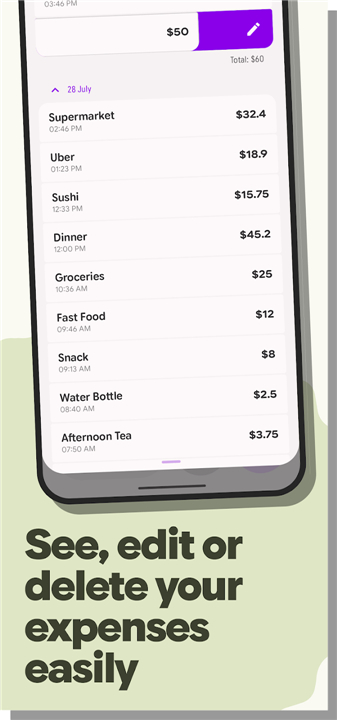
• Its primary goal is to streamline the process of recording daily expenditures, allowing users to capture every purchase with minimal effort.
• By combining a numpad‑style entry system with instant calculations, the app turns the often‑tedious task of expense tracking into a quick, almost reflexive habit.
User‑Interface Design
• The central component of Minus is a calculator‑like keypad that accepts numeric input, automatically summing values as they are entered.
• This design eliminates the need to navigate through multiple menus or switch to separate input fields, making it possible to log an expense in just a few taps.
• The interface also provides immediate visual feedback on totals, helping users stay aware of their spending patterns in real time.
Budget Management and Analytics
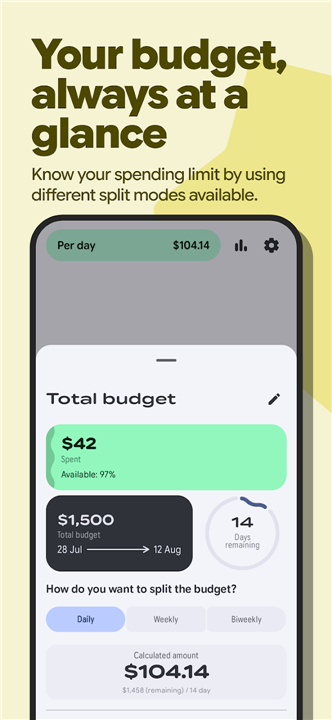
• Beyond simple logging, Minus offers a comprehensive suite of budgeting tools.
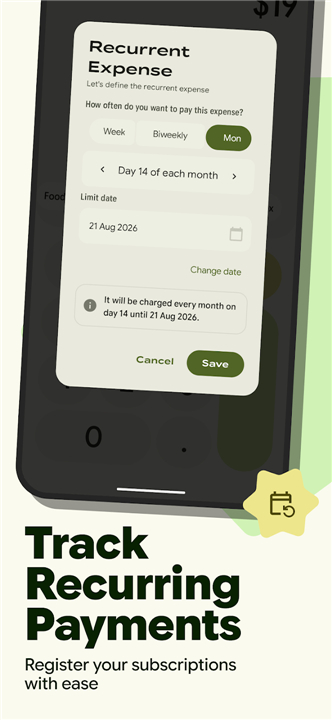
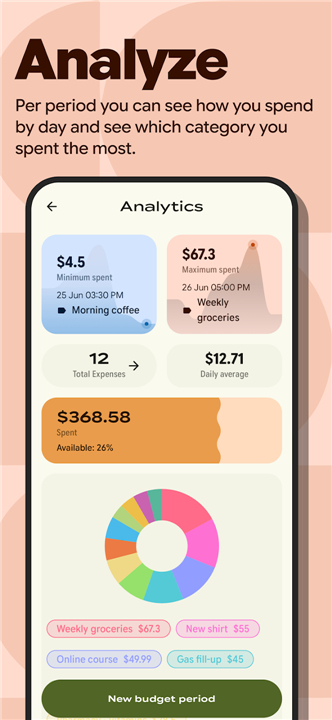
• Users can define spending limits for various categories, monitor daily average expenditures, and keep track of subscriptions and other recurring costs.
• The app continuously calculates how current spending aligns with the set budgets, highlighting overspend or underspend situations instantly.
• Historical expense data is stored locally, enabling trend analysis over days, weeks, or months without requiring an internet connection.
Data Portability and Safety
• All recorded transactions can be exported as a CSV file.
• This feature serves both as a backup mechanism and as a bridge to spreadsheet programs for deeper financial analysis.
• The export function respects user privacy by keeping data on the device unless the user chooses to share it.
Personalisation
• Minus supports multiple visual themes, including light, dark, system‑default, and Material You dynamic colors.
• Typography options allow users to adjust font sizes and styles for optimal readability.
• Home‑screen widgets present a snapshot of recent expenses and provide one‑tap entry shortcuts, while a companion Wear OS app lets users log purchases directly from their smartwatch.
Efficiency Features
• The application includes an undo capability for accidental entries and batch‑editing tools that let users modify several expenses at once, further reducing the time required to keep the budget up to date.
FAQ
Q: How does the calculator‑style keypad make logging expenses faster?
A: When you tap a number on the keypad, the app instantly adds it to the running total and displays the result in real time. This immediate feedback means you can record a purchase in just a few taps, without opening a new screen or confirming multiple dialog boxes.
Q: Do I need an internet connection to record and view my spending?
A: All transaction data is stored locally on your device, so you can log expenses, view daily totals, and explore trends even when you’re offline. The only time you’d need a connection is if you choose to export your data or sync with external services.
Q: Can I set spending limits for different categories?
A: Absolutely. Minus lets you create budgets for categories such as groceries, entertainment, or transportation. As you log new expenses, the app continuously compares your spending against those limits and flags overspend or underspend situations instantly.
Version History
v1.4.1——3 Aug 2026
Minus is a sleek Android budgeting app with calculator‑style entry, real‑time analytics, themes & Wear OS support. Track expenses fast. Download the latest version of Customer Database to enjoy new features and updates immediately!
*1.4.1
Minor bug fixes and improvements. Install or update to the newest version to check it out!
*1.4.0
Minor bug fixes and improvements. Install or update to the newest version to check it out!
*1.3.9
Minor bug fixes and improvements. Install or update to the newest version to check it out!
- AppSize7.21M
- System Requirements5.0 and up
- Is there a feeFree(In game purchase items)
- AppLanguage English
- Package Namecom.serranoie.app.minus
- MD5
- PublisherIsaac Serrano
- Content RatingTeenDiverse Content Discretion Advised
- Privilege19


-
Minus 1.4.1Install
7.21M2026-11-05Updated










9.1
4256 Human Evaluation
- 5 Star
- 4 Star
- 3 Star
- 2 Star
- 1 Star




