

Metronome
A Fully‑Featured Practice Companion
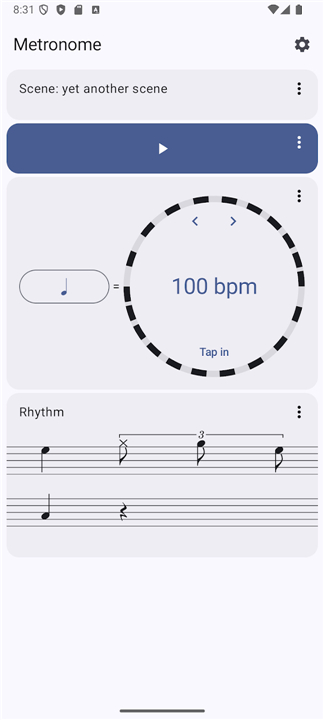
• Adjustable tempo ranging from 30 BPM to 300 BPM with fine‑tuning increments of 0.1 BPM.
• Multiple sound options (click, wood block, electronic beep) and volume control for each channel.
• Precise visual beat indicator (flashing bar or pulsing circle) that synchronises with the audio click.
Rhythm Designer
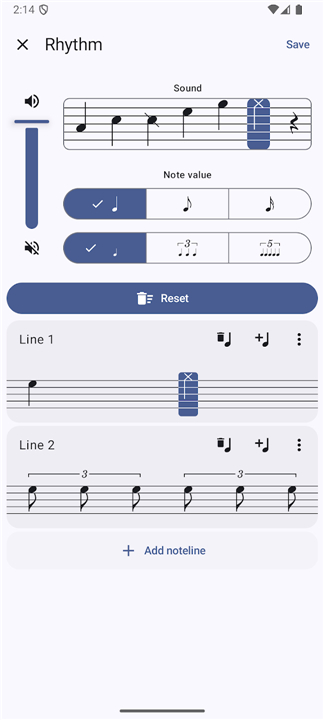
• Build custom rhythmic patterns by selecting note values (whole, half, quarter, eighth, sixteenth, triplet) and arranging them on a virtual staff.
• Assign accents, rests, and ties to any note position to create complex grooves.
• Real‑time playback of the pattern so you can hear the result before saving.
Scene Management
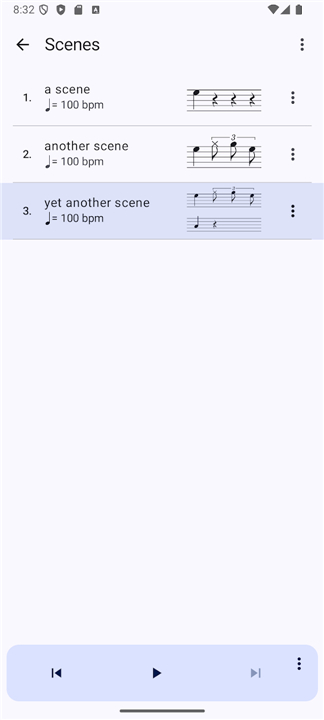
• Store complete practice “scenes” that bundle tempo, rhythm pattern, sound set, and any effect parameters.
• Organise scenes into folders or playlists for quick access during rehearsal.
• Import and export scenes as portable JSON files, allowing sharing of custom patterns with other musicians or backup across devices.
Advanced Effects
• Random mute: automatically silences a selectable percentage of beats to simulate phrasing variations.
• Automatic tempo modulation: set start and end tempos, duration, and curve type (linear, exponential) for gradual speed changes.
• Polyrhythm overlay: layer a secondary rhythm at a different subdivision, useful for odd‑meter practice.
Compatibility & Sharing
• Sync with external MIDI devices or DAW software via Bluetooth or USB.
• Export audio of any scene as a WAV or MP3 file for practice tracks or posting online.
• Cloud backup ensures scenes are retained across phone upgrades and can be accessed from multiple platforms.
User Experience
• Intuitive tap‑to‑set‑tempo feature for quick tempo capture.
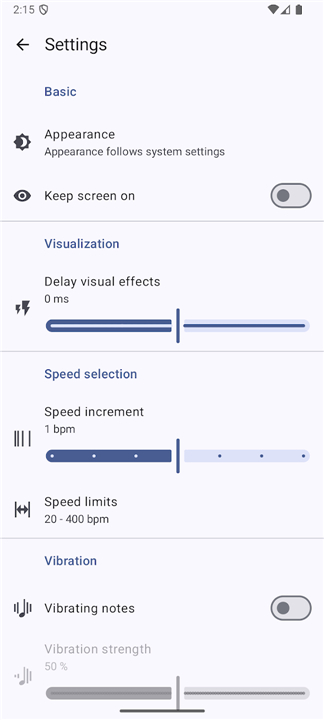
• Dark and light UI themes with customizable colour palettes.
• Haptic feedback option for silent practice environments.
Play without Distraction
• Together, these capabilities make the Metronome app a versatile tool for musicians of every skill level, from basic timing drills to sophisticated rhythmic experimentation.
FAQ
Q: Can I change the click sound, and is there a way to use the metronome visually if I cannot hear the audio clearly?
A: Absolutely! You can customize your auditory experience by choosing between a classic click, a warm wood block, or a modern electronic beep, with individual volume controls for each channel. If you are practicing in a loud environment or prefer not to use sound, the app features a precise visual beat indicator that pulses as a circle or flashes as a bar in perfect synchronization with the tempo.
Q: How does the Rhythm Designer work, and what kinds of note values can I use to build my custom patterns?
A: The Rhythm Designer is a highly creative tool that allows you to drag and drop note values onto a virtual staff to build custom patterns. You can select from whole, half, quarter, eighth, sixteenth, and triplet notes to map out your rhythm, and you can even listen to your creation in real time before deciding to save it.
Q: Am I able to write complex grooves, or am I limited to basic repetitive beats in the Rhythm Designer?
A: You can design highly complex and realistic grooves by assigning accents, rests, and ties to any note position on the virtual staff. This flexibility allows you to simulate natural phrasing, syncopations, and intricate drum-like patterns rather than just standard, repetitive clicks.
Version History
v6.1.1——6 Aug 2026
Elevate your practice with the ultimate metronome app. Enjoy a custom rhythm designer, tempo modulation, MIDI sync, and advanced effects. Download the latest version of Metronome to enjoy new features and updates immediately!
*6.1.1
Fix: Stopwatch effect could not be deleted.
*6.1.0
• Stopwatch effect.
• Less latency for autostart in tap-in effect.
• Fix: Metronome would not start when switching output device while not playing.
*6.0.0
• New audio engine (less latency)
• User defined sounds.
• Built-in sine sounds.
• Chinese translations.
• Playback works now on devices with exotic sample rates.
• Tap-in fixes.
- AppSize19.00M
- System Requirements5.0 and up
- Is there a feeFree(In game purchase items)
- AppLanguage English
- Package Namede.moekadu.metronomenext
- MD5
- PublisherMichael Moessner
- Content RatingTeenDiverse Content Discretion Advised
- Privilege19
-
Metronome 6.1.1Install
19.00M2026-09-24Updated










8.1
4377 Human Evaluation
- 5 Star
- 4 Star
- 3 Star
- 2 Star
- 1 Star




