

Materializr
Overview
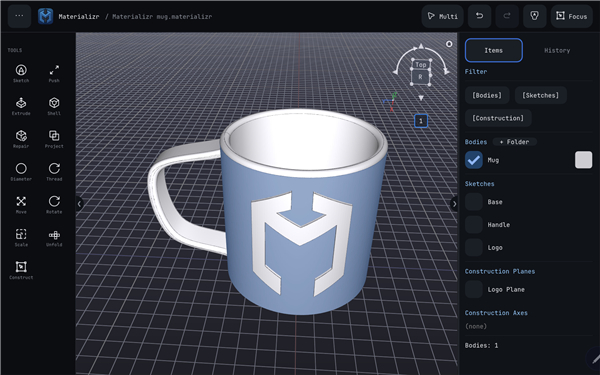
• Materializr is a powerful, professional-grade parametric solid modeling application reimagined specifically for the iPad.
• It bridges the gap between mobile convenience and industrial-grade CAD capabilities, giving makers the freedom to design complex parts from anywhere.
Professional Parametric Modeling
• Powered by an industrial Boundary Representation (B-rep) geometry kernel, delivering the same mathematical precision found in desktop CAD packages.
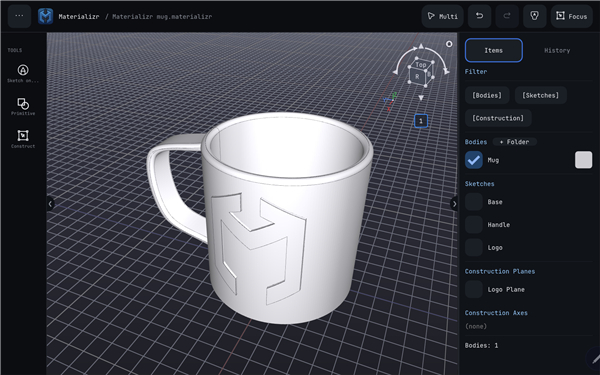
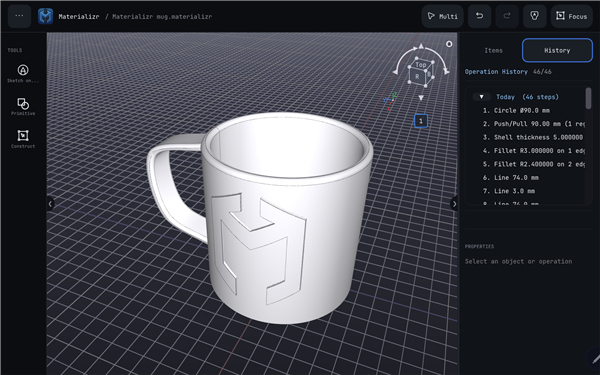
• Features a non-destructive parametric history tree, allowing you to return to and edit any sketch or feature at any point in the design process.
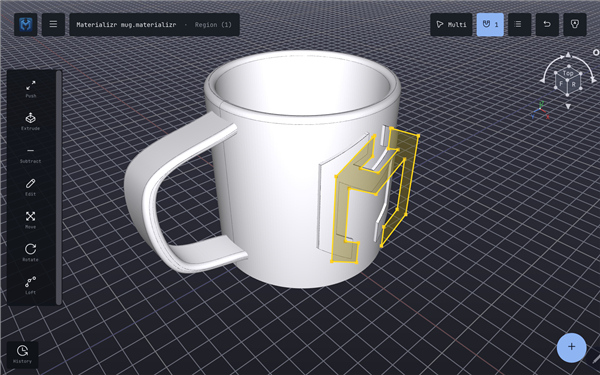
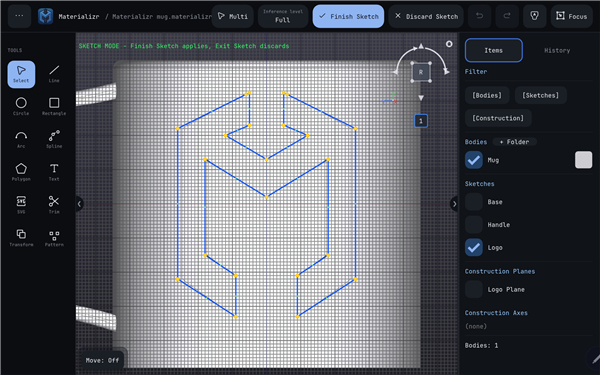
• Supports precise sketching on any face or construction plane, which can be easily pulled and transformed into 3D solids.
Touch-First Interface for Makers
• Designed from the ground up for iPad, offering an intuitive, touch-first user experience optimized for finger input and stylus precision.
• Simplifies the transition from concept to physical object with direct STL file export, perfect for 3D printing and digital fabrication.
• Offers a lightweight yet robust workspace that functions seamlessly without the need for high-end desktop hardware.
Privacy and Open-Source Philosophy
• Completely free and open-source under the GNU General Public License v3 (GPLv3), with no paywalls, locked features, or advertisements.
• Utilizes a local-first storage model; there are no mandatory user accounts, and your proprietary CAD data never leaves your device.
• Funded entirely through voluntary community tips, ensuring alignment with user needs rather than corporate metrics.
• The complete source code, detailed documentation, and active developer community can be accessed at github.com/materializr-cad/materializr.
FAQ
Q: How does the parametric modeling engine in Materializr achieve industrial-grade precision?
A: Under the hood, Materializr is powered by an industrial Boundary Representation, or B-rep, geometry kernel. This is the same advanced mathematical technology used by traditional, heavy-duty desktop CAD programs. It ensures that your 3D models are mathematically precise and ready for engineering, manufacturing, or digital fabrication.
Q: Can I go back and edit early design steps, or do I have to undo my progress?
A: You absolutely do not have to undo your progress to fix a mistake. Materializr features a non-destructive parametric history tree that records every step of your design process. This means you can jump back to any previous sketch, extrusion, or feature at any point, make your adjustments, and watch the entire model update automatically without breaking your subsequent work.
Q: How does drawing and sketching work on a 3D model in Materializr?
A: Sketching in Materializr is highly intuitive and flexible. You can select any flat face of your existing 3D model or create custom construction planes to draw your 2D profiles. Once your sketch is ready, you can easily pull, push, and transform those shapes into precise 3D solids.
Version History
v1.6.2——25 Aug 2026
Real parametric CAD on your tablet — sketch, extrude, export and more. Download the latest version of Materializr to enjoy new features and updates immediately!
*1.6.2
Minor bug fixes and improvements. Install or update to the newest version to check it out!
*1.6.1
Minor bug fixes and improvements. Install or update to the newest version to check it out!
*1.6.0
Minor bug fixes and improvements. Install or update to the newest version to check it out!
- AppSize28.40M
- System Requirements5.0 and up
- Is there a feeFree(In game purchase items)
- AppLanguage English
- Package Nameorg.ravenhold.materializr
- MD5
- PublisherRavenhold LLC
- Content RatingTeenDiverse Content Discretion Advised
- Privilege19
-
Materializr 1.6.2Install
28.40M2026-10-11Updated










9.9
3750 Human Evaluation
- 5 Star
- 4 Star
- 3 Star
- 2 Star
- 1 Star




