MakeACopy Offline OCR Scanner
Private, Offline Document Scanning
• MakeACopy is a powerful, open-source document scanner designed for Android, prioritizing user privacy by ensuring all operations occur entirely offline.
• By eliminating the need for cloud servers, advertisements, or tracking mechanisms, the application guarantees that your sensitive documents and captured data remain strictly on your device.
Core Functionality
1. Camera Integration:
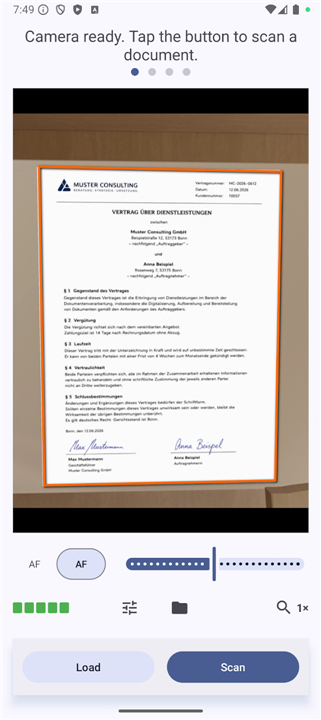
• High-quality document capture using your device camera.
2. Advanced Processing:
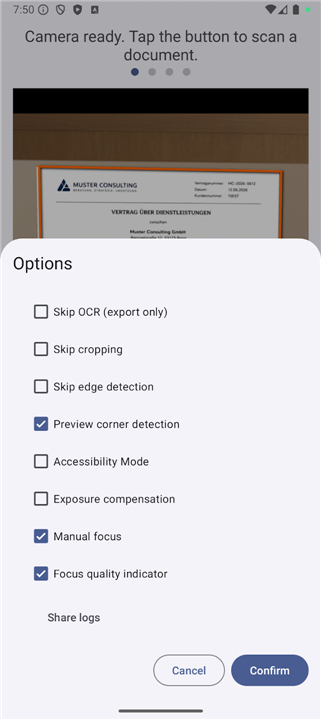
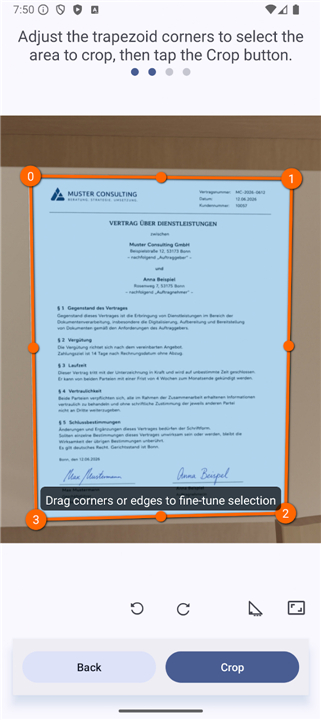
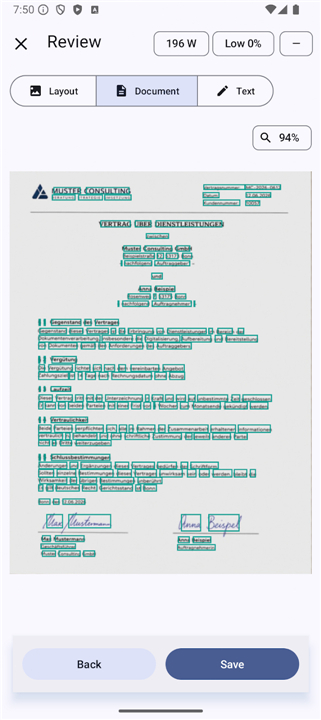
• Utilizes OpenCV for automatic document boundary detection and precise perspective correction, supporting both automatic and manual adjustments.
3. Offline OCR:
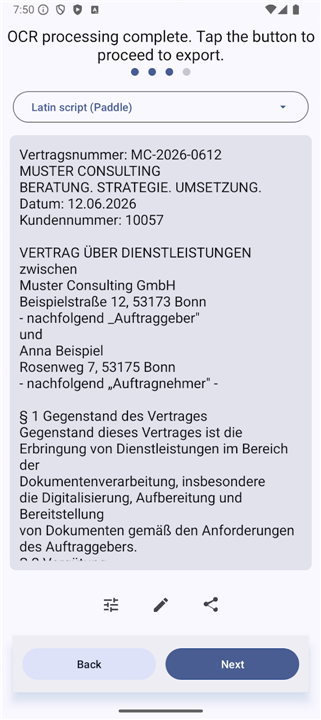
• Built-in optical character recognition (OCR) allows you to extract text directly on your smartphone.
• The paddle flavor leverages PaddleOCR for advanced character recognition.
4. Versatile Export:
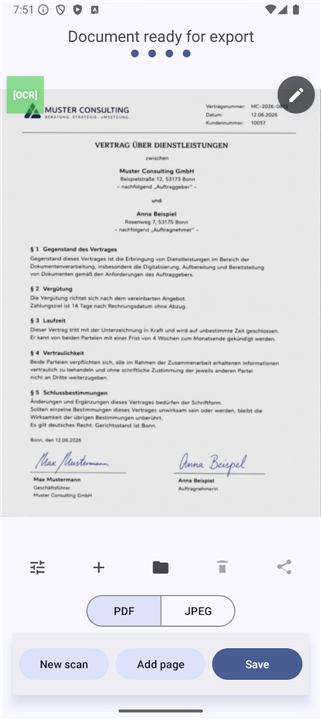
• Convert scans into searchable PDFs or plain text formats, with options to store files locally or share them seamlessly with other apps.
5. Design:
• Implements an intuitive Material 3 interface that supports both light and dark modes.
6. Privacy Assurance:
• Operates with zero ads, zero tracking, and no cloud dependencies.
Open Source Integrity
• MakeACopy is built with full transparency and is F-Droid compliant.
• To ensure complete security and reproducibility, all OpenCV native libraries are compiled from source during the build process, avoiding the use of opaque prebuilt binaries or hidden dependencies.
Versioning
1. Paddle Flavor:
• Available via F-Droid and Google Play, featuring integrated PaddleOCR.
2. Standard Flavor:
• Available through GitHub Releases for users requiring Tesseract-specific workflows or legacy language data.
Licensing
• The project is released under the Apache License 2.0, reinforcing a commitment to community-driven, secure, and respectful software.
• Every line of code is open source, ensuring that you maintain total control over your information at all times.
FAQ
Q: Are my documents ever uploaded to a server for processing?
A: Absolutely not. Because the application is designed with a privacy-first philosophy, there are no cloud dependencies. Whether you are using the camera, applying OCR, or exporting a PDF, every operation is performed locally on your smartphone.
Q: Does the app contain any advertisements or tracking software?
A: No, you will never find advertisements, telemetry, or tracking mechanisms within MakeACopy. The project is focused entirely on utility and user privacy, so you can work without worrying about your data being monitored or sold.
Q: How does the app handle document perspective and boundary detection?
A: MakeACopy integrates OpenCV to provide professional results. It automatically detects document boundaries and performs perspective correction to ensure your scans look flat and square. If you need more control, the app also supports manual adjustments to fine-tune the boundaries before finalize your scan.
Version History
v2.2.0——9 Jul 2026
Offline OCR document scanner with searchable PDFs, privacy and open source Download the latest version of MakeACopy Offline OCR Scanner 4.6.0 to enjoy new features and updates immediately!
*4.6.1
MakeACopy 4.6.1
• More accurate corner detection in the crop view: corners now stay on the document edges after layout changes.
• New edge-snap corner refinement for sharper document boundaries.
• Improved black & white conversion: cleaner pages, fewer speckles, better readability of faint text and low-res scans.
*4.6.0
MakeACopy 4.6.0
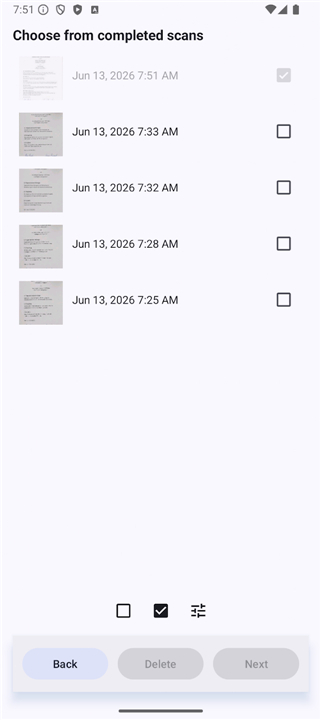
* Full-text search across your scan library, now including recognized OCR text (Room/FTS5).
* Search results are highlighted in the scan list for faster navigation.
* Various stability and performance improvements under the hood.
*4.5.1
MakeACopy 4.5.1
* Fixed a device-dependent aspect-ratio mismatch: preview, live overlay and the captured image now share the same field of view.
* Live document corners align more accurately with the camera preview.
* More stable crop screen: corner detection no longer runs twice during layout, keeping the accurate result.
* Consistent thumbnails across lists and export (no more cropped previews).
* Unified text sizes for a cleaner, more polished UI.
- AppSize60.80M
- System Requirements5.0 and up
- Is there a feeFree(In game purchase items)
- AppLanguage English
- Package Namede.schliweb.makeacopy
- MD5
- Publisheregdels42
- Content RatingTeenDiverse Content Discretion Advised
- Privilege19
-
MakeACopy Offline OCR Scanner 4.6.1Install
60.80M2026-10-27Updated










7.0
485 Human Evaluation
- 5 Star
- 4 Star
- 3 Star
- 2 Star
- 1 Star