

Knock on Ports
Overview
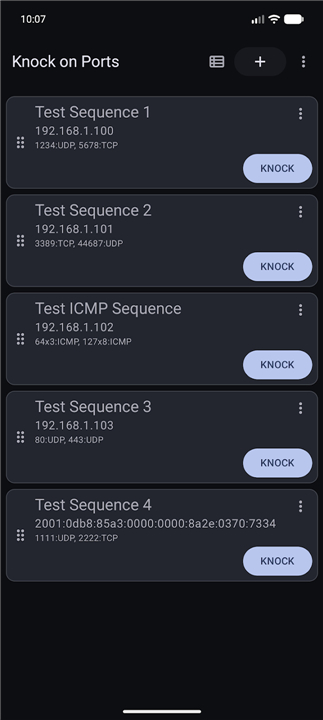
• Knock on Ports is a utility that implements port‑knocking sequences to silently open firewall‑protected services.
• It allows users to define custom packet patterns using UDP, TCP, or ICMP, and works on both IPv4 and IPv6 networks.
• The tool is designed for quick, on‑demand access while maintaining a lightweight, ad‑free, open‑source footprint.
Key Features
1. Protocol Flexibility
• Build knocking sequences from UDP, TCP, or ICMP packets.
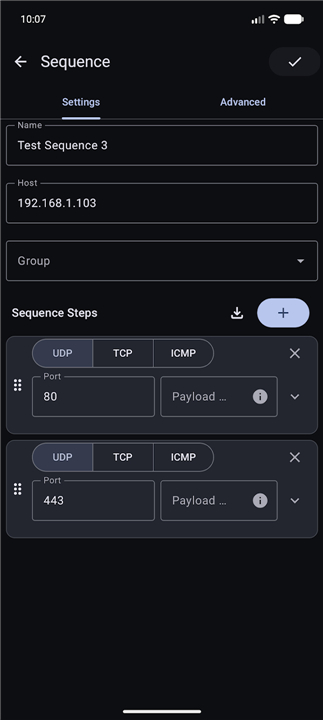
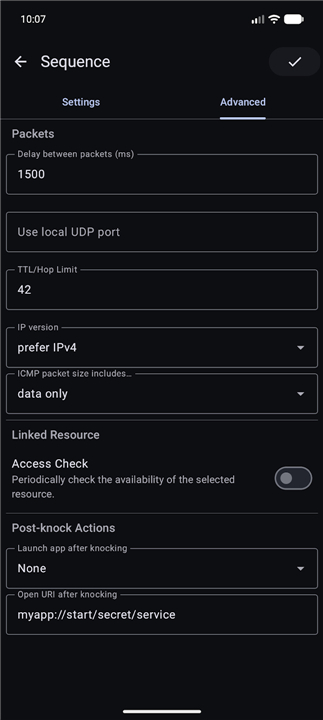
• Adjust destination ports, inter‑packet delays, TTL/Hop Limit, and payload contents.
• Support for mixed‑protocol sequences within a single knock.
2. Automation & Integration
• Launch external applications (e.g., SSH client, VPN) or open URLs automatically after a successful sequence.
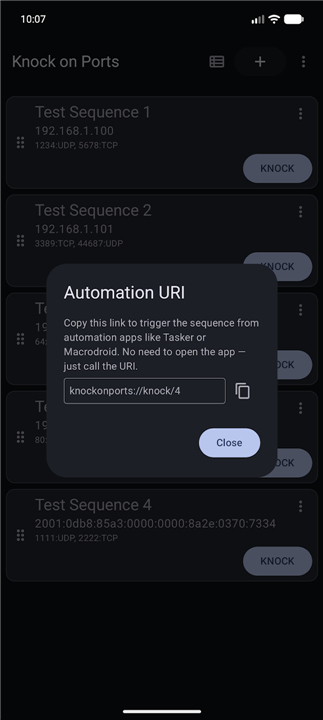
• Expose a custom URI scheme so other apps or scripts can trigger knocks programmatically.
• Optional logging of knock attempts for audit or troubleshooting.
3. Dual‑Stack Support
• Full IPv4 and IPv6 compatibility; sequences can target either address family independently.
• Automatic address selection based on device network configuration.
4. User Interface & Quick Access
• Home‑screen shortcuts and a resizable widget for one‑tap execution of saved knocks.
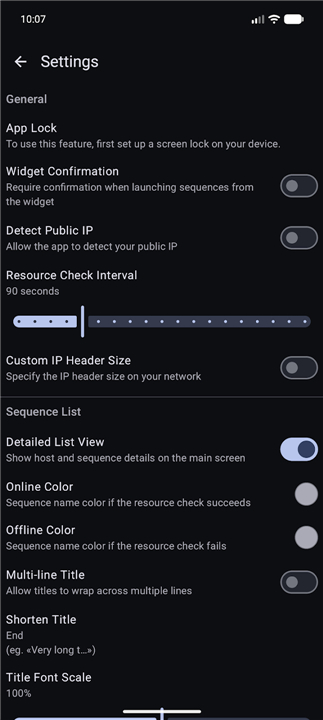
• Dynamic colour themes that follow Android 12+ system settings, plus manual light/dark mode toggles.
• Contrast‑enhancement options for improved readability.
5. Configuration Management
• Export knocking profiles to JSON or plain‑text files for backup, sharing, or migration.
• Import profiles with validation to prevent malformed sequences.
• Version‑controlled profile history to revert to previous settings.
6. Privacy & Licensing
• No advertisements, no telemetry, and no required permissions beyond network access.
• Source code released under an open‑source license, allowing inspection and community contributions.
Usage Workflow
• Define a sequence in the editor, specifying packet types, ports, delays, and payloads.
• Save the sequence and optionally assign a shortcut or widget.
• Activate the knock; the app sends the packets in order.
• If the firewall detects the correct pattern, it triggers the configured action (e.g., opens an SSH port).
• Review logs or notifications to confirm success or diagnose failures.
FAQ
Q: Can I launch other apps or open URLs after a successful knock?
A: Yes. In the sequence editor you can define a post‑knock action that launches any installed application (like an SSH client or VPN), opens a URL in the browser, or runs a custom intent. This makes the knock a true trigger for your workflow.
Q: Is it possible to trigger a knock from another app or a script?
A: The app exposes a custom URI scheme (e.g., knockonports://knock?name=MySSH). Other apps, Tasker profiles, or shell scripts can call this URI to start a saved knock programmatically without opening the UI.
Q: What kind of logging does Knock on Ports provide?
A: Each knock attempt is recorded in an internal log that shows the timestamp, the packets sent, any responses received, and whether the firewall accepted the sequence. You can view the log from the app’s settings screen or export it for troubleshooting.
Version History
v2.1.10——25 Aug 2026
A powerful client to manage and run port knocking sequences Download the latest version of Knock on Ports to enjoy new features and updates immediately!
*2.1.10
• New language localization: Ukrainian (credit to @varrkan82)
• New language localization: Portuguese (credit to @ssantos)
*2.1.9
• New language localization: Armenian (credit to @PazikLend)
• New language localization: Spanish (credit to @Arquero)
• Update app theme (fix #37)
*2.1.5
• Fixed a navigation issue
- AppSize8.02M
- System Requirements5.0 and up
- Is there a feeFree(In game purchase items)
- AppLanguage English
- Package Nameme.impa.knockonports
- MD5
- PublisherAlexander Yaburov
- Content RatingTeenDiverse Content Discretion Advised
- Privilege19
-
Knock on Ports 2.1.10Install
8.02M2026-10-12Updated










8.4
573 Human Evaluation
- 5 Star
- 4 Star
- 3 Star
- 2 Star
- 1 Star




