
Klick'r - Smart AutoClicker
Overview
• Klick'r is a powerful and highly sophisticated Android automation application designed to streamline repetitive digital tasks by executing precise screen actions on your behalf.
• While traditional auto-clickers rely solely on rigid, time-based intervals that often fail when an application lags or deviates from a set pace, Klick'r introduces a revolutionary approach.
• By utilizing advanced image recognition technology, the application allows users to capture specific visual elements from their screen.
• It then monitors the display for these precise visual cues, triggering automated actions only when the target image is recognized.
• This intelligent, condition-based method ensures that your automated workflows are responsive, reliable, and capable of adapting to the dynamic state of any mobile application.
Core Capabilities and Features
• Klick'r is built for advanced users who require more than just simple tapping.
• It offers a comprehensive suite of features to ensure total control over your device interactions:
1. Scenario Organization:
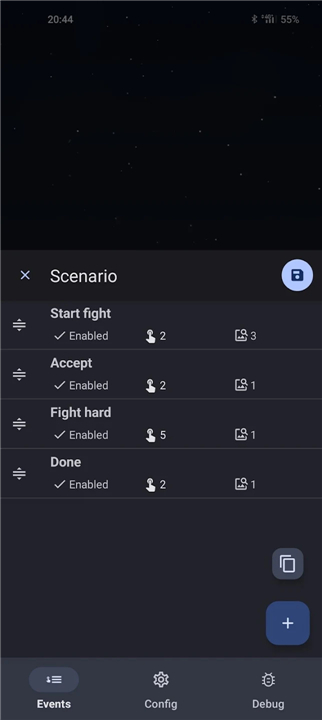
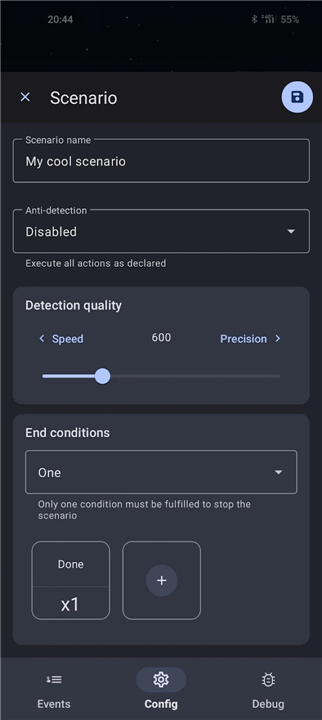
+ Manage complex workflows by grouping multiple clicks and commands into logical, named scenarios.
2. Diverse Action Support:
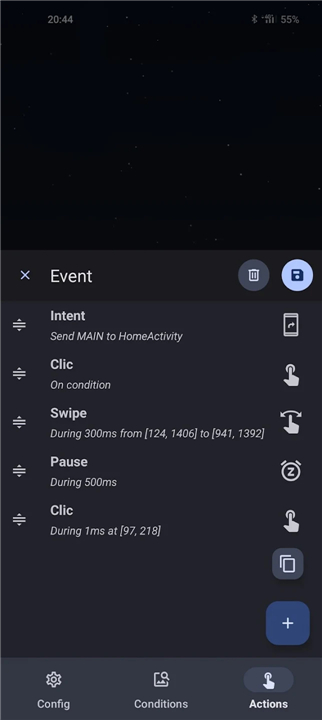
+ Beyond standard clicking, the app can perform precise swipes, dispatch system Intents, and modify the states of various events.
3. Condition-Based Logic:
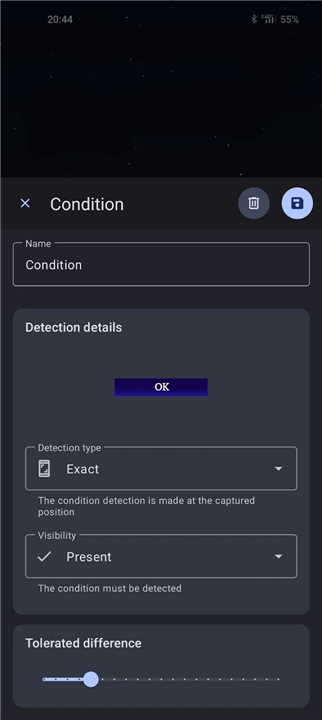
+ Define one or more onscreen images as triggers for actions, allowing the automation to Wait for specific buttons or icons to appear.
4. Tolerance Customization:
+ Adjust the image detection sensitivity, ensuring that the software recognizes targets even with slight graphical variations or rendering differences.
5. Complex Combining:
+ Merge multiple conditions to create intricate logical gates for your automations.
6. Timing Controls:
+ Fine-tune the delay periods before and after specific actions to ensure perfect synchronization with app animations.
7. Action Prioritization:
+ Easily reorder the priority of specific tasks or events to define the sequence in which the app executes your instructions.
Privacy and Accessibility Information
• Klick'r operates by utilizing the Android Accessibility Service framework.
• This permission is strictly required to enable the application to simulate clicks and swipes within other third-party software installed on your device.
• We prioritize user security and data integrity; consequently, no personal data, logs, or screen contents are collected, stored, or transmitted by the application.
• Klick'r is designed to function entirely as a local tool to enhance your productivity.
FAQ
Q: How does Klick'r stand out from traditional auto-clicker applications?
A: Klick'r distinguishes itself by moving beyond rigid, time-based intervals. It introduces a revolutionary approach using advanced image recognition technology. Instead of clicking every few seconds, Klick'r monitors your screen for specific visual cues and triggers automated actions only when the target image is recognized, making it incredibly adaptive to real-world app behavior.
Q: What types of actions can Klick'r perform on my Android device?
A: Klick'r offers a comprehensive suite of features beyond just simple tapping! It can perform precise swipe gestures, dispatch system Intents, and even modify the states of various events within applications, giving you total control over complex device interactions.
Q: Could you explain how Klick'r's image recognition technology works as a trigger?
A: Certainly! With Klick'r, you can capture a specific visual element – like a button or icon – directly from your screen. The application then constantly monitors your display for this precise image. When it detects that visual cue, it automatically triggers the action you've defined, ensuring your automation only proceeds when the screen is in the expected state.
Version History
v3.5.0——11 May 2026
Automate actions depending on what is displayed on your screen Download the latest version of Klick'r - Smart AutoClicker to enjoy new features and updates immediately!
*3.5.0
Minor bug fixes and improvements. Install or update to the newest version to check it out!
*3.4.0
Minor bug fixes and improvements. Install or update to the newest version to check it out!
*3.3.10
Minor bug fixes and improvements. Install or update to the newest version to check it out!
- AppSize28.00M
- System Requirements5.0 and up
- Is there a feeFree(In game purchase items)
- AppLanguage English
- Package Namecom.buzbuz.smartautoclicker
- MD5
- PublisherBuzbuz Software
- Content RatingTeenDiverse Content Discretion Advised
- Privilege19
-
Klickr - Smart AutoClicker 3.5.0Install
28.00M2026-09-07Updated










7.2
127 Human Evaluation
- 5 Star
- 4 Star
- 3 Star
- 2 Star
- 1 Star