Key Mapper & Floating Buttons
Master Your Hardware
• Transform your device into a powerhouse by remapping physical buttons, controllers, and peripherals to perform exactly how you want.
• Why settle for factory settings when you can build your own interface?
Diverse Compatibility
Unlock potential across your entire digital ecosystem:
• System Buttons: Volume rockers, power keys, and fingerprint sensors.
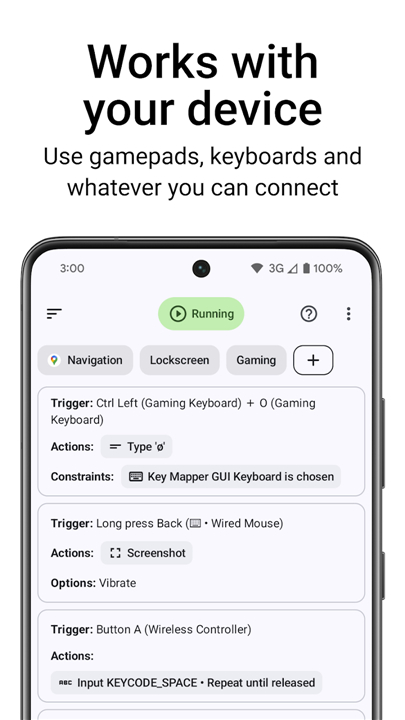
• Peripherals: Keyboards, mice, and wired or Bluetooth headsets.
• Gaming Gear: Gamepad buttons and D-pads.
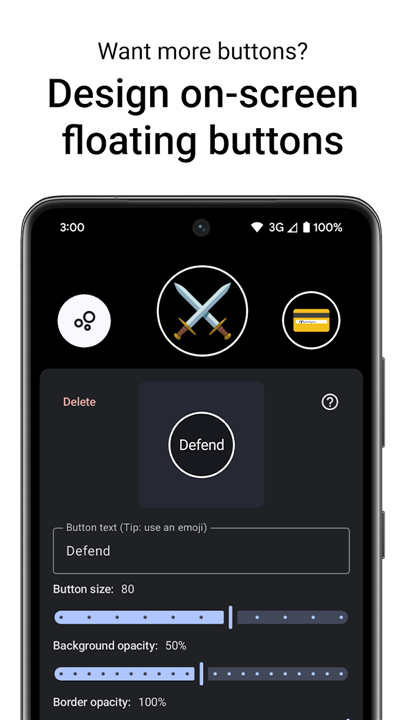
• Custom Overlays: Create your own virtual, on-screen buttons when physical ones aren't enough.
Limitless Shortcuts & Macros
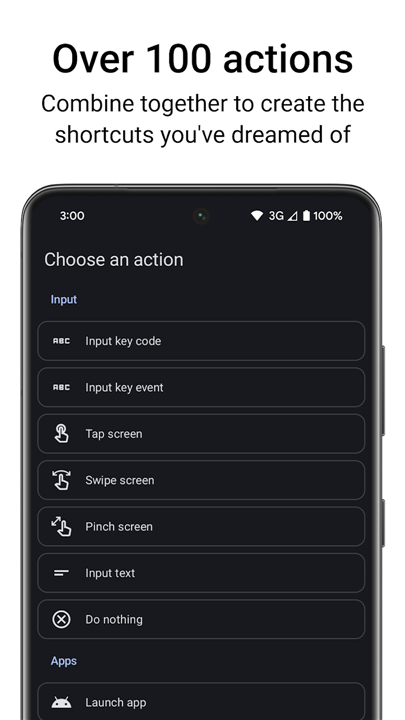
• With over 100 native actions, you define the workflow.
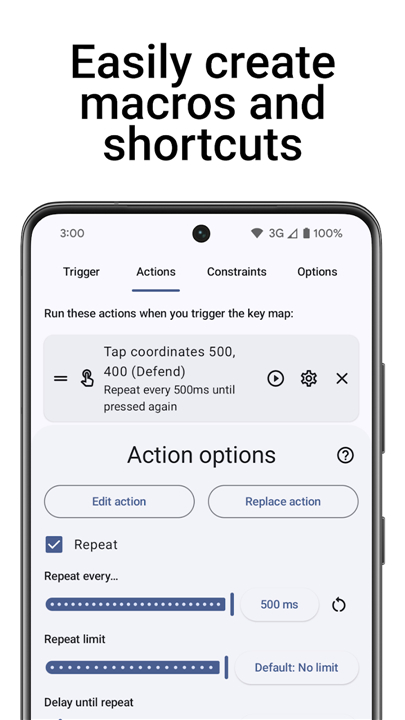
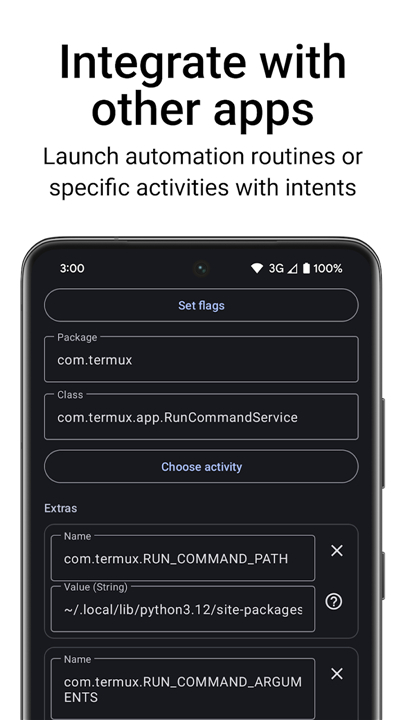
• Chain together screen gestures, app launches, media controls, and complex system tasks into powerful, one-touch macros.
Precision Control
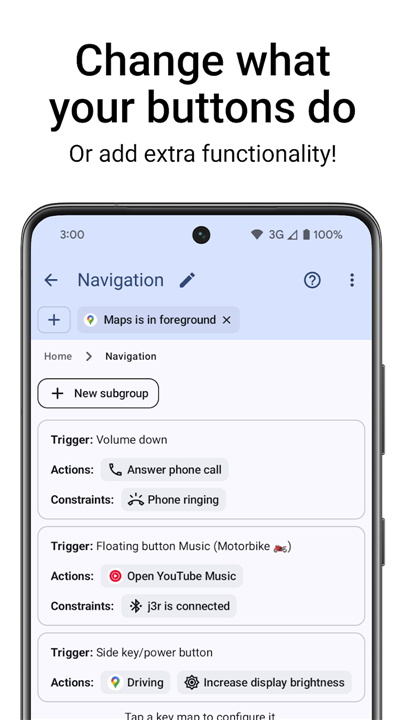
• Triggers: Choose your input method—single press, long press, or rapid-fire sequences. You can even combine inputs across multiple devices.
• Action Sequences: Build complex automated tasks with customizable delays and repeating functions to handle repetitive work in seconds.
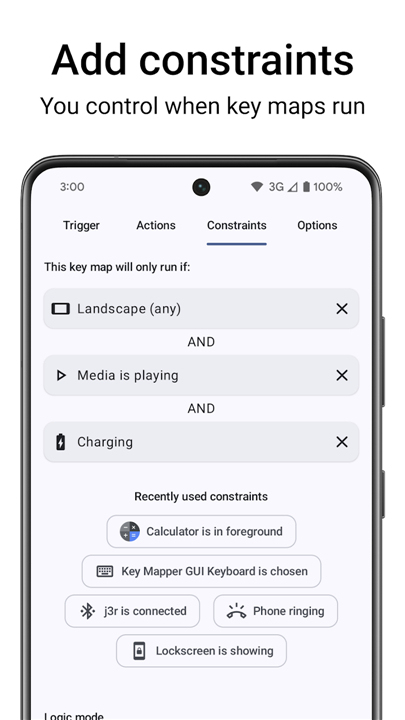
• Contextual Constraints: Don't let your shortcuts get in the way. Limit your maps to specific apps, lockscreens, or media-playback states.
Security & Transparency
We use the Android Accessibility API to monitor and adapt key presses to your custom mapping, and to render floating button overlays.
• Privacy First: We collect zero user data. The app requires no internet access to send information, and our Accessibility service is strictly user-controlled.
• Open Source: We believe in transparency. Review our codebase on GitHub or explore our full documentation at keymapper.app.
Need Help or Want to Contribute?
• Community: Join us at keymapper.app/discord to share your setups.
• Development: View our source code at github.com/keymapperorg/KeyMapper.
• Support: We support most devices out of the box. If yours isn't responding, reach out to us so we can prioritize your hardware.
Note:
• Gamepad joysticks and analog triggers are currently unsupported.
FAQ
Q: Which types of hardware buttons and external devices are compatible with this application?
A: The app is designed to be highly versatile and supports a wide range of inputs including system buttons like volume rockers and certain power keys. It also works seamlessly with external peripherals such as wired or Bluetooth keyboards, mice, and headsets. For those who enjoy mobile gaming, the app can remap gamepad buttons and D-pads, though it is important to note that analog sticks and triggers are not currently supported.
Q: What are floating buttons and when should I use them instead of physical keys?
A: Floating buttons are virtual, on-screen overlays that you can place anywhere on your display to act as additional triggers. These are incredibly useful if your device has limited physical buttons or if you find certain hardware keys difficult to reach while using specific apps. You can customize these virtual buttons to perform any action a physical key would, providing a flexible alternative for one-handed use or specialized accessibility needs.
Q: Can I set up different actions for a single button using different types of presses?
A: Yes, the app offers sophisticated trigger options that allow you to distinguish between a single press, a long press, or even rapid-fire double and triple taps. This means you could set a single click of your volume up button to change the track, while a long press might toggle your screen rotation. You can even combine inputs from multiple devices, such as holding a key on your keyboard while clicking a button on your mouse to trigger a specific macro.
Version History
v4.1.0——11 May 2026
Key Mapper is a key remapping and automation app that customizes hardware inputs and floating buttons. Download the latest version of Key Mapper & Floating Buttons to enjoy new features and updates immediately!
*4.1.0
New Actions
• Select all text at the cursor
• Input on-screen keyboard enter/send button
• Show a toast message
Improvements
• Bug fixes
View the complete changelog at: http://keymapper.app/changelog
*4.0.5
Screen-off remapping
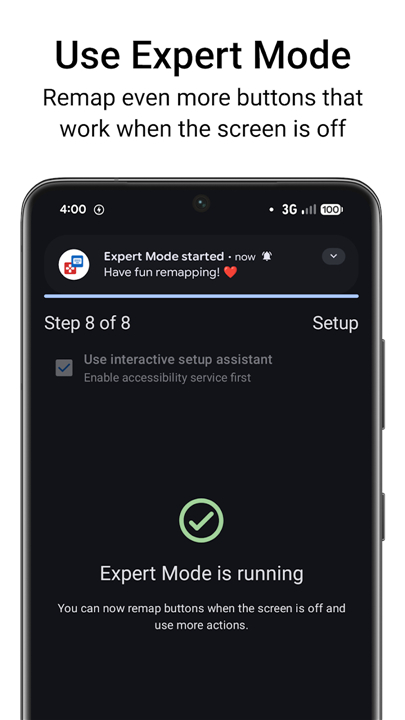
You can now remap buttons when the screen is off for free with Expert Mode.
New Actions
• Run shell commands
• Send SMS
• Force stop current app or clear from recents
• Toggle microphone
• Modify any system setting
• Show a custom notification
• Toggle hotspot
Improvements
• Floating buttons can now appear on top of keyboard or in notification panel
• Auto-switching keyboard more reliable and quicker
View the complete changelog at: keymapper.app/changelog
*4.0.4
Screen-off remapping
You can now remap buttons when the screen is off for free with Expert Mode.
New Actions
• Run shell commands
• Send SMS
• Force stop current app or clear from recents
• Toggle microphone
• Modify any system setting
• Show a custom notification
• Toggle hotspot
Improvements
• Floating buttons can now appear on top of keyboard or in notification panel
• Auto-switching keyboard more reliable and quicker
View the complete changelog at: keymapper.app/changelog
- AppSize12.40M
- System Requirements5.0 and up
- Is there a feeFree(In game purchase items)
- AppLanguage English
- Package Nameio.github.sds100.keymapper
- MD5
- Publishersds100
- Content RatingTeenDiverse Content Discretion Advised
- Privilege19
-
Key Mapper & Floating Buttons 4.1.0Install
12.40M2026-09-07Updated










8.3
5996 Human Evaluation
- 5 Star
- 4 Star
- 3 Star
- 2 Star
- 1 Star