

KeepOn - Keep screen on!
Overview
• KeepOn is a lightweight, open-source Android utility designed to give you complete control over your device's screen timeout settings.
• Whether you are reading, debugging, or monitoring a task, KeepOn ensures your display remains active exactly when you need it.
Key Features
1. Privacy-Focused and Secure:
• KeepOn is Free and Open-Source Software (FOSS).
• It contains no advertisements, includes no tracking scripts, and does not require internet permission, ensuring your data remains private.
2. Flexible Timeout Control:
• Keep your screen turned on for any desired duration.
• The app automatically restores your default system timeout settings once the screen is turned off.
3. Seamless Integration:
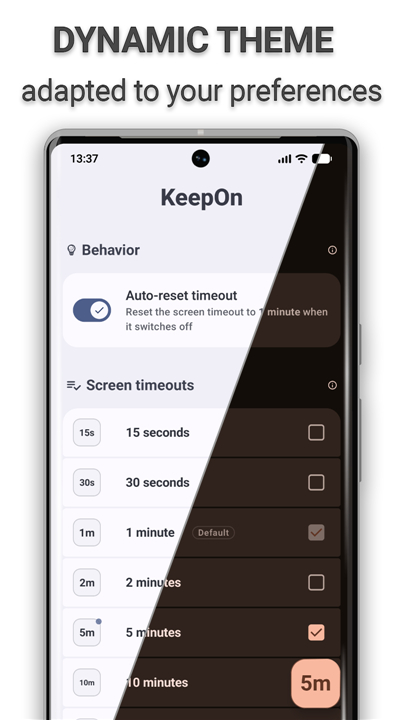
• The app dynamically adapts to your specific device configuration for a native, user-friendly experience.
4. Automation Support:
• An integrated Tasker and Locale plugin allows you to trigger and control KeepOn functions programmatically from other compatible automation applications.
Required Permissions
1. Modify System Settings (WRITE_SETTINGS):
• Necessary for the app to adjust the system screen timeout values on your behalf.
2. Foreground Service (FOREGROUND_SERVICE):
• Ensures the app can actively monitor screen-off events and system timeout changes in the background.
3. Request Ignore Battery Optimizations:
• Prevents the Android operating system from aggressively closing KeepOn while it is actively managing your screen.
4. Post Notifications (POST_NOTIFICATIONS):
• Grants permission to display a persistent notification, keeping you informed when the application is running.
Project Source Code
• The complete, audited source code is publicly accessible for review, modification, and contribution on GitHub at: https://github.com/twentynine78/KeepOn
FAQ
Q: Does KeepOn track my usage data or require an active internet connection?
A: Privacy is a core pillar of KeepOn, as the app does not include any tracking mechanisms and does not even request internet permission from your device. This design ensures that your data never leaves your smartphone and remains entirely under your control at all times.
Q: How does the flexible timeout control feature actually work in practice?
A: The app allows you to set your screen to stay active for any specific duration you choose, effectively bypassing the standard system limits. A great feature of KeepOn is its ability to automatically restore your original system timeout settings as soon as you manually turn the screen off, so you never have to worry about manually changing them back later.
Q: Can I use KeepOn with automation tools like Tasker or Locale?
A: Yes, KeepOn includes an integrated plugin specifically designed for Tasker and Locale, making it a powerful choice for users who enjoy automation. This functionality allows you to trigger screen timeout changes programmatically based on specific conditions, such as when a certain app is opened or when your phone is connected to a power source.
Version History
v2.2.1——17 Aug 2026
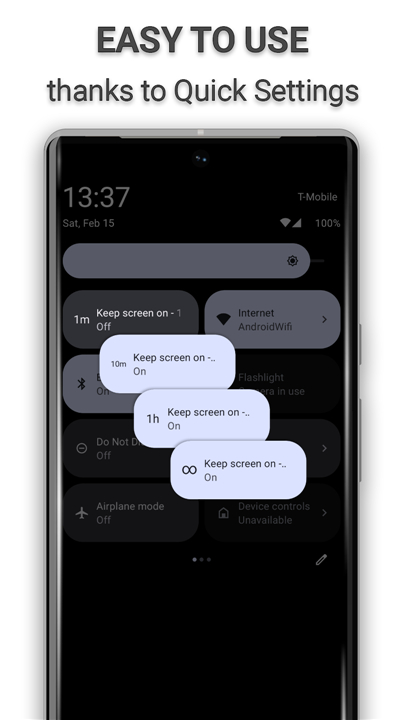
Keep your screen on smartly and easily with Quick Settings. Download the latest version of KeepOn - Keep screen on! to enjoy new features and updates immediately!
*2.2.1
- New: Tasker/Locale event plugin — trigger your automations when KeepOn resets the screen timeout on screen off
- Fixed a rare Quick Settings tile crash that could occur during a device backup or restore
- Improved stability
- Dependency updates
*2.2.0
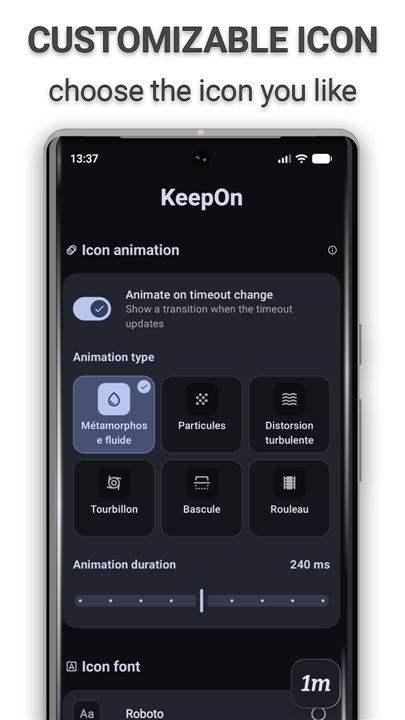
- New: the timeout icon now animates when the screen timeout changes, choose from 6 styles on the tile, or turn it off
- Redesigned Style screen: drag-to-place icon pad, live animation previews and clearer settings
- The widget now follows your Material You colors, with rounded corners and proper support on Android 9–11
- More reliable Quick Settings tile and screen-timeout syncing
- Crash fixes, a smaller download
- Dependency updates
*2.1.1
- Ability to use a widget(s) to control the app
- Simplified Chinese translation
- Bug fixes
- Improved performance and stability
- Dependency updates
- AppSize5.37M
- System Requirements5.0 and up
- Is there a feeFree(In game purchase items)
- AppLanguage English
- Package Namefr.twentynine.keepon
- MD5
- PublisherTwentyNine78
- Content RatingTeenDiverse Content Discretion Advised
- Privilege19
-
KeepOn - Keep screen on! 2.2.1Install
5.37M2026-10-28Updated










9.6
4310 Human Evaluation
- 5 Star
- 4 Star
- 3 Star
- 2 Star
- 1 Star




