

iWawa - Parental Control
Comprehensive Parental Control and Content Management
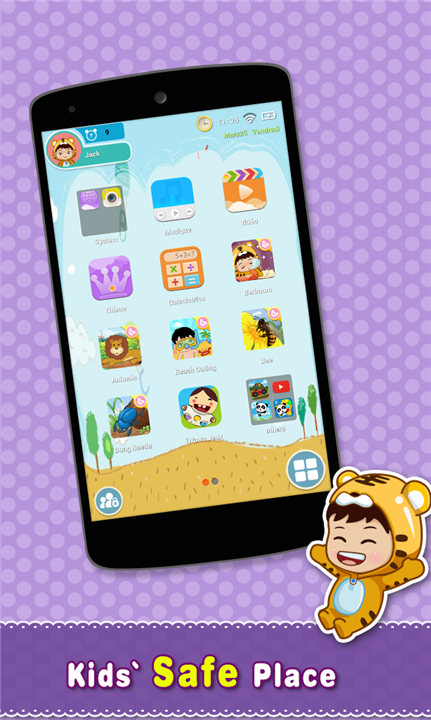
• iWawa is a robust digital solution designed to help parents oversee and manage their children's engagement with mobile phones and tablets.
• By providing a secure, customizable environment, it ensures that screen time remains productive, safe, and age-appropriate.
Key Parental Control Features
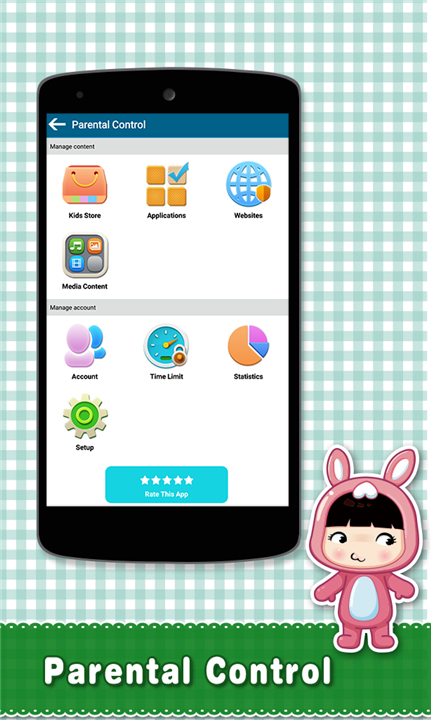
1. Time Management:
• Parents can establish strict usage limits, ensuring children do not spend excessive time on their devices.
2. Application Filtering:
• Parents retain full authority to select and approve which specific applications are available for their children to access.
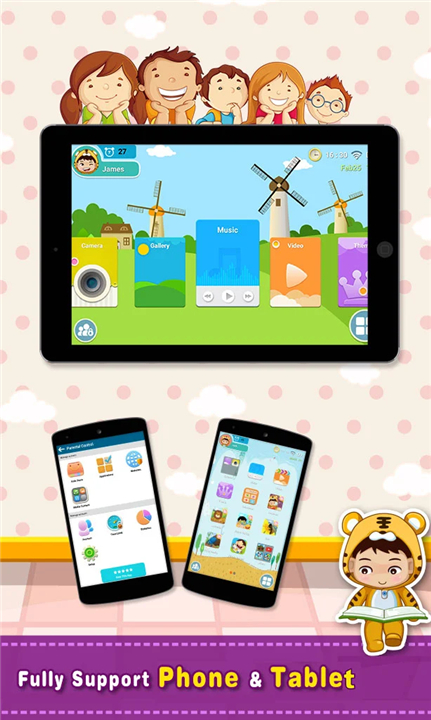
3. Desktop Customization:
• The interface allows for the creation of unique, child-friendly themes tailored to the user's preferences.
4. App Integration:
• Parents can easily add or remove approved applications from the children's desktop environment for a personalized experience.
Important Usage Disclaimers
1. Content Nature:
• The Kids TV feature within iWawa is not a video downloader; it cannot download content or facilitate offline playback, with the exception of local music files.
2. Service Dependency:
• Kids TV is powered by the YouTube API, meaning all content is provided directly by YouTube services.
• iWawa does not exercise direct control over the content displayed.
3. Legal Compliance:
• All trademarks and copyrights remain the property of their respective owners.
• Content is used under the terms of Fair Use and the Digital Millennium Copyright Act (DMCA).
4. Copyright Reporting:
• If you believe any content infringes upon copyrights, please report it directly through the official YouTube copyright portal: https://www.youtube.com/yt/copyright/.
5. Connectivity and Terms:
• An active internet connection via Wi-Fi or cellular data is required for operation.
• By utilizing the Kids TV service, users agree to be bound by the YouTube Terms of Service: https://www.youtube.com/t/terms.
FAQ
Q: Can I limit how much time my child spends on their device each day?
A: Yes, that is one of the core features of the platform. You can easily establish strict usage limits to ensure your child does not spend excessive time on their device, which helps in maintaining a healthy balance between digital engagement and other activities.
Q: Am I able to choose which apps my child is allowed to see?
A: Absolutely. You retain full authority to hand-pick and approve only the specific applications that you feel are appropriate for your child. These approved apps are then displayed in a secure, child-friendly interface.
Q: Can I customize the look of the child’s interface?
A: Yes, the desktop is fully customizable. You can create unique, child-friendly themes that match your child’s preferences, making the overall experience more engaging and personal for them.
Version History
v5.19.4——8 Jul 2026
Kids Mode & Parental Control: Making a device safe for children to use Download the latest version of iWawa - Parental Control to enjoy new features and updates immediately!
*5.19.4
Minor bug fixes and improvements. Install or update to the newest version to check it out!
*5.19.2
Minor bug fixes and improvements. Install or update to the newest version to check it out!
*5.18.24
Minor bug fixes and improvements. Install or update to the newest version to check it out!
- AppSize31.53M
- System Requirements5.0 and up
- Is there a feeFree(In game purchase items)
- AppLanguage English
- Package Namecom.sencatech.iwawa.iwawahome
- MD5
- PublisheriWawa
- Content RatingTeenDiverse Content Discretion Advised
- Privilege19
-
iWawa - Parental Control 5.19.4Install
31.53M2026-10-09Updated










7.9
1451 Human Evaluation
- 5 Star
- 4 Star
- 3 Star
- 2 Star
- 1 Star




