

HomeFeed - RSS Widget
Core Features
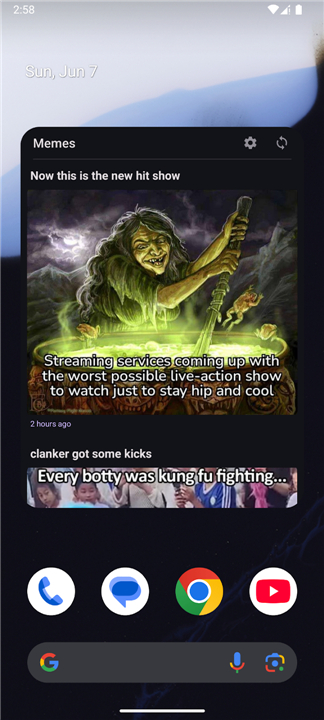
1. Multi-Feed Consolidation:
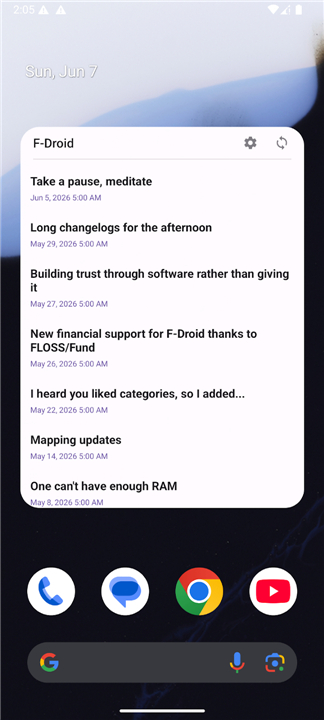
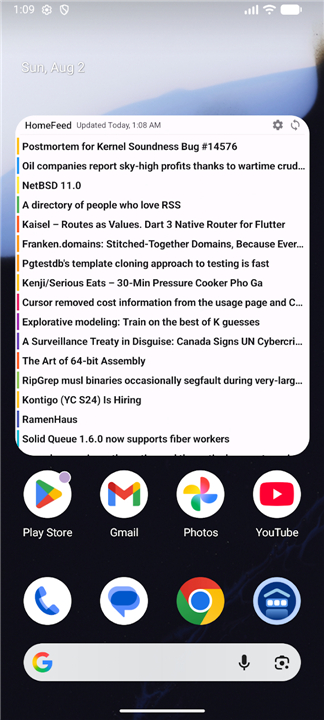
• Combine multiple RSS and Atom feeds into a single, unified widget, bringing all your favorite news sources and blogs into one centralized stream on your home screen.
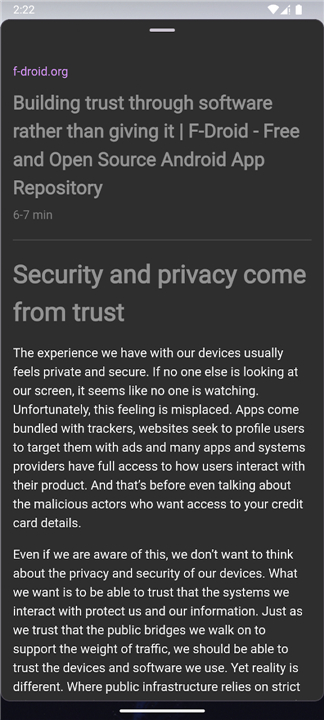
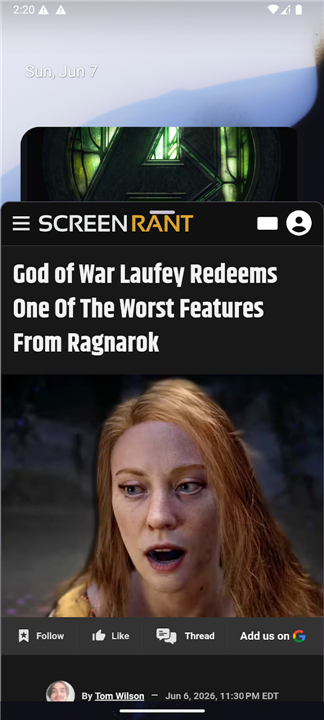
2. Distraction-Free Reader Mode:
• Access full article content instantly through an integrated popup window, allowing you to read stories without switching applications or opening external web browsers.
3. Rich Media Integration:
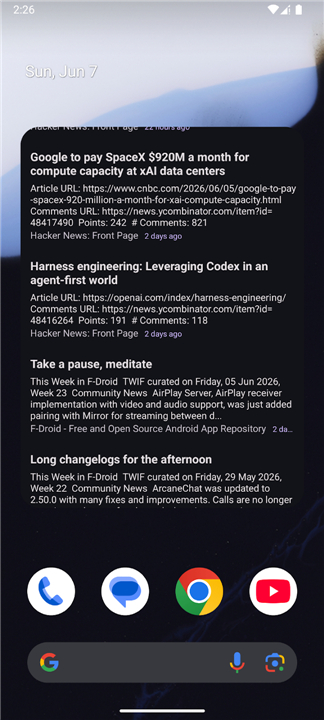
• Enhance the visual presentation of your feeds with high-quality image extraction, transforming standard text entries into a modern, magazine-style layout.
4. Material You Architecture:
• Built with full support for Material Design 3, featuring dynamic color matching that automatically adapts the widget's interface to your system wallpaper and theme.
Customization and Layout
1. Visual Flexibility:
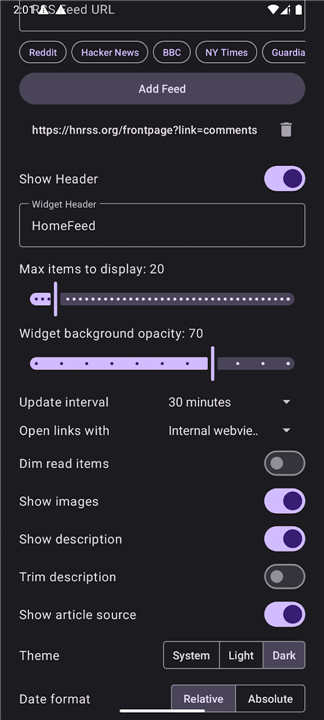
• Personalize the widget's appearance to match your home screen by adjusting background opacity, content layout density, and header styles.
2. Content Toggle Controls:
• Customize your feed presentation by enabling or disabling the visibility of article summaries, publisher sources, and publication timestamps.
3. Smart Reading History:
• Keep track of your reading progress with an optional dimming effect for articles you have already opened, ensuring unread news stands out.
4. Flexible Time Formats:
• Display article age according to your preference, utilizing either relative time formats or precise absolute timestamps.
Performance and Control
1. Refresh Configuration:
• Define custom background synchronization intervals to preserve battery, or utilize a manual refresh button that can be hidden to maintain a minimalist aesthetic.
2. Data Efficiency:
• Engineered with offline local storage and optimized network protocols to ensure your feed history remains accessible while minimizing data consumption.
FAQ
Q: Is it possible to combine news from several different websites into a single widget?
A: Yes, the multi-feed consolidation feature allows you to merge various RSS and Atom feeds into a single, cohesive stream. This means you can see updates from tech blogs, sports news, and personal journals all in one place without needing to set up separate widgets for each source.
Q: Can I read the full content of an article without having to open my web browser?
A: One of the best features of HomeFeed is the integrated Reader Mode, which opens a distraction-free popup window within the app. This allows you to read the full text of an article immediately, helping you stay focused on the content without the interruptions of external browser tabs or advertisements.
Q: How does the widget handle images and visual content from my feeds?
A: To ensure your home screen looks modern and professional, HomeFeed utilizes rich media integration to extract high-quality images from the articles. This transforms a standard list of headlines into a visually engaging, magazine-style layout that makes browsing your news much more enjoyable.
Version History
v1.7.0——11 Aug 2026
HomeFeed RSS Widget: Combine news into a Material You home screen feed. Enjoy distraction-free reader mode and offline access. Download the latest version of HomeFeed - RSS Widget to enjoy new features and updates immediately!
*1.7.0
Minor bug fixes and improvements. Install or update to the newest version to check it out!
*1.6.0
Minor bug fixes and improvements. Install or update to the newest version to check it out!
*1.5.0
Minor bug fixes and improvements. Install or update to the newest version to check it out!
- AppSize13.70M
- System Requirements5.0 and up
- Is there a feeFree(In game purchase items)
- AppLanguage English
- Package Namecom.byterdevs.rsswidget
- MD5
- Publisherbyter11
- Content RatingTeenDiverse Content Discretion Advised
- Privilege19
-
HomeFeed - RSS Widget 1.7.0Install
13.70M2026-09-30Updated










8.6
2959 Human Evaluation
- 5 Star
- 4 Star
- 3 Star
- 2 Star
- 1 Star




