

Gallery Go - Photos & Videos
Overview
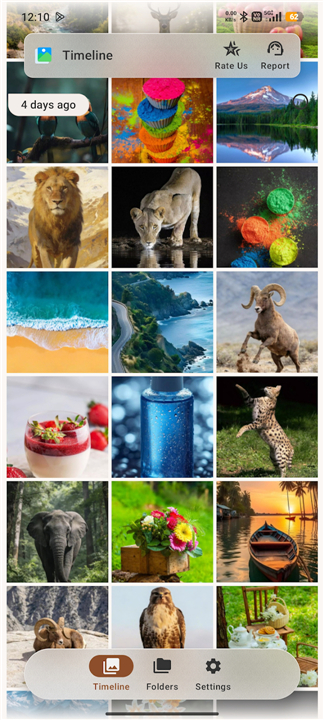
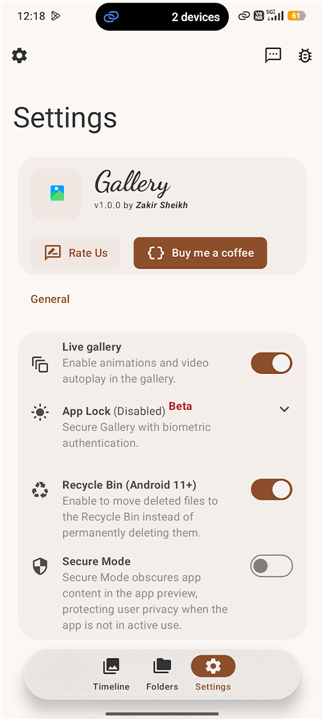
• Gallery Go - Photos & Videos is a high-performance, secure, and ultra-lightweight media manager designed for Android phones, tablets, and connected devices.
• Occupying just 3MB of storage space, it delivers a lightning-fast, smooth, and private gallery experience.
Performance and Storage
1. Ultra-Compact Footprint:
• Requires only 3MB of storage, ensuring swift installation and minimal resource usage on any device.
2. Real-Time Indexing:
• New photo and video files display immediately upon saving, eliminating the need for manual refreshes.
3. External Media Support:
• Seamlessly read, view, and manage media files stored on external SD cards and connected USB drives.
Smart Organization and Navigation
1. Automated Categorization:
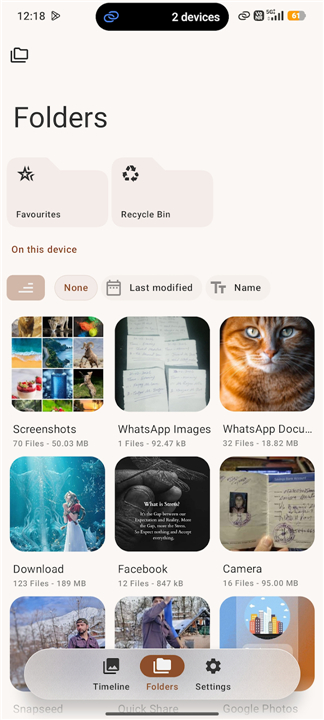
• Intelligently sorts your media library by time, folders, and specific file attributes for quick browsing.
2. Favorites Album:
• Easily mark and isolate your most cherished photos and videos in a single dedicated space.
3. Visual Search Integration:
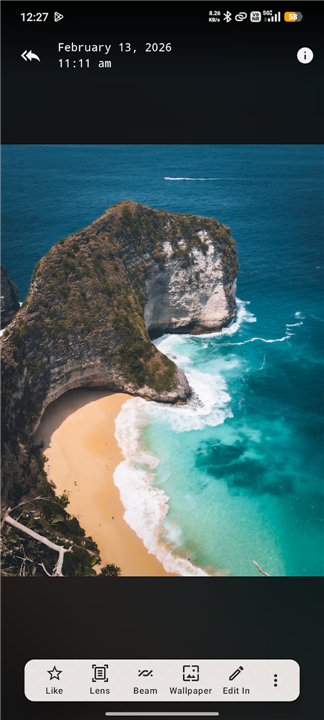
• Utilize built-in Google Lens capabilities to perform visual searches directly from your photos.
4. Dynamic Viewing Features:
• Zoom in up to 5x with intuitive pinch gestures, or switch to Ambient Mode for an immersive viewing experience.
Privacy and File Protection
1. Comprehensive App Lock:
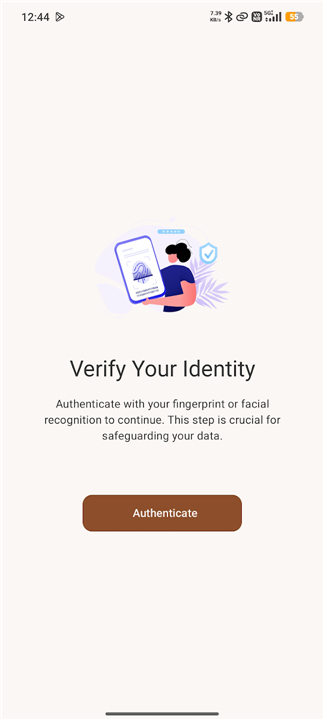
• Safeguard private media using biometric fingerprint authentication, a secure PIN, or a pattern lock.
2. Customizable Security Timers:
• Set auto-lock delays to trigger instantly, after 1 minute, or after 30 minutes of inactivity.
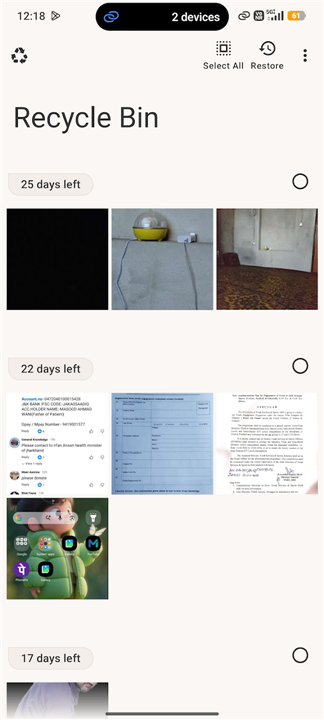
3. Integrated Recycle Bin:
• Recover accidentally deleted media files with ease on Android 11 and above.
Media Playback and Unlimited Sharing
1. Built-in HD Video Player:
• Watch high-definition media seamlessly without switching to external media players.
2. Bulk Fast Sharing:
• Share large collections of media files instantly, bypassing standard limits like 100 items.
Interface Customization
1. Flexible UI Controls:
• Adjust font sizes, grid density, and gallery layouts to fit your personal visual preferences.
2. Dark Mode Integration:
• Reduce eye strain with full system-sync compatibility or manual toggle options.
FAQ
Q: Will new photos and videos appear automatically, or do I need to refresh the library?
A: The moment you capture or download a file, Gallery Go’s real‑time indexing engine adds it to the appropriate album. There is no manual “refresh” button needed—the gallery updates instantly, keeping your view always current.
Q: Can I view media that lives on an SD card or a connected USB drive?
A: Yes. Gallery Go reads, displays, and lets you manage files stored on external SD cards as well as USB OTG drives. You can browse those folders just like internal storage, and any changes you make (favorites, deletions, etc.) are reflected across all locations.
Q: How does the app organize my pictures without me having to create folders?
A: The app automatically categorizes content by capture date, original folder structure, and key file attributes such as resolution and media type. This smart organization lets you jump straight to a specific time period or event without hunting through endless directories.
Version History
v1.0.7——28 Jul 2026
Manage photos and videos with Gallery Go, the secure, 3MB Android gallery app. Experience smart organization, app lock, and HD playback. Download the latest version of Gallery Go - Photos & Videos to enjoy new features and updates immediately!
*1.0.7
What's new
• CI: Remove Plus flavor artifacts from release workflow
• Docs: Update English "What's New" content
• Refactor: Move Settings navigation to the Files screen overflow menu
• Localization: Add Galician translations
• Chore: Update App Version and Dependencies
*1.0.6
What's new
• Chore: Add Monochrome Icon, Update Release Workflow, and Clean Up Strings
• Chore: Update App Version, Dependencies, and Localization Resources
*1.0.5
What's new
• Build: Disable debug signing configuration in build script
• Chore: Update Translations, Build Configuration, and Release Workflow
• Chore: Update Dependencies, App Version, and Enable "Plus" Flavor
- AppSize4.83M
- System Requirements5.0 and up
- Is there a feeFree(In game purchase items)
- AppLanguage English
- Package Namecom.zs.android.apps.photos
- MD5
- PublisherGoogol Apps
- Content RatingTeenDiverse Content Discretion Advised
- Privilege19
-
Gallery Go - Photos & Videos 1.0.7Install
4.83M2026-10-28Updated










7.5
2531 Human Evaluation
- 5 Star
- 4 Star
- 3 Star
- 2 Star
- 1 Star




