
Floor Plan Designer: Home Map
Blueprint Your Vision
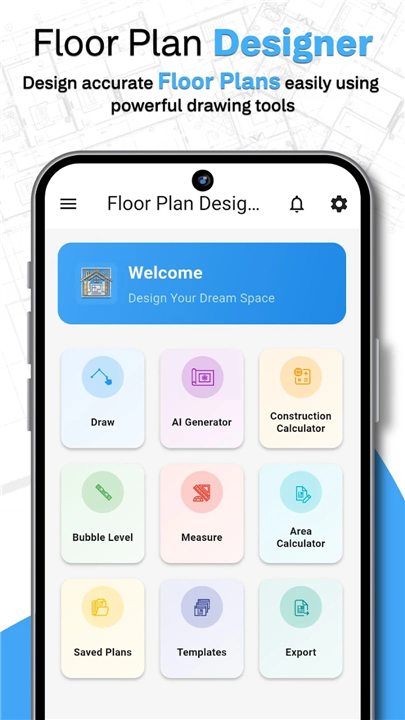
• Turn your dream home from a concept into a blueprint.
• Whether you’re planning a total renovation, refreshing your furniture layout, or drafting a custom home build, Floor Plan Designer puts professional architectural tools in the palm of your hand.
• No CAD experience required—just your vision and our intuitive design engine.
Why Choose Floor Plan Designer?
• We’ve replaced complex drafting software with a fluid, mobile-first experience.
• From the first wall you drop to the final 3D walkthrough, our app empowers you to master your space with precision and confidence.
Key Features
1. Smart-Draw 2D Drafting:
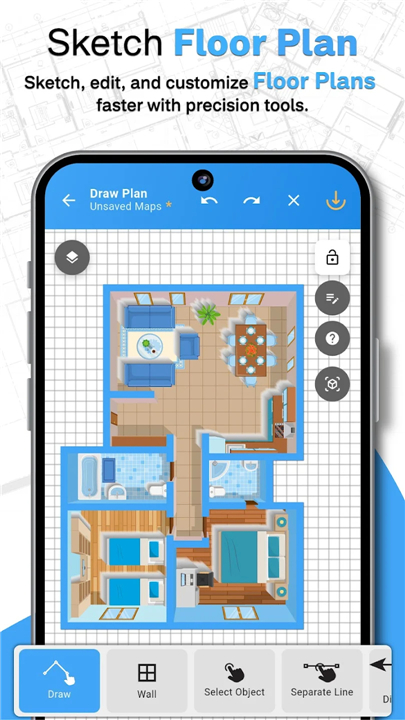
• Sketch floor plans effortlessly.
• Our grid-based system and drag-and-drop mechanics ensure your walls, doors, and windows are perfectly aligned every time.
2. AI Layout Assistant:
• Don’t know where to start?
• Input your requirements, and let our AI generate optimized layouts that maximize flow and functionality.
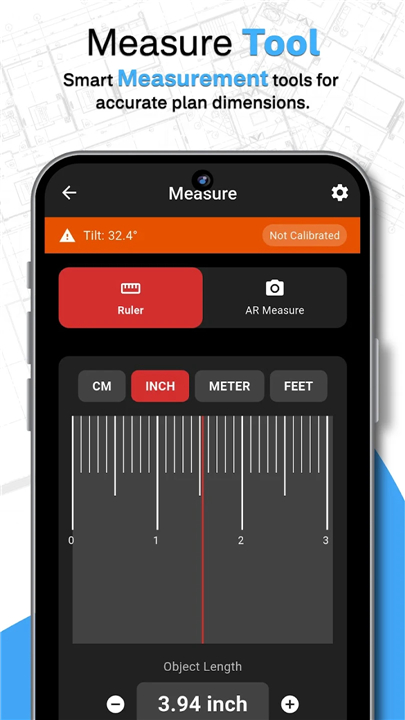
3. AR Precision Measuring:
• Forget the tape measure.
• Use your phone’s camera to capture real-time dimensions of existing rooms with Augmented Reality, eliminating manual input errors.
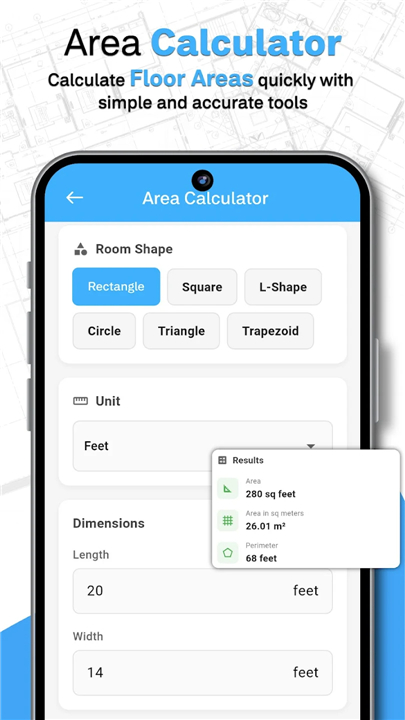
4. Instant Construction Math:
• Keep your budget tight.
• Use our built-in calculators to instantly determine square footage and estimate the exact amount of flooring, paint, or tiling needed for your project.
5. Immersive 3D Walkthroughs:
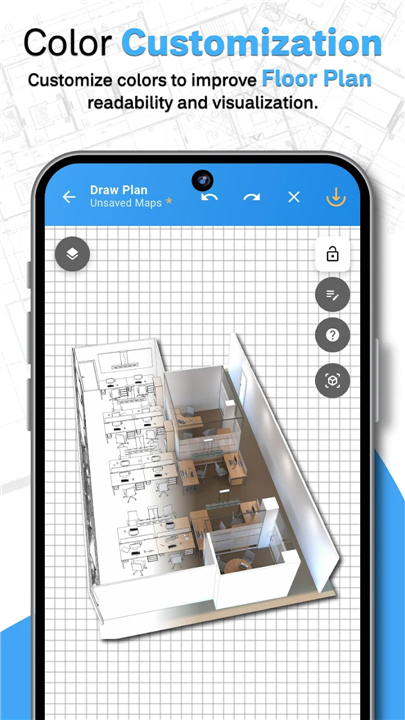
• Transition from a flat draft to a fully realized 3D model with one tap.
• Experience your design in real-time to check the scale, lighting, and layout before construction begins.
6. Professional Customization:
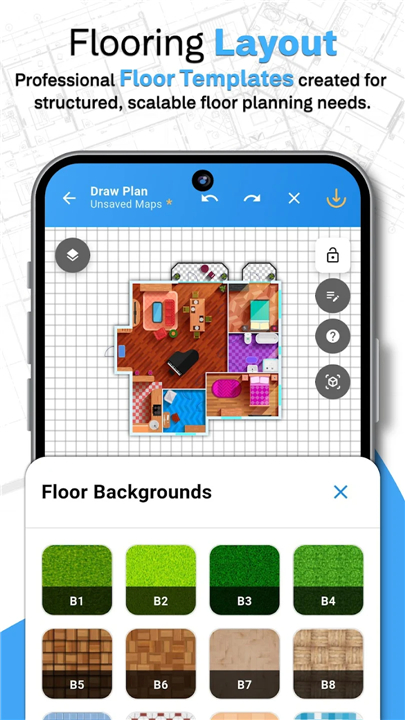
• Style your space with a vast library of textures—from polished marble to warm hardwood.
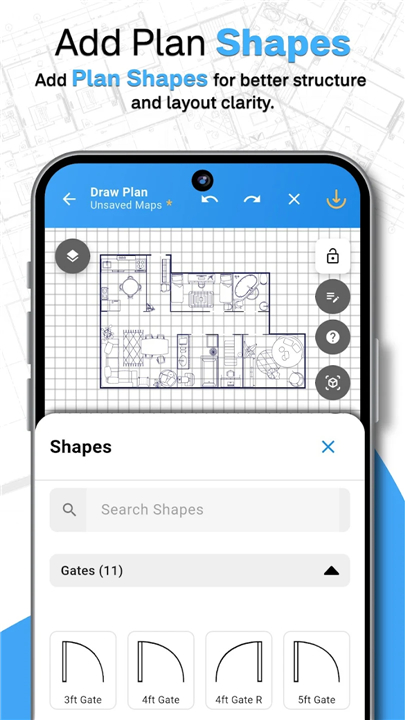
• Add structural details like stairs, pillars, and gates to ensure your plan is construction-ready.
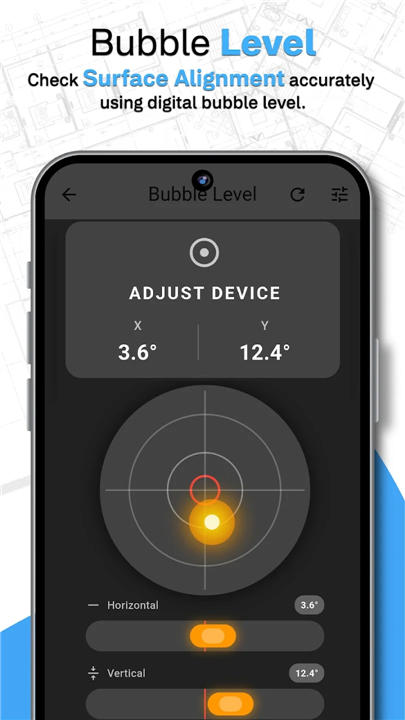
7. Digital Alignment Tools:
• Use our integrated bubble level to ensure everything from your virtual drafts to your physical wall hangings are perfectly level.
Designed for Everyone
• Homeowners: Visualize your DIY projects or furniture arrangements without the guesswork.
• Real Estate Professionals: Create sleek, clear floor plans for property listings in minutes.
• Contractors: Perform on-site area calculations and material estimates quickly and accurately.
• Architects & Students: Draft rapid structural concepts on the go.
Seamless Workflow
• Easy Export: Save your work as high-resolution PDFs or images to share with contractors or clients.
• Work Offline: Design anywhere—your inspiration doesn't need an internet connection.
• Cloud Sync: Start on your phone and finish on your tablet; your projects are always backed up and ready to go.
Stop imagining and start building
• Download Floor Plan Designer today and lay the foundation for your perfect space.
FAQ
Q: How does the AR Precision Measuring feature work?
A: Our AR feature utilizes your smartphone’s camera to capture real-time dimensions of your existing space. By pointing your camera at the corners of your room, the app automatically calculates the distances, which helps you avoid manual measurement errors and traditional tape measure hassles.
Q: If I am unsure about my layout, can the app help me decide?
A: Yes, our AI Layout Assistant is designed for exactly that scenario. Once you input your specific requirements and space constraints, the AI generates optimized layout suggestions that prioritize both functionality and spatial flow.
Q: Can I see what my room will look like in 3D?
A: Certainly. You can transition from your 2D draft to a fully rendered 3D model with just a single tap. This allows you to experience an immersive walkthrough of your design so you can check the lighting, scale, and general vibe before any actual construction begins.
Version History
v1.1.5——15 Jun 2026
Design, sketch, and visualize 2D & 3D floor plans with AI and precision tools. Download the latest version of Floor Plan Designer: Home Map to enjoy new features and updates immediately!
*1.1.5
Minor bug fixes and improvements. Install or update to the newest version to check it out!
*1.1.4
Minor bug fixes and improvements. Install or update to the newest version to check it out!
*1.1.1
Minor bug fixes and improvements. Install or update to the newest version to check it out!
- AppSize44.69M
- System Requirements5.0 and up
- Is there a feeFree(In game purchase items)
- AppLanguage English
- Package Namecom.buildsmart.homedesigns
- MD5
- PublisherFuture Tech App
- Content RatingTeenDiverse Content Discretion Advised
- Privilege19
-
Floor Plan Designer: Home Map 1.1.5Install
44.69M2026-09-08Updated










8.3
224 Human Evaluation
- 5 Star
- 4 Star
- 3 Star
- 2 Star
- 1 Star