

File Miner
Overview
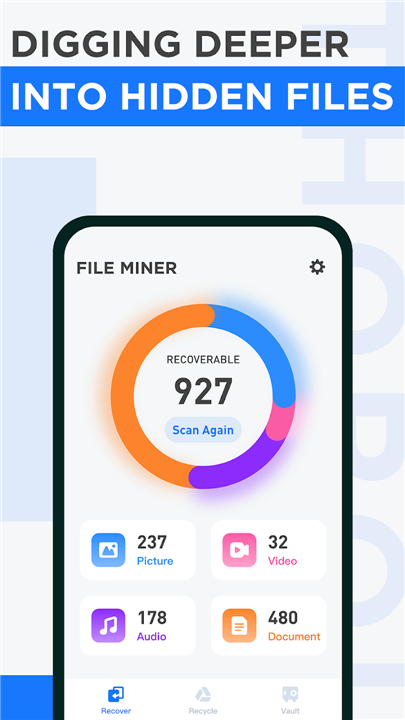
• File Miner is an advanced, user-friendly, and completely free file recovery application designed to restore your lost, hidden, or accidentally deleted data.
• File Miner scans your device to locate files buried deep within system directories before the operating system or other applications permanently erase them.
Advanced Scanning and Detection
1. Deep System Scanning:
• Thoroughly searches obscure storage locations, including hidden subdirectories, cache folders, and temporary file repositories.
2. Intelligent Format Recognition:
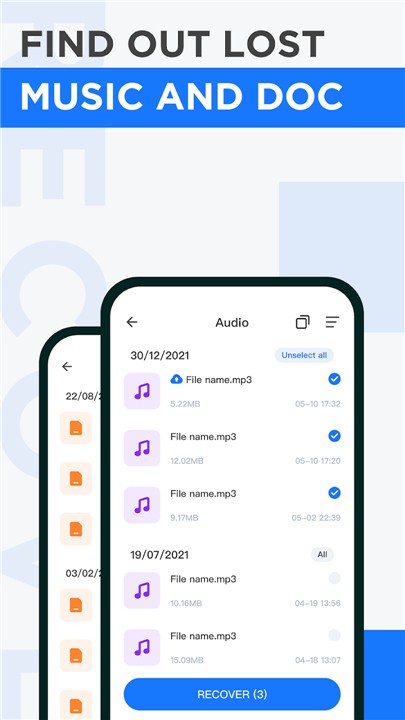
• Automatically identifies a wide spectrum of file formats across photos, videos, audio recordings, and office documents, leaving no trace of lost data behind.
Effortless Recovery and Privacy Control
1. Quick Data Restoration:
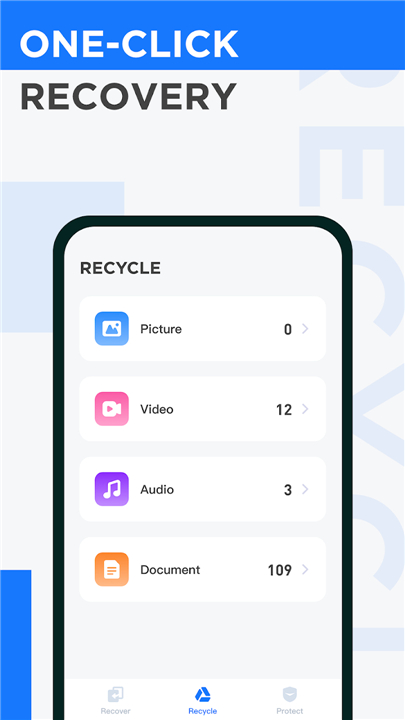
• Safely recover lost photos, media files, and important documents with a straightforward interface.
2. Selective File Preview:
• Preview your deleted photos, videos, and audio clips before restoring them to ensure complete privacy and accurate file selection.
3. Flexible Export Options:
• Effortlessly view recovered items and export them directly to external or public storage directories for seamless access and backup.
Data Protection and File Security
1. Integrated File Vault:
• Move your most critical files into a secure digital vault to safeguard them against accidental deletion or unauthorized access.
2. Proactive File Shielding:
• Prevent valuable work documents and personal memories from being wiped during routine system cleanups.
User Support and Feedback
• Thank you for choosing File Miner as your trusted recovery solution.
• If you find our application helpful, please support us by leaving a five-star review.
• For questions, feedback, or technical assistance, contact our support team, and we will respond promptly to address your needs.
FAQ
Q: Is File Miner really completely free to use?
A: Yes, File Miner is 100% free. You can scan, preview, and restore your lost data without running into hidden fees, paywalls, or feature restrictions.
Q: How does File Miner manage to locate files that seem permanently deleted?
A: When a file is deleted, it isn't always immediately erased from your device's storage. File Miner performs deep system scanning to search obscure storage locations, including hidden subdirectories, temporary file repositories, and system cache folders, bringing those hidden files back to light.
Q: What types of files can I recover with this application?
A: File Miner features intelligent format recognition, which allows it to identify and recover a broad spectrum of file types. You can easily retrieve lost photos, video files, audio recordings, and essential office documents.
Version History
v1.8.0——22 Jul 2026
Find files hidden on your phone in unknown places and recover them Download the latest version of File Miner to enjoy new features and updates immediately!
*1.8.0
Minor bug fixes and improvements. Install or update to the newest version to check it out!
*1.7.9
Minor bug fixes and improvements. Install or update to the newest version to check it out!
*1.7.8
Minor bug fixes and improvements. Install or update to the newest version to check it out!
- AppSize33.05M
- System Requirements5.0 and up
- Is there a feeFree(In game purchase items)
- AppLanguage English
- Package Namenet.fileminer.android
- MD5
- PublisherRichMobile Life
- Content RatingTeenDiverse Content Discretion Advised
- Privilege19



-
File Miner 1.8.0Install
33.05M2026-10-28Updated










8.9
2142 Human Evaluation
- 5 Star
- 4 Star
- 3 Star
- 2 Star
- 1 Star




