

Etar - OpenSource Calendar
Overview
• Etar is a lightweight, material-designed calendar application built for Android.
• It focuses on simplicity, utility, and user privacy, offering an intuitive interface for managing your daily schedule.
Viewing Modes
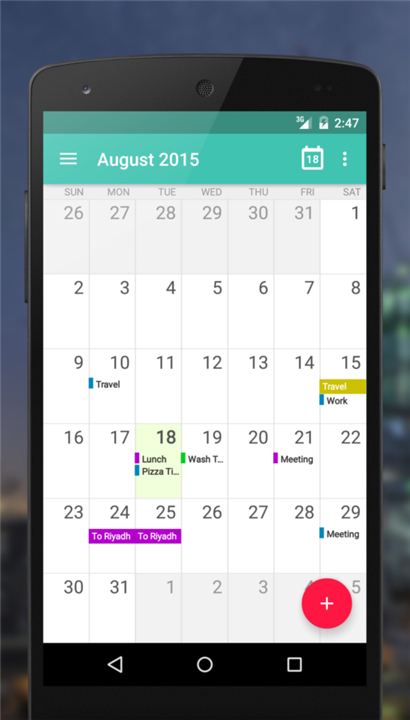
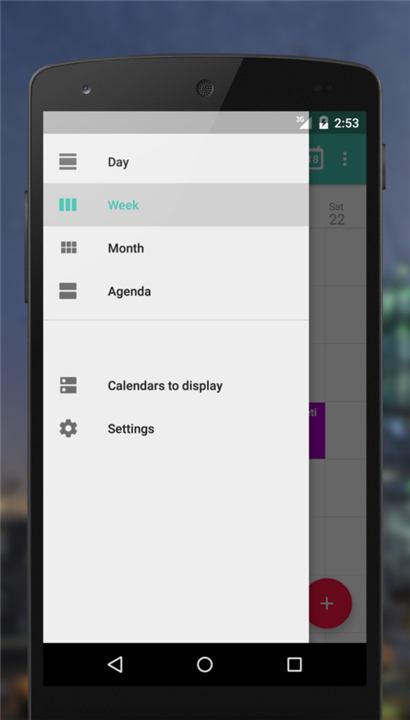
• Month View: Get a complete, high-level overview of your entire month at a glance.
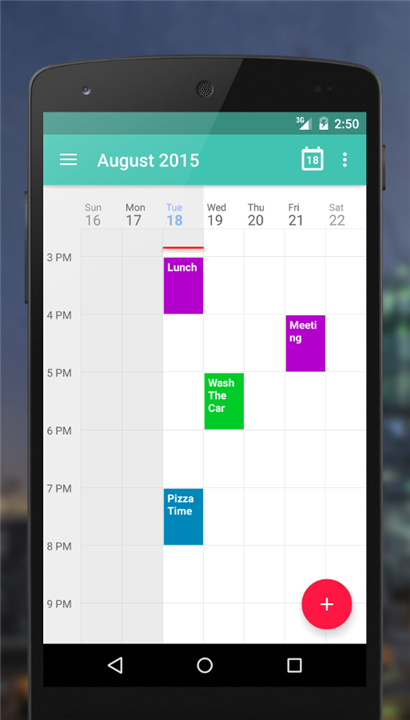
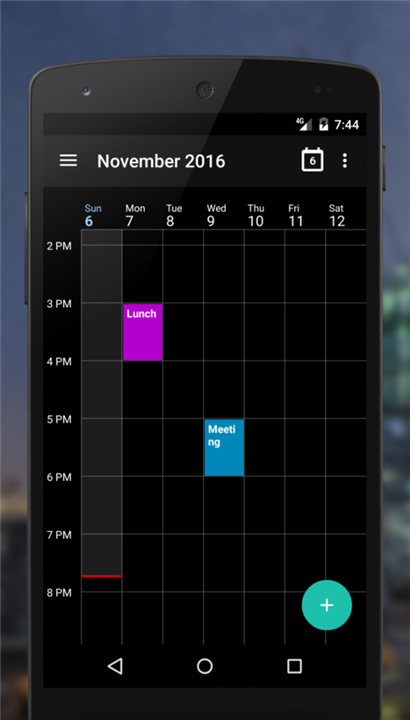
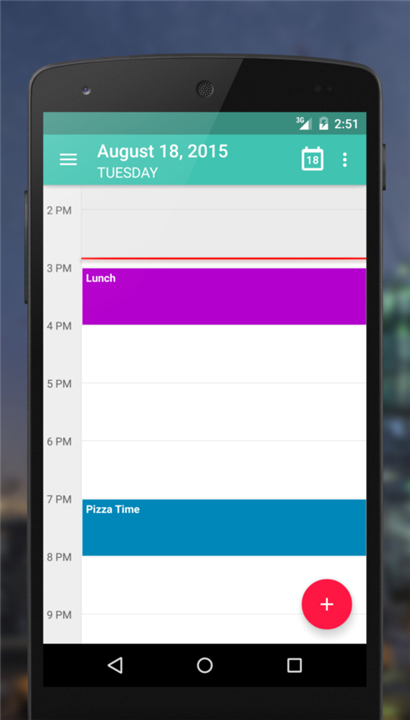
• Week and Day Views: Drill down into specific days or view your weekly schedule to plan your time effectively.
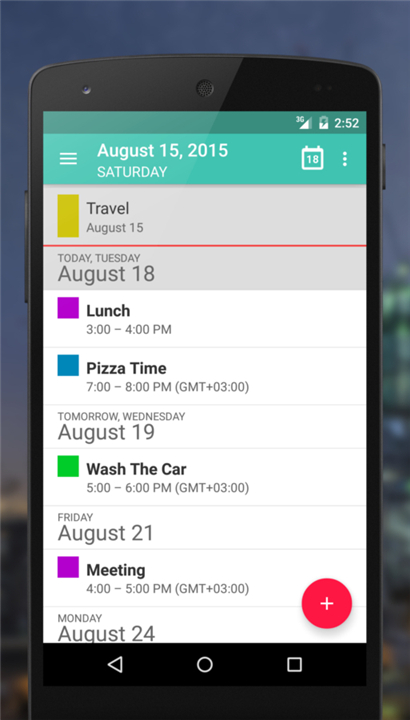
• Agenda View: View all your upcoming events in a clean, chronological list.
Synchronization and Compatibility
• Android Calendar Sync: Leverages the native Android database, ensuring smooth integration across your device.
• Broad Support: Works effortlessly with external services such as Google Calendar, Microsoft Exchange, and CalDAV.
• Offline Calendar: Create and manage local calendars on your device without needing any cloud synchronization.
Design and Personalization
• Material Design: Enjoy a modern, clean, and user-friendly interface that aligns with modern Android aesthetic standards.
• Visual Themes: Easily switch between Light and Dark themes to suit your preference and reduce eye strain in low-light environments.
Data Management and Portability
• Import and Export: Easily backup or migrate your scheduling data directly to and from your SD card.
• ICS Sharing: Share your calendars and events with others through standard ICS file formats.
Privacy and Open Source
• Zero Ads: Enjoy a distraction-free experience with absolutely no advertisements or hidden tracking.
• Open Source: The application is entirely free, secure, and transparently developed by the community.
Community and Development
• Source Code: Access the repository at https://github.com/Etar-Group/Etar-Calendar
• Bug Reports and Feedback: Submit issues or feature requests at https://github.com/Etar-Group/Etar-Calendar/issues
FAQ
Q: How does Etar handle different viewing modes?
A: Etar offers four main views. The Month view shows every day of the current month in a compact grid, perfect for spotting free slots at a glance. The Week and Day views let you zoom in on a single day or an entire week, making it easy to arrange meetings or tasks. Finally, the Agenda view lists upcoming events chronologically, so you can scan your schedule quickly without scrolling through a calendar grid.
Q: Can I sync Etar with my existing Google Calendar or other cloud services?
A: Yes. Etar reads from Android’s native calendar database, which already synchronizes with services like Google Calendar, Microsoft Exchange, and any CalDAV server you have set up on your device. As long as the external account is configured in Android’s system settings, Etar will display those events seamlessly.
Q: What if I want a calendar that works offline only?
A: Etar lets you create local calendars that reside solely on your phone’s internal storage or SD card. These calendars are completely independent of any cloud service, so you can add, edit, and delete events without an internet connection. When you later go online, the offline calendars stay exactly where you left them.
Version History
v1.0.57——18 Aug 2026
Etar is a material designed open source calendar, for everyone! Download the latest version of Etar - OpenSource Calendar to enjoy new features and updates immediately!
*1.0.57
Add option for staggered display of overlapping events
Allow any day of the week as the week start day
Bugfixes
*1.0.56
Use SAF to avoid external storage permissions
Prevent Etar from overriding external calendar sync settings
Add missing channel_ID
Bugfixes
*1.0.55
Revert Load events when scrolling in month view
Revert Add stacked events
Bugfixes
- AppSize8.80M
- System Requirements5.0 and up
- Is there a feeFree(In game purchase items)
- AppLanguage English
- Package Namews.xsoh.etar
- MD5
- PublisherSuhail سهيل الكويليت
- Content RatingTeenDiverse Content Discretion Advised
- Privilege19
-
Etar - OpenSource Calendar 1.0.57Install
8.80M2026-10-28Updated










8.8
1321 Human Evaluation
- 5 Star
- 4 Star
- 3 Star
- 2 Star
- 1 Star




