Emoji Battery Icon Customize
Transform Your Status Bar
• Tired of the same ordinary battery icon that everyone else has?
• Give your phone a personality as unique as yours.
• With Emoji Battery Icon Customize, your battery indicator transforms from a mundane percentage into a stylish expression of who you are.
Key Features
1. Extensive Icon Collection
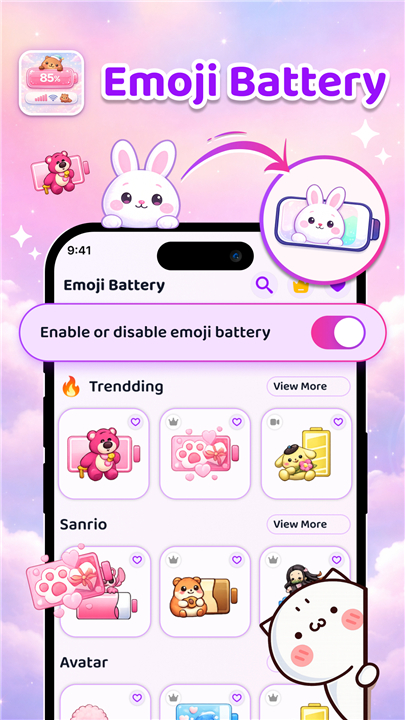
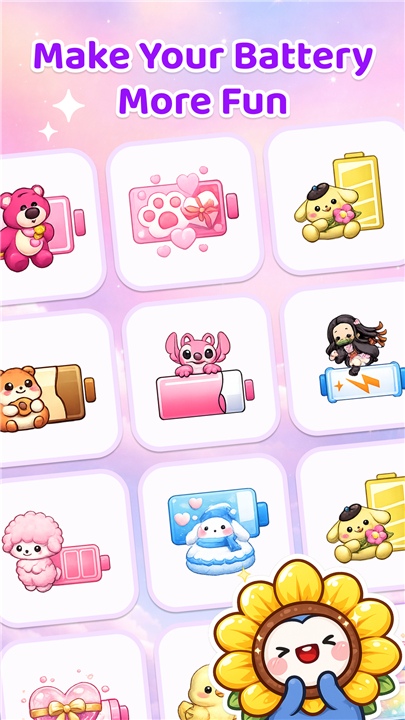
• Browse through hundreds of carefully curated emojis, stickers, and aesthetic designs to find the perfect look for your status bar.
2. Animated Visual Effects
• Watch your battery come alive with smooth animations for charging, low battery warnings, and dynamic transitions that keep your screen feeling fresh and engaging.
3. Diverse Theme Options
• Choose from pre-designed themes or craft your own combination of styles to create something that truly reflects your personality, whether you prefer minimal elegance or playful creativity.
Complete Customization Control
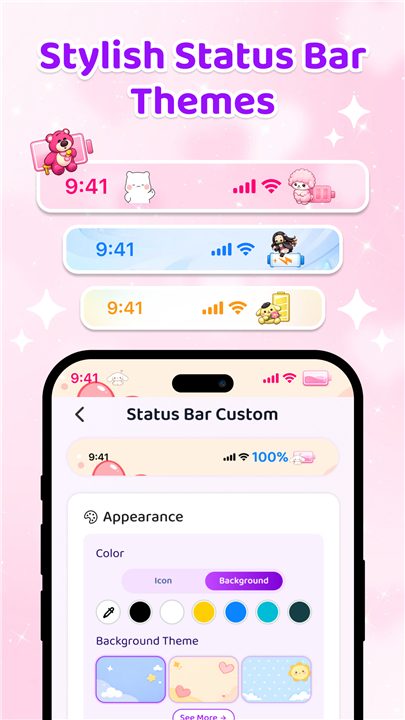
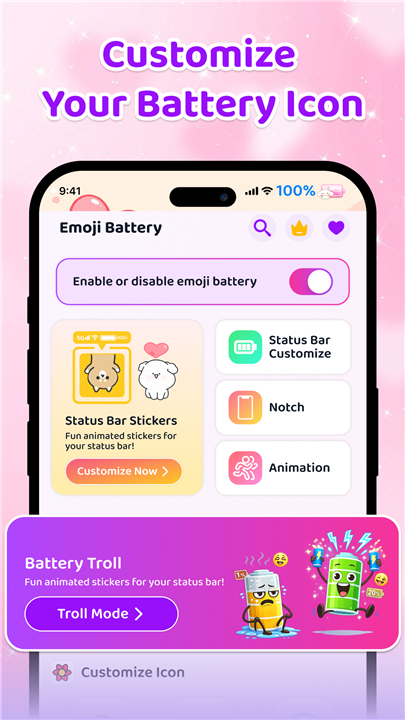
1. Status Bar Decoration
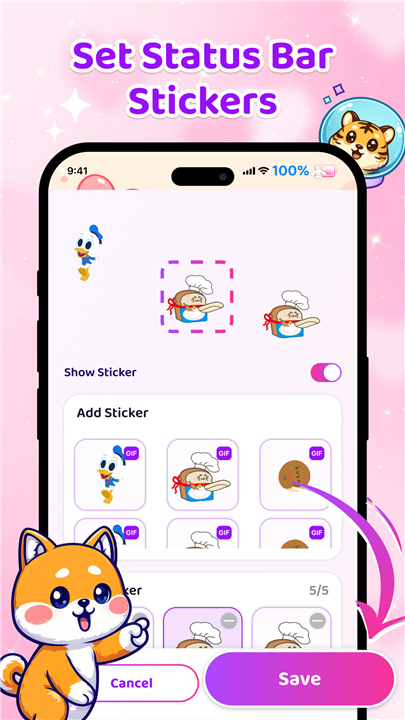
• Enhance your status bar with decorative stickers and visual elements that add personality without overwhelming your screen.
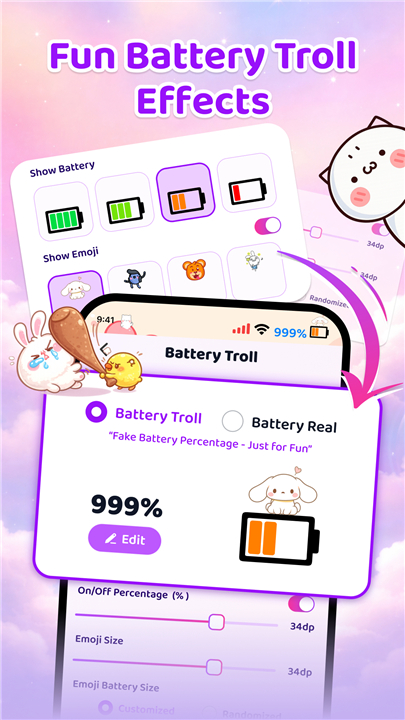
2. Dynamic Battery Styles
• Discover playful troll effects and styles that change based on your battery level, adding surprise and delight to your everyday phone interactions.
3. Layout Flexibility
• Adjust spacing, positioning, and visibility settings to achieve the exact look you want, giving you complete control over how your status bar appears.
4. Notch Personalization
• Apply creative overlays and visual treatments to your device notch for a polished, customized appearance.
5. Individual Icon Customization
• Fine-tune each element separately to create a cohesive look that perfectly matches your style preferences.
Simple Three-Step Process
• Select your preferred icon, emoji, or theme from the library.
• Preview your changes instantly before applying them.
• Apply your new look with one tap and enjoy your transformed status bar immediately.
• No technical expertise or complicated settings required.
Privacy and Permissions
• This application requires accessibility permission to provide its core functionality.
• This permission enables the app to detect and properly align system interface elements, display your customized battery icon and visual overlays correctly, and ensure consistent appearance across different Android devices.
• This permission serves exclusively for visual customization purposes.
• The application does not collect, store, or share any personal information.
• It does not read messages, passwords, or notifications.
• It does not track user activity in any way.
• You may enable or disable this permission at any moment through your device settings.
Ready to Personalize?
• Give your phone a fresh look that expresses your unique style.
• Download Emoji Battery Icon Customize today and turn your battery icon into something you'll love showing off.
FAQ
Q: Are the icons static or can they move?
A: Both options are available. You can select a simple static image if you prefer a clean look, or choose from the animated set that reacts to charging, low‑battery warnings and level changes. The animations are smooth and lightweight, ensuring they look lively without draining extra power.
Q: Can I create my own theme instead of using a pre‑made one?
A: Absolutely. The theme editor lets you mix and match icons, background colors, and decorative stickers. You decide the overall vibe—minimalist monochrome, pastel kawaii, or bold neon—by selecting individual elements and arranging them the way you like. Once you’re satisfied, save the combination as a custom theme for quick switching later.
Q: I have a device with a notch; will the app work with it?
A: Yes. Emoji Battery Icon Customize includes a notch‑personalization feature that adds subtle overlays or decorative accents to the cut‑out area, helping the battery icon blend seamlessly with the rest of your status bar. The app automatically detects the shape of your notch and offers layout options that respect the safe‑area dimensions.
Version History
v1.0.11——12 May 2026
Customize battery icon & status bar with emoji, stickers & themes Download the latest version of Emoji Battery Icon Customize to enjoy new features and updates immediately!
*1.0.11
Minor bug fixes and improvements. Install or update to the newest version to check it out!
*1.0.10
Minor bug fixes and improvements. Install or update to the newest version to check it out!
*1.0.9
Minor bug fixes and improvements. Install or update to the newest version to check it out!
- AppSize48.21M
- System Requirements5.0 and up
- Is there a feeFree(In game purchase items)
- AppLanguage English
- Package Namecom.tstudio.emojibatteryicon
- MD5
- PublisherZAppsolution
- Content RatingTeenDiverse Content Discretion Advised
- Privilege19
-
Emoji Battery Icon Customize 1.0.11Install
48.21M2026-09-07Updated










8.6
8365 Human Evaluation
- 5 Star
- 4 Star
- 3 Star
- 2 Star
- 1 Star