

droidVNC-NG VNC Server
Your Android VNC Server
• Open‑source, fast, and ready for any local‑network setup.
Remote Viewing
• Watch your Android screen from a PC or another device.
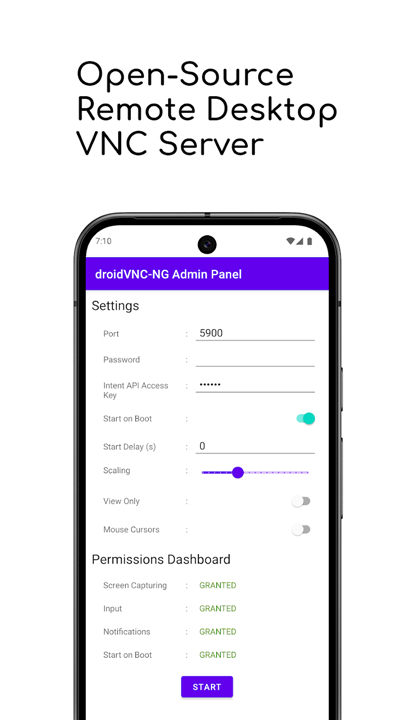
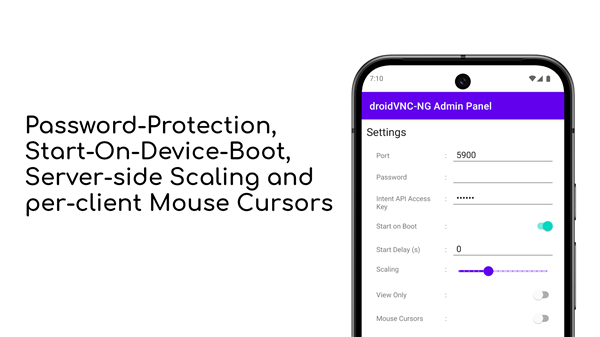
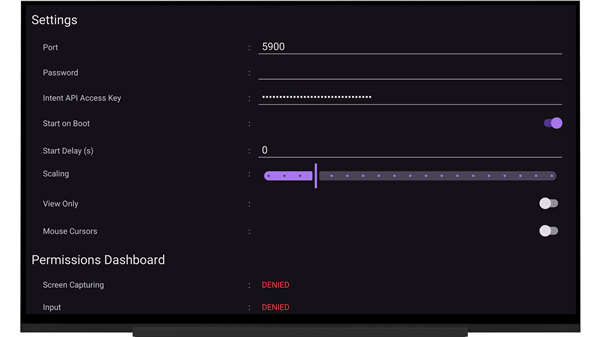
• Optional screen‑scaling keeps performance smooth on slower connections.
Full Control
• Use mouse and keyboard to operate Android 14+ fully (all UI widgets).
• On older Android versions, control is limited to EditText fields.
• Activate the app’s Accessibility Service to enable this feature.
Seamless Clipboard
• Copy text from any VNC viewer and paste it directly on the Android device.
• Text selected in editable fields copies automatically; otherwise share text to droidVNC‑NG via Android’s “Share‑to” feature.
Keyboard Shortcuts
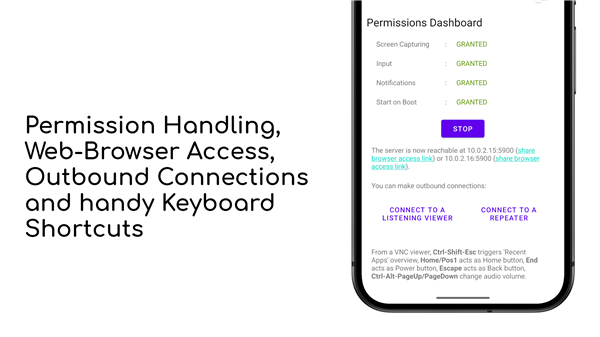
• Trigger Recent Apps, Home, Back, Power, and volume actions with simple key combos.
File Transfer
• Exchange files with a Windows TightVNC viewer (v1.3.x) in a single click.
Secure Connections
• Password protection is required for Mac OS Screen Sharing and recommended for all clients.
Flexible Networking
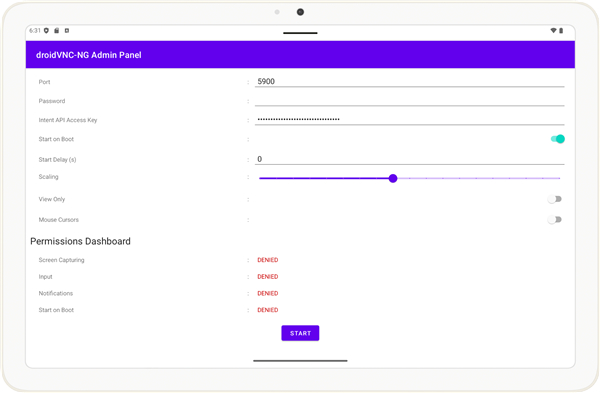
• Choose any custom port for the VNC server.
• Auto‑start on boot (works with kiosk‑mode launchers and lock‑task mode on Android 11+).
• Connect from Android to a listening VNC viewer without opening router ports.
• Use an UltraVNC‑style Mode‑2 repeater to reach devices behind firewalls.
Management & Discovery
• Pre‑load default settings via a JSON file or MDM solution.
• Automatic device discovery on the local network with Zeroconf/Bonjour.
Multi‑User Experience
• Each connected client sees its own mouse pointer on the Android screen.
Browser Access
• Control the device straight from any web browser with the built‑in noVNC client—no extra viewer needed.
Keep an eye on the roadmap—new features are coming.
• Report bugs or request enhancements at: https://github.com/bk138/droidVNC-NG
FAQ
Q: Why do I need to enable the Accessibility Service for droidVNC-NG?
A: Enabling the app’s Accessibility Service is necessary because it gives the server the required operating system permissions to inject mouse clicks, touch gestures, and keyboard inputs directly into Android on your behalf.
Q: Can I view and control my device without installing a dedicated VNC viewer application?
A: Yes, droidVNC-NG includes an integrated noVNC web client. This means you can simply open any modern web browser on your PC or tablet, navigate to the device's IP address and assigned port, and manage your Android device instantly.
Q: How can I improve streaming performance if I am on a slow or congested network connection?
A: You can enable and adjust the optional screen-scaling feature in the app settings. Lowering the stream resolution significantly cuts down bandwidth consumption, helping your remote session stay smooth and responsive even over weaker Wi-Fi links.
Version History
v2.20.3——20 Aug 2026
Open-source VNC remote desktop server for local networks Download the latest version of droidVNC-NG VNC Server to enjoy new features and updates immediately!
*2.20.3
A description of the latest changes can be found at https://github.com/bk138/droidVNC-NG/releases
*2.20.2
A description of the latest changes can be found at https://github.com/bk138/droidVNC-NG/releases
*2.20.1
A description of the latest changes can be found at https://github.com/bk138/droidVNC-NG/releases
- AppSize9.93M
- System Requirements5.0 and up
- Is there a feeFree(In game purchase items)
- AppLanguage English
- Package Namenet.christianbeier.droidvnc_ng
- MD5
- PublisherChristian Beier
- Content RatingTeenDiverse Content Discretion Advised
- Privilege19
-
droidVNC-NG VNC Server 2.20.3Install
9.93M2026-10-28Updated










9.2
4233 Human Evaluation
- 5 Star
- 4 Star
- 3 Star
- 2 Star
- 1 Star




