

Dispatch Mobile Workflow
Seamless Mission Transmission
• Eliminate cumbersome telephone dictation and manual paperwork when assigning transport tasks.
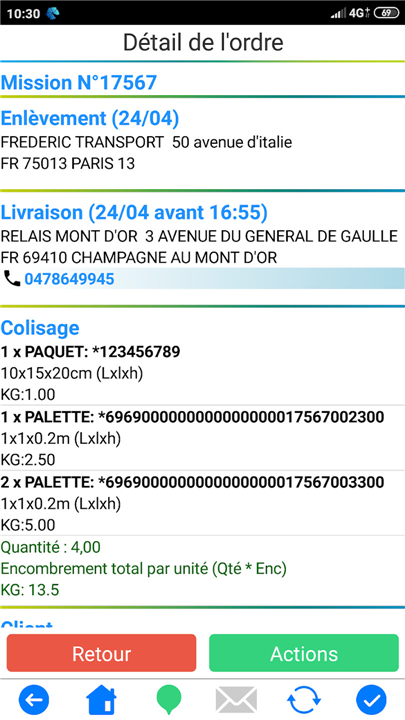
• Transmit complete, detailed transport mission data directly to Android smartphones in a single click.
• Ensure drivers and subcontractors receive precise pickup, delivery, and routing instructions instantly, reducing human error and preparation time.
Interactive Real-Time Operations
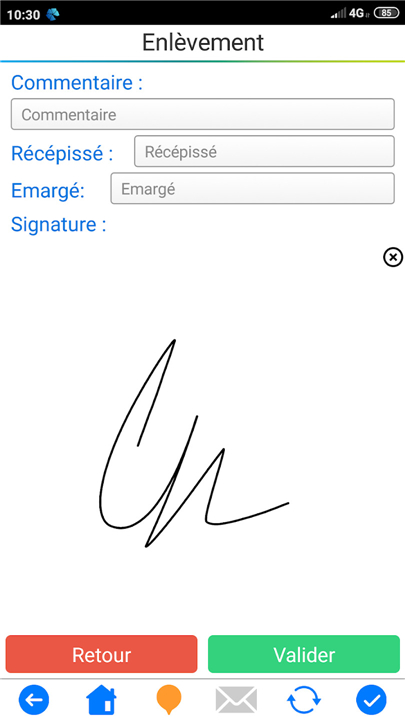
• Enable drivers and subcontractors to acknowledge mission receipt immediately upon reading the instructions.
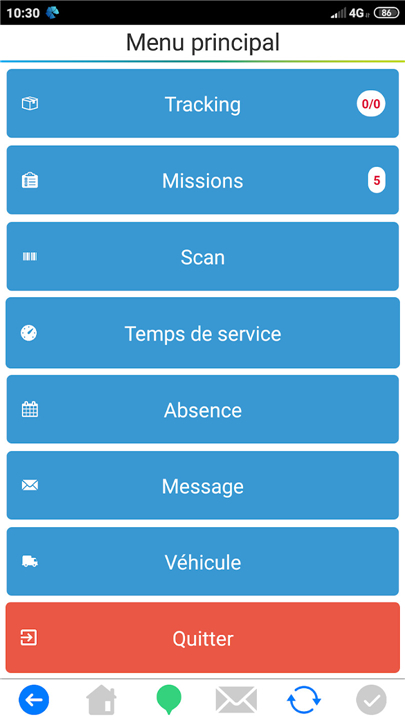
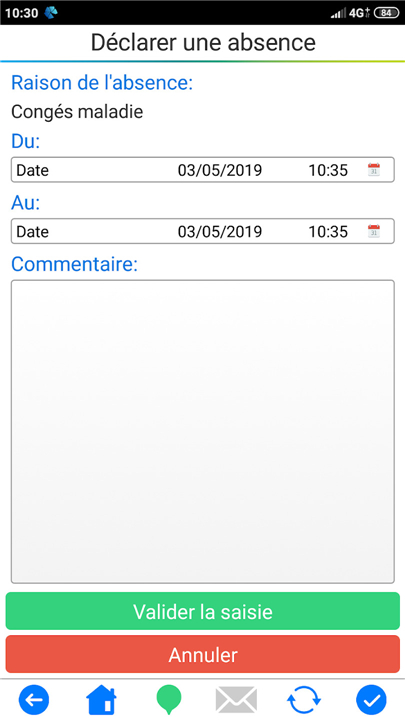
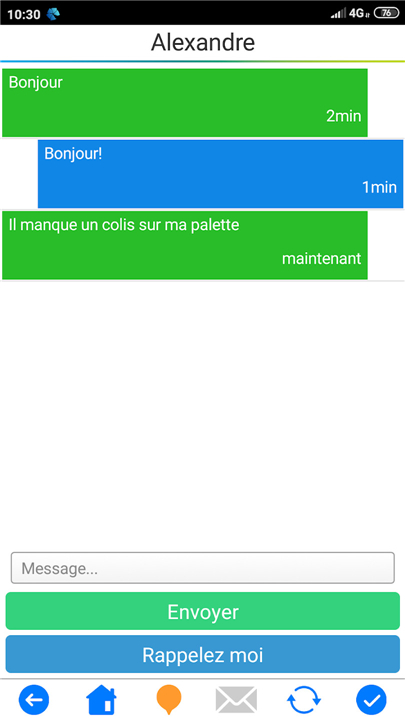
• Provide a streamlined interface allowing field personnel to update the operations department on mission progress with just a few clicks.
• Empower drivers to instantly report transport anomalies, damages, or disputes from the field.
• Allow drivers of vehicles under 3.5 tons to electronically log their Service Time directly within the application.
• Maintain complete operational synchronization, ensuring your dispatchers and field personnel operate from the exact same real-time information set.
• Grant authorized ordering parties real-time visibility into mission status and updates through the Dispatch Web portal.
Advanced Tracking and Visibility
• Utilize integrated geolocation capabilities to track the real-time location of couriers and truck drivers.
• Optimize fleet oversight and improve response times by monitoring vehicle movements throughout the execution of transport missions.
FAQ
Q: How does the system eliminate the need for telephone dictation and paper forms?
A: When a dispatcher creates a mission in the web portal, the software compiles all the necessary information—customer address, cargo details, routing preferences, special instructions, and any required documents—into a digital packet. Once the “send” button is hit, that packet is pushed to the driver’s smartphone as a push notification. No one has to pick up a phone, repeat the order, or hand over a paper sheet; the driver simply opens the app and sees everything laid out clearly.
Q: Is the data sent to the driver’s phone secure?
A: All communications between the web portal and the mobile app are encrypted with industry‑standard TLS 1.2+ protocols. Users must authenticate with unique credentials, and you can enable two‑factor authentication for an extra layer of protection. The system also respects role‑based permissions, so only authorized personnel can view or edit mission data.
Q: How quickly do drivers receive a mission after I dispatch it?
A: Because the transmission uses push‑notification technology, the mission appears on the driver’s device in almost real time—typically within a few seconds of the dispatcher’s click, provided the device has an active data connection. If connectivity is lost, the app stores the mission locally and syncs as soon as the network returns.
Version History
v82.7——3 Sep 2026
The driver application / subcontractor of Dispatch transportation solution. Download the latest version of Dispatch Mobile Workflow to enjoy new features and updates immediately!
*82.7
Ajout du scan de document via la librairie Google MlKit
*82.6
Ajout du scan de document via la librairie Google MlKit
*82.3
Minor bug fixes and improvements. Install or update to the newest version to check it out!
- AppSize23.64M
- System Requirements5.0 and up
- Is there a feeFree(In game purchase items)
- AppLanguage English
- Package Nameeurekatechnology.dispatch.mobile.android.workflow
- MD5
- PublisherEureka-Technology
- Content RatingTeenDiverse Content Discretion Advised
- Privilege19
-
Dispatch Mobile Workflow 82.7Install
23.64M2026-10-20Updated










9.7
3886 Human Evaluation
- 5 Star
- 4 Star
- 3 Star
- 2 Star
- 1 Star




