
CPU Stats
Empower Your Android Device
• Experience ultimate peace of mind by tracking your phone's processor performance effortlessly and in real time.
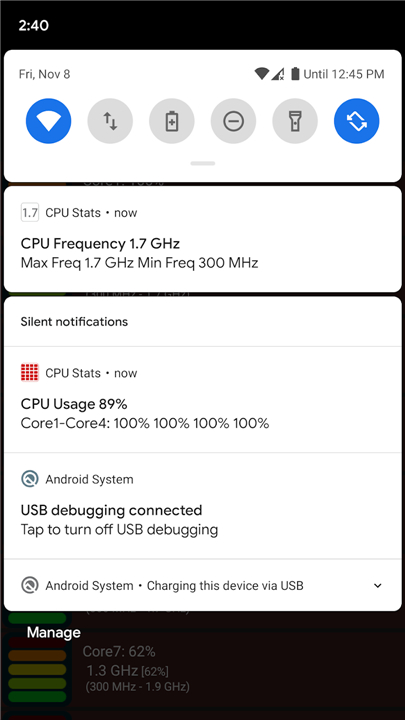
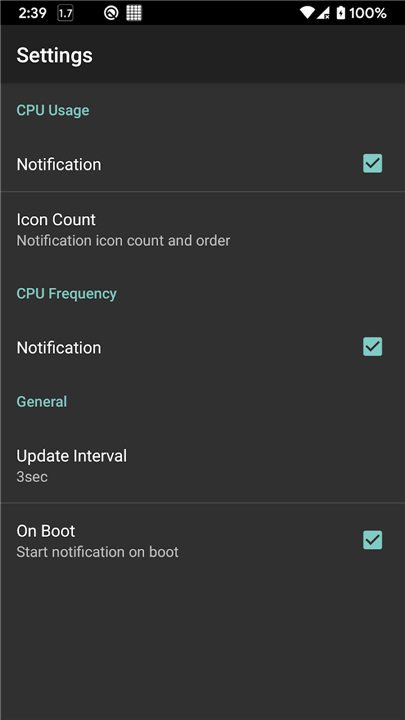
• Stay informed instantly with vital system metrics displayed directly in your status bar, eliminating the need to open heavy, resource-draining monitoring apps.
• Enjoy a beautifully simple, lightweight solution designed to put you in complete control of your mobile technology.
Universal Compatibility
• Enjoy seamless integration across a vast range of hardware, from trusted legacy single-core devices to the latest high-performance multi-core processors.
• Benefit from tailored optimizations designed specifically for dual-core architectures like the NVIDIA Tegra 2 and quad-core platforms like the NVIDIA Tegra 3.
• Harness advanced support for modern 6-core and 8-core CPUs, utilizing up to two smart notification icons to deliver a clear, comprehensive view of your multi-core power.
Key Benefits
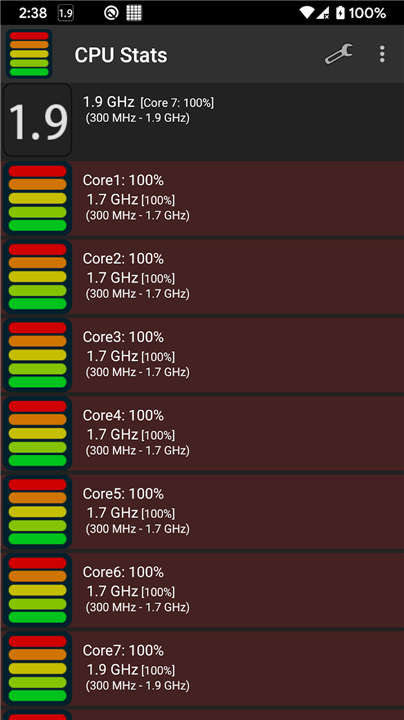
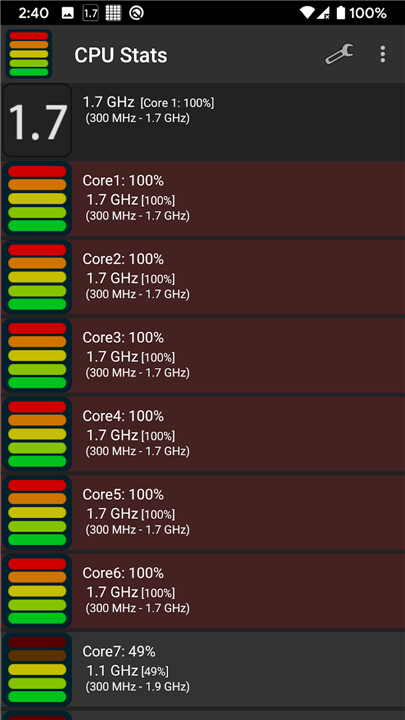
• Monitor active processor usage percentage at a single glance, keeping you connected to your device's heartbeat.
• Track real-time clock speed to easily spot when your system is idling efficiently or working hard under heavy demands.
• Run the app with absolute confidence, knowing its ultra-low footprint is engineered to safeguard your battery life and save your device's processing power.
Open Source and Community Trust
• Embrace true digital transparency and security with a fully open-source utility that is built to be audited and trusted.
• Join a collaborative community of developers and tech enthusiasts committed to keeping software free, secure, and accessible.
• Access the complete, public source code and contribute to the future of the project on GitHub: https://github.com/takke/cpustats
FAQ
Q: Does keeping this app running constantly drain my battery or slow down my phone?
A: Not at all! The app is designed with an ultra-low resource footprint that is specifically engineered to safeguard your battery life and conserve your device's processing power. You can let it run continuously in the background with absolute confidence that it won't slow you down.
Q: How does CPU Stats display information without cluttering my screen?
A: The app utilizes your Android status bar to display key real-time information in a very subtle way. Depending on your processor type, it can use up to two smart notification icons to give you a clear, comprehensive, and non-intrusive view of your multi-core power.
Q: What specific metrics can I keep track of using this app?
A: With just a single glance at your status bar, you can effortlessly monitor your active processor usage percentage and your real-time clock speed. This makes it incredibly easy to spot when your system is idling efficiently to save power or working hard under heavy processing demands.
Version History
v3.0.1——10 Aug 2026
Track real-time Android CPU usage & processor speed in your status bar with CPU Stats. Lightweight, open-source & battery friendly. Download the latest version of CPU Stats to enjoy new features and updates immediately!
*3.0.1
Minor bug fixes and improvements. Install or update to the newest version to check it out!
*3.0.0
Minor bug fixes and improvements. Install or update to the newest version to check it out!
*2.2.4
Minor bug fixes and improvements. Install or update to the newest version to check it out!
- AppSize3.96M
- System Requirements5.0 and up
- Is there a feeFree(In game purchase items)
- AppLanguage English
- Package Namejp.takke.cpustats
- MD5
- PublisherPanecraft, Inc.
- Content RatingTeenDiverse Content Discretion Advised
- Privilege19
-
CPU Stats 3.0.1Install
3.96M2026-10-28Updated










9.5
7902 Human Evaluation
- 5 Star
- 4 Star
- 3 Star
- 2 Star
- 1 Star




